History Tables
History tables are one of the Slowly Changing Dimension (SCD) methods used in data warehousing. They allow you to keep track of changes to your data over time and are useful for auditing, debugging, and understanding how your data has evolved.
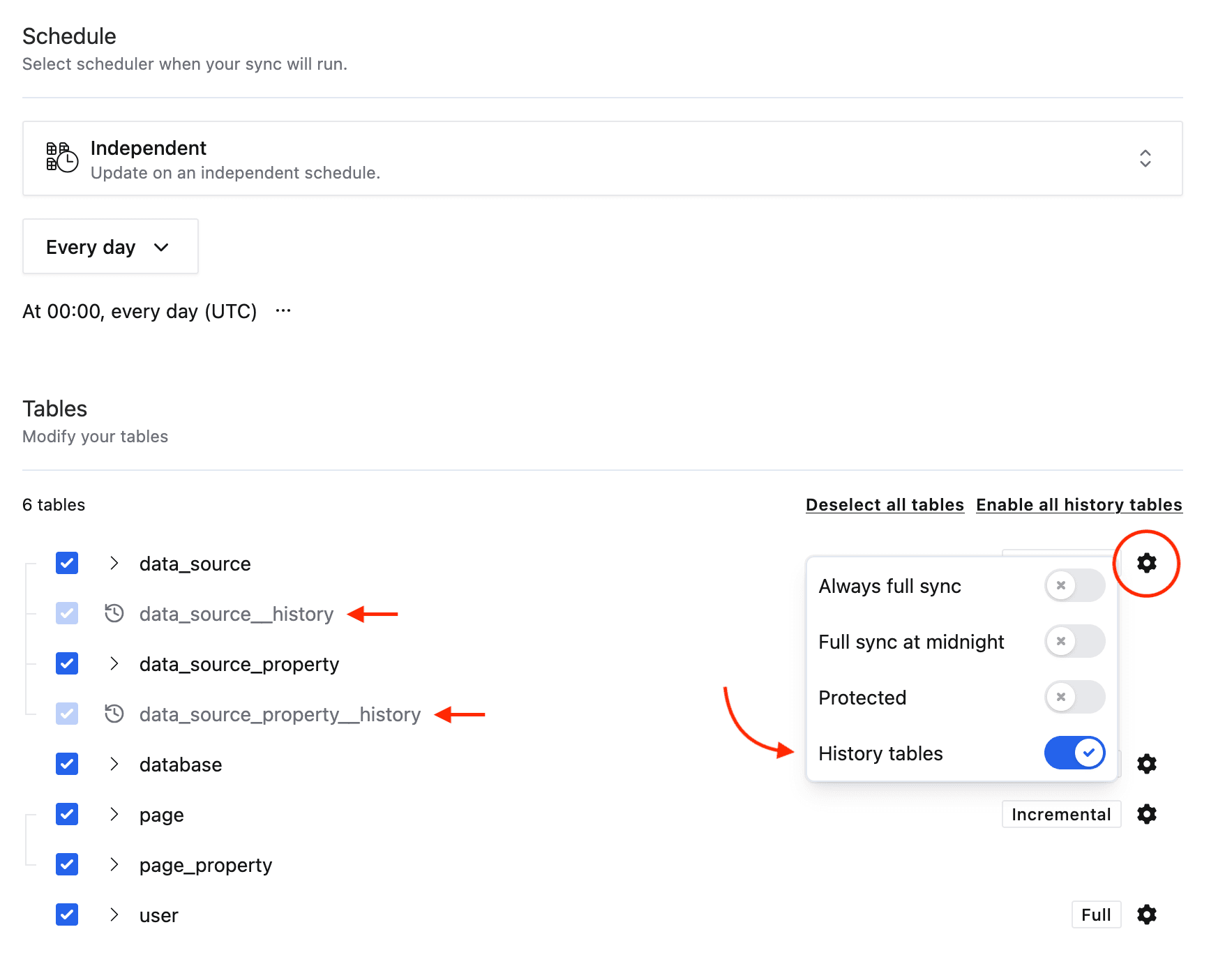
In Weld, history tables can be enabled for selected tables within the Data Source configuration. When enabled, a history table is created with the same schema as the original table, but it includes recorded changes over time. In other words, each time a record in the original table is updated, a new entry is added to the history table with the previous state of the record.
If you enable history on a stream that is already syncing, Weld seeds __history from the current main table as soon as the history table is created. That way the existing dataset appears in history immediately instead of only after each row changes again.
Example: Customers Table with History Enabled
Current Table: customers
| id | name | phone_number | updated_at | _weld_synced |
|---|---|---|---|---|
| 1 | Anna | 123-456-8888 | 2024-02-01 10:15:00 | 2024-02-01 11:15:00 |
This table always contains the latest version of each record.
History Table: customers__history
| id | name | phone_number | updated_at | _weld_synced |
|---|---|---|---|---|
| 1 | Anna | 123-456-7890 | 2024-01-01 09:00:00 | 2024-01-01 10:00:00 |
| 1 | Anna | 123-456-8888 | 2024-02-01 10:15:00 | 2024-02-01 11:15:00 |
This table stores previous versions of the record whenever changes occur. The current version of a record is always the one with the most recent _weld_synced value.
Key Points
- The history table has the same schema as the original table.
- The main table always reflects the current state.
- Enabling history on an existing sync seeds
__historyfrom the current main table right away. - The history table allows you to see what the data looked like at any point in time.
- Rows in history tables count towards your Active Rows usage.
How to Enable History Tables in Weld
- Go to the Data Source configuration in Weld.
- Search for the tables you want to enable history for and click on options (cogwheel) icon.
- Toggle on the "History tables" option for the selected table.
- Save the configuration and update the sync.
If the stream was already syncing before you turned history on, the first run with history enabled creates and seeds __history from the current main table, then continues appending future changes normally.