
Databricks
Databricks is a unified data analytics platform that provides a collaborative environment for data scientists, engineers, and business analysts. It is built on top of Apache Spark and provides a fully managed, scalable, and secure cloud-based platform for big data analytics.
🔧 Setup Guide for Databricks in Weld
Databricks can be used with Weld by leveraging its integration directly with Unity Catalog. Weld uses the M2M OAuth application for establishing connection.
Step 1: Configure Databricks service principal
-
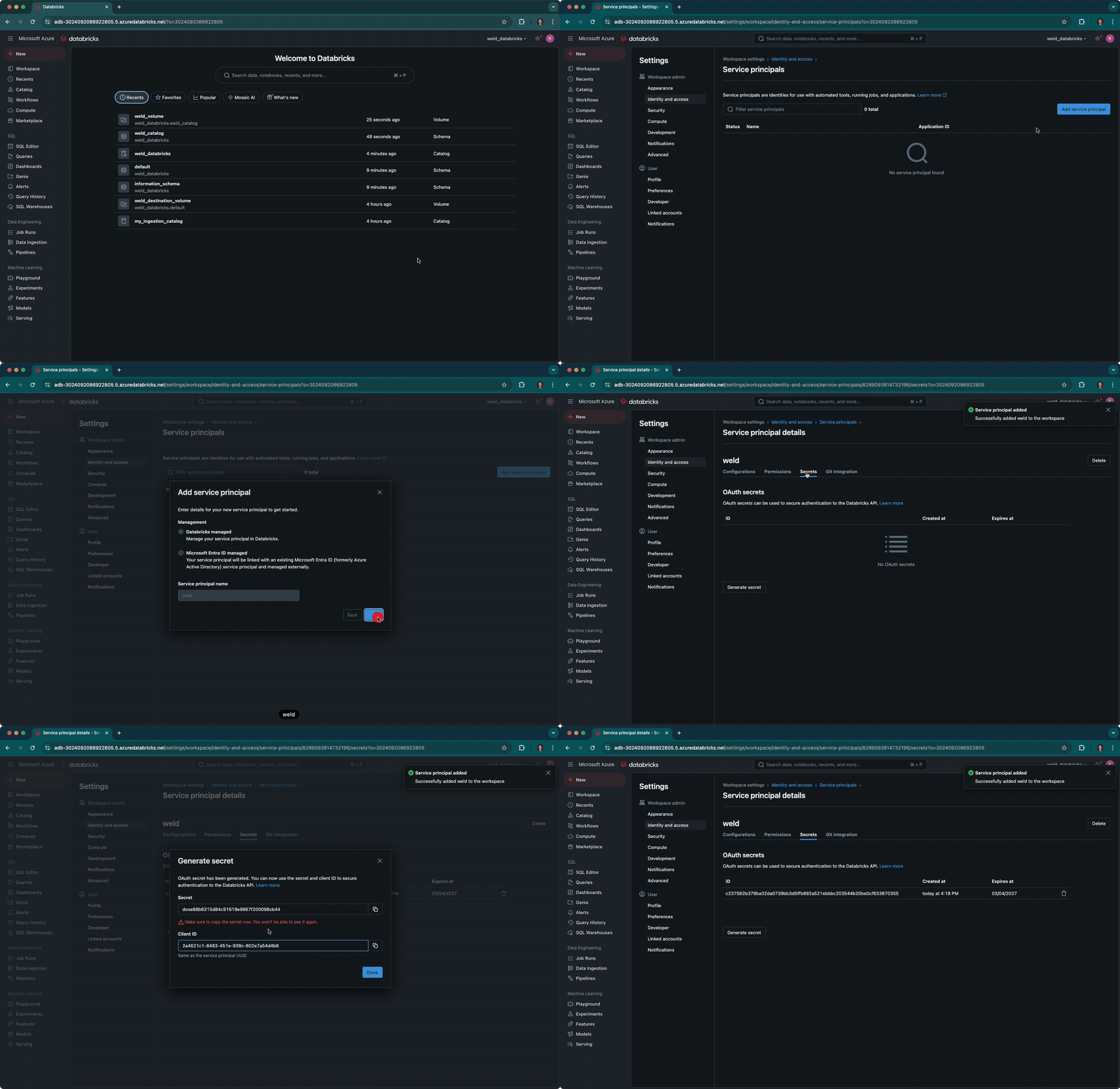
Inside your Databricks deployment you go to:
Settings -> identity and access -> service principals -> manage -
Then press the Add service principal and select add new. Then choose datbricks managed and a name (fx
weld-service-principal) and press add. -
When you have added that service principal go to the page of it. Press Secrets and generate a new secret. Note down the
Client IDandSecretyou need them during setup in Weld.
Step 2: Setup the SQL Warehouse
-
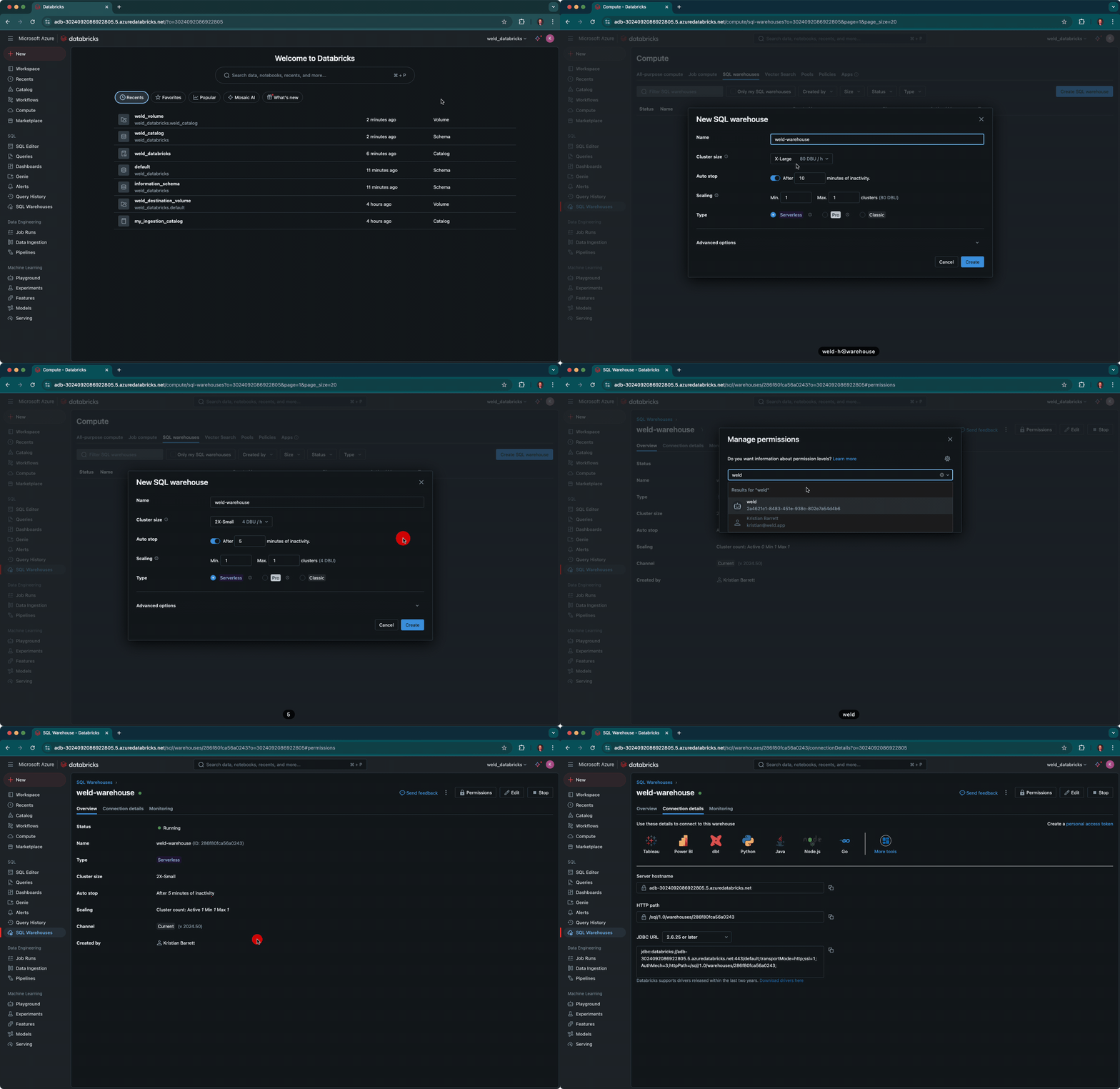
In the Databricks console, go to
SQL -> Create -> SQL Warehouse. -
We recommend starting with 2X-Small size and scaling up as your workload increases.
-
Set the timeout to 5 min. And choose the
warehouse typeyou want. -
Go to the connection details and note down the
Server hostnameandHTTP path. You will need those when configuring the connection in Weld. -
Go to premissions and add your
weld-service-principalto permissions and setcan use.
Step 3: Setup the Unity Catalog
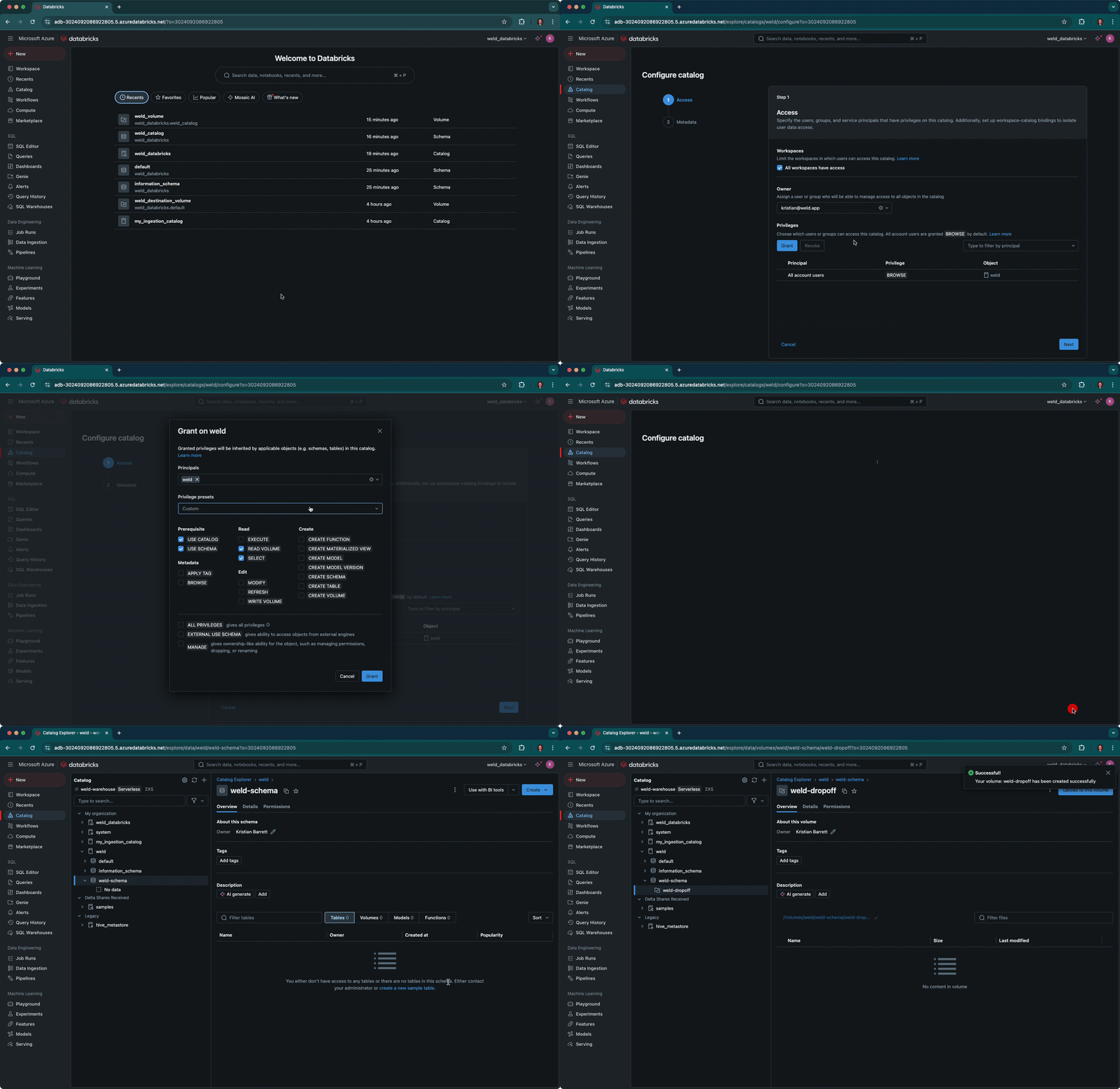
- In the Databricks console, go to
Catalog -> + -> Create a catalog. - Enter name of the catalog (weld) and choose a storage location.
- Go to your newly created catalog and Set permissions for the
weld-service-principal:- Prerequisite USE SCHEMA
- Create CREATE VOLUME
- Edit WRITE VOLUME
- Read EXECUTE, READ VOLUME, SELECT
- Create a new schema
- Go to the newly created schema and create a new volume
- And copy the URL under the Description. It will look something like this:
/Volumes/weld_databricks/weld_catalog/weld_volume
You now have all the settings you need to setup Weld with Databricks and start syncing your data.