Every warehouse vendor now ships an MCP server, and every one of them demos the same thing: ask a question in plain English, get a number back. That is the easy part. The harder questions for a data team are what the agent can do when the number looks wrong, what it can touch when something breaks, and whose permissions it uses while it does it.
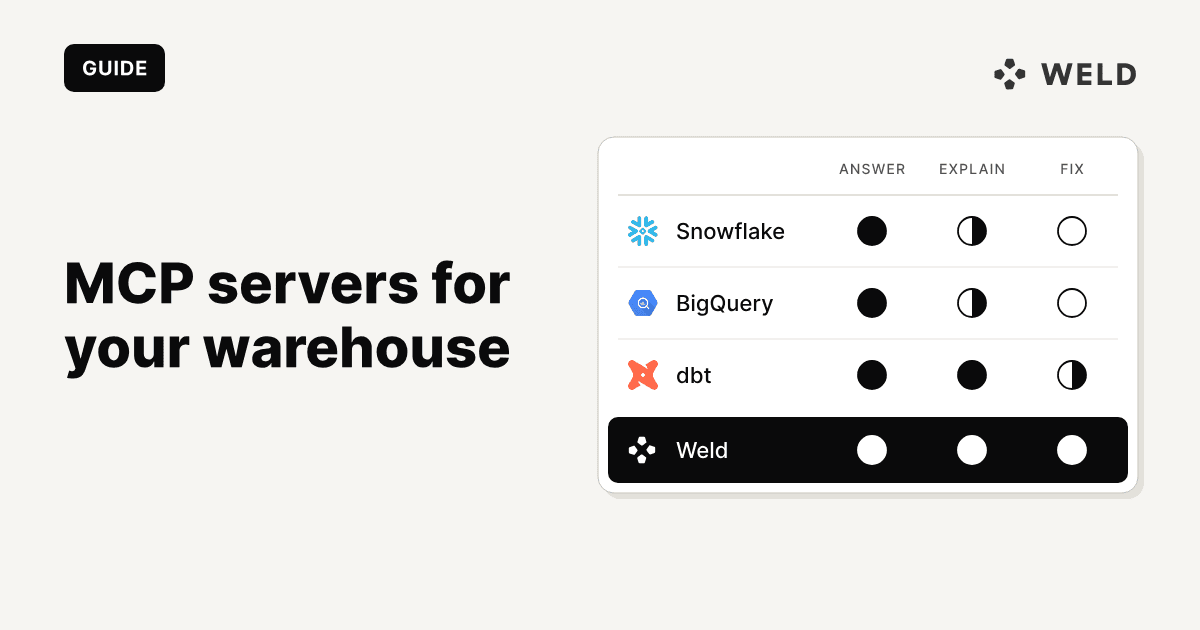
This post sets five options side by side on the same three tasks: answer a revenue question, find out why a number changed, and fix a broken sync or model. It covers Snowflake's managed MCP server, Google's two BigQuery options, the dbt MCP server and Weld's MCP server, with how to set up each one and how each one handles permissions.
The short answer. For governed answers inside Snowflake, use the Snowflake-managed server with Cortex Analyst over a semantic view. On BigQuery, Google's remote server is the simple, read-only start. If your logic lives in dbt, the dbt MCP server is the only one that understands models, lineage and job runs. None of those can see the pipeline that loads the data. That is the gap Weld's MCP server fills, and it works next to any of them.
How we compared them. Every tool name, default and limit below comes from the vendor's own documentation, checked on 29 October 2026: Snowflake, Snowflake Labs, Google BigQuery, MCP Toolbox, dbt and Weld. We connected Weld's MCP server to a demo workspace on BigQuery and ran the three tasks through it. We did not have Snowflake, Google Cloud or dbt platform accounts set up for this test, so those columns describe what each server's documented tools can do, not a recorded session. Weld is our product, and we have tried to be as plain about its limits as about anyone else's.
What an MCP server does for a data team
The Model Context Protocol is an open standard for connecting AI clients such as Claude, ChatGPT, Cursor and VS Code to other systems. An MCP server publishes a list of named tools. The client reads that list, picks a tool, fills in the arguments and calls it, then repeats until it can answer you.

Two things decide how useful a server is, and neither is the model:
- Which tools it exposes. A server with one SQL tool can answer questions about tables. It cannot tell you that the table stopped updating on Tuesday, because nothing it can call knows that.
- Whose permissions those tools run with. Every call crosses an auth boundary as some identity: your own user through OAuth, a warehouse role, a service account or a token. That identity, not the prompt, is what limits the agent.
The servers, and how to set up each one
How to set up the Snowflake MCP server
Snowflake's own server became generally available on 4 November 2025. It runs inside your Snowflake account, so there is nothing to host. You create it as an object with a YAML specification that lists the tools it exposes:
1CREATE OR REPLACE MCP SERVER analytics.agents.revenue_mcp
2  FROM SPECIFICATION $$
3    tools:
4      - title: "Revenue analyst"
5        name: "revenue_analyst"
6        type: "CORTEX_ANALYST_MESSAGE"
7        identifier: "analytics.finance.revenue_semantic_view"
8        description: "Answers revenue questions from the finance semantic view"
9      - title: "SQL"
10        name: "sql"
11        type: "SYSTEM_EXECUTE_SQL"
12        description: "Runs read-only SQL"
13        config:
14          read_only: true
15          query_timeout: 120
16  $$;
17
18GRANT USAGE ON MCP SERVER analytics.agents.revenue_mcp TO ROLE analyst_agent;
19GRANT SELECT ON SEMANTIC VIEW analytics.finance.revenue_semantic_view TO ROLE analyst_agent;
20
The documented tool types are CORTEX_ANALYST_MESSAGE (natural language questions over a semantic view), CORTEX_SEARCH_SERVICE_QUERY, CORTEX_AGENT_RUN, SYSTEM_EXECUTE_SQL, CODING_AGENT and GENERIC (your own UDFs and stored procedures).
Connect Claude. Clients log in with Snowflake OAuth, so first create a security integration for Claude, limited to the agent's role:
1create SECURITY INTEGRATION claude_mcp TYPE = OAUTH OAUTH_CLIENT = CUSTOM ENABLED = true OAUTH_CLIENT_TYPE = 'PUBLIC' OAUTH_REDIRECT_URI = 'https://claude.ai/api/mcp/auth_callback' OAUTH_USE_SECONDARY_ROLES = NONE ALLOWED_ROLES_LIST = ('ANALYST_AGENT');Then in Claude, open Settings → Connectors, add a custom connector with the server URL, https://<account_url>/api/v2/databases/<db>/schemas/<schema>/mcp-servers/<name>, add the client ID and secret from the integration, and sign in to Snowflake when the browser opens. In Cursor, the same URL goes in .cursor/mcp.json:
1{
2  "mcpServers": {
3    "snowflake": {
4      "url": "https://<account_url>/api/v2/databases/<db>/schemas/<schema>/mcp-servers/<name>",
5      "auth": {
6        "CLIENT_ID": "${env:MCP_CLIENT_ID}",
7        "CLIENT_SECRET": "${env:MCP_CLIENT_SECRET}"
8      }
9    }
10  }
11}
Least privilege. Snowflake's own advice: give the agent a dedicated role with access to the server and the objects behind its tools only, make that role and a small warehouse the user's defaults, turn off secondary roles as above, and leave direct SQL off the server unless the client needs it.
Worth knowing: the server supports tools only, with no MCP resources or prompts, and up to 50 tools per server. Responses from SQL and generic tools are cut at 250 KB. Every user needs a default warehouse set, or the session will not start.
Snowflake Labs MCP server (deprecated)
Most "Snowflake MCP" tutorials still point to Snowflake-Labs/mcp, the open source server you run yourself with uvx snowflake-labs-mcp. Its README now says the project is deprecated and no longer maintained, and sends users to the managed server. The last release, 1.4.2, shipped on 15 May 2026. It could create, alter and drop objects and run arbitrary SQL, gated by a per-statement allow list, which is exactly why it is not a server to start a new project on. We leave it out of the comparison below.
How to set up the BigQuery MCP server
Google runs a remote MCP server for BigQuery at https://bigquery.googleapis.com/mcp. It reached general availability on 20 April 2026. There is no separate switch: it is on when the BigQuery API is enabled in your project. You authenticate with OAuth as any Google Cloud identity, and Google recommends a dedicated identity for the agent.
It has six tools: list_dataset_ids, list_table_ids, get_dataset_info, get_table_info, execute_sql and execute_sql_readonly. Queries stop after 3 minutes by default and return at most 3,000 rows.
Connect Claude. Claude Code and Claude Desktop connect through a custom connector with your own Google OAuth client:
- In Google Auth Platform, create an OAuth client of type Web application.
- Add
https://claude.ai/api/mcp/auth_callbackas a redirect URI and copy the client ID and secret. - In Claude, add a custom connector with the URL
https://bigquery.googleapis.com/mcp, and enter the client ID and secret under Advanced settings.
Gemini CLI reads the same endpoint from an extension file with "authProviderType": "google_credentials", after gcloud auth application-default login. Google documents both in its client guide.
Least privilege. Give the agent's identity roles/mcp.toolUser, roles/bigquery.jobUser and roles/bigquery.dataViewer on the datasets it needs, nothing more. To block the one tool that writes, Google documents an IAM deny policy on mcp.googleapis.com/tools.call with the condition api.getAttribute('mcp.googleapis.com/tool.isReadOnly', false) == false. The client still sees execute_sql in its tool list, but calls to it fail.
BigQuery MCP server with MCP Toolbox
Google's open source MCP Toolbox runs locally and ships a prebuilt BigQuery tool set:
1{
2  "mcpServers": {
3    "bigquery": {
4      "command": "npx",
5      "args": [
6        "-y",
7        "@toolbox-sdk/server",
8        "--prebuilt=bigquery",
9        "--stdio"
10      ],
11      "env": {
12        "BIGQUERY_PROJECT": "your-project-id",
13        "BIGQUERY_WRITE_MODE": "blocked"
14      }
15    }
16  }
17}
Beyond execute_sql and the dataset and table lookups, it adds search_catalog, forecast, analyze_contribution (which segments drove a change in a metric) and ask_data_insights. It uses Application Default Credentials unless you pass the client's OAuth token through or impersonate a service account. Set BIGQUERY_WRITE_MODE as above: its default is allowed.
How to set up the dbt MCP server
dbt Labs ships the dbt MCP server in two forms. The local one runs next to your project (uvx dbt-mcp, version 2.9.0 at the time of writing) and works with dbt Core. For Claude Code, dbt recommends a .mcp.json in the project root that you commit with the project; Claude Desktop takes the same entry in claude_desktop_config.json:
1{
2  "mcpServers": {
3    "dbt": {
4      "command": "uvx",
5      "args": [
6        "dbt-mcp"
7      ],
8      "env": {
9        "DBT_PROJECT_DIR": "/path/to/your/dbt/project",
10        "DBT_PATH": "/path/to/your/dbt/executable"
11      }
12    }
13  }
14}
DBT_PATH is the output of which dbt. That gives the agent the dbt CLI (build, run, test, compile, show, list and more); the codegen tools stay off until you set DISABLE_DBT_CODEGEN=false. With a dbt platform account it also gets the Semantic Layer (list_metrics, query_metrics, get_dimensions), the Discovery API (get_lineage, get_model_health, get_model_performance, get_all_sources with freshness) and the Admin API (list_jobs, get_job_run_error, retry_job_run, trigger_job_run). The remote server, added in Claude Code with claude mcp add --transport http dbt https://<your_dbt_host>/api/ai/v1/mcp/, has the platform tools but not the CLI or codegen.
Least privilege. build and run change warehouse objects, so for an agent that should only read, set DISABLE_DBT_CLI=true and work through the Discovery and Semantic Layer tools, or switch single tools off with DISABLE_TOOLS. Our Claude Code and dbt guide walks through the local setup step by step.
How to set up the Weld MCP server
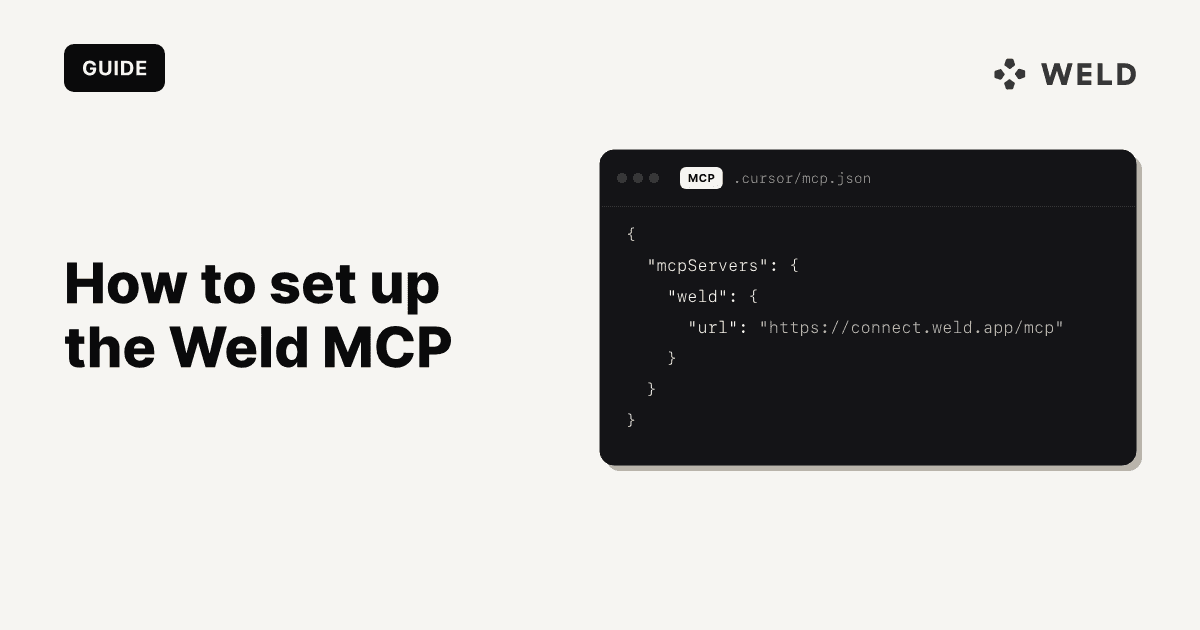
Weld's server works on the pipeline as well as the warehouse: the syncs that load your sources, the SQL models, orchestrations, reverse ETL and queries. It is a remote server at https://connect.weld.app/mcp. Clients that support OAuth log in with your Weld account, so there is no key to create; the rest take an API key in a header.
In claude.ai and Claude Desktop you do not need the URL: Weld is listed in Claude's connector directory. Open Settings → Connectors, search for Weld, click Connect and log in. In Claude Code, add it from the command line and run /mcp to log in:
claude mcp add weld --transport streamable-http https://connect.weld.app/mcp
It has over 60 tools, from list_failed_syncs and get_elt_source_stream_history to publish_transform, request_orchestration_run and create_reverse_etl_sync. Setup for Cursor, ChatGPT, VS Code and other clients is in how to set up the Weld MCP.
Three tasks, five servers
We gave each server the same three jobs, written the way a data team would ask them.
Task 1: "What was net revenue by month this year?"
Every server can do this, and how good the answer is depends on what sits under it. Snowflake's best route is a CORTEX_ANALYST_MESSAGE tool over a semantic view, so "net revenue" means what finance decided it means. Without one, the agent writes SQL against raw tables and has to guess. BigQuery's remote server can only write SQL against tables; MCP Toolbox adds ask_data_insights on top. dbt answers from governed metrics with query_metrics if you use the dbt Semantic Layer, and otherwise through show or, on the platform, execute_sql.
Weld, in our test, found the revenue model by searching the workspace's tables and models, read its columns, wrote the monthly query and checked it against BigQuery, which returned the columns and types it would produce. It then stopped and said it could not run the query: every Weld workspace starts with Send metadata only turned on, so agents see table names, columns and SQL but no values until an admin allows it. With the setting off, run_query returns up to 1,000 rows. More on that below.
Task 2: "Why did net revenue drop last week?"
This is where the servers split. A warehouse server can compare two periods with SQL, and that is all it can do: it cannot see the model that computes the number or whether the data feeding it arrived. Snowflake's server has no lineage or run history tool. BigQuery's remote server has metadata and SQL only. MCP Toolbox is the best warehouse-side option here, because analyze_contribution shows which segments moved the metric.
dbt sees the next layer down: get_lineage shows which models and sources feed the number, get_model_health shows the last run, test results and upstream freshness, and get_model_performance shows the run history. If a source has gone stale, dbt can tell you that it has. It cannot tell you why.
Weld sees the model and what loads it. In our test, list_transform_versions returned the revenue model's SQL history and the two upstream models it reads from, the ad spend report and the Shopify sales model. From there get_elt_sync_history and get_elt_source_stream_history show, stream by stream, when each source last synced, how many records it brought and whether the run failed, so "the number dropped" can be traced to something like "the Shopify orders stream has failed since Tuesday". The error message itself is withheld while Send metadata only is on, because a warehouse error can quote a value from your data. What Weld does not have is a metrics layer: it does not know your metric definitions beyond the SQL in your models.
Here is that test as it ran, call by call:

Task 3: "Fix it."
Most of these servers stop at the warehouse's edge. Neither Snowflake server, nor either BigQuery option, can see an ingestion tool, a connector or a sync; to them a broken sync is a table that stopped changing. What they can do is change warehouse objects, if you let them: execute_sql on BigQuery, the managed Snowflake SQL tool with read_only turned off, or a stored procedure exposed as a GENERIC tool.
dbt can fix the model layer. Locally it can edit a model and build or test it; on the platform it can read the failure with get_job_run_error and rerun it with retry_job_run. If the root cause is a source that did not load, that is outside its reach.
Weld can act on the pipeline itself: list the failing syncs with their last successful run, send you a link to reauthorize a connection whose credentials expired with reauthorize_connection, rerun a stream with request_elt_stream_run, request a full refresh, change a sync's settings, update and republish a model with publish_transform, run an orchestration, and retry failed reverse ETL records. Our demo workspace had no failing syncs at the time of the test, so we could not show a live fix. The tools above are the documented path.
The results side by side
| Server | 1. Revenue question | 2. Why a number changed | 3. Fix a sync or model |
|---|---|---|---|
| Snowflake managed | Yes; governed with Cortex Analyst over a semantic view | Period comparison in SQL | Warehouse objects only, if writes are allowed. Cannot see ingestion |
| BigQuery remote | Yes, SQL over tables | Period comparison in SQL | Warehouse objects only, through the write SQL tool. Cannot see ingestion |
| MCP Toolbox | Yes, SQL plus data insights | Contribution analysis of the change | Warehouse objects only, if write mode allows. Cannot see ingestion |
| dbt MCP | Yes; governed with metrics from the Semantic Layer | Lineage, model health, run history, source freshness | Rebuilds models locally or reruns jobs on the platform. Sees source freshness only |
| Weld MCP (tested) | Yes, SQL over your models, with values once the workspace shares data with AI | Model history, upstream models, per-stream sync history and failures | Reruns and refreshes syncs, republishes models, runs orchestrations, retries reverse ETL |
Which MCP server should you use?
Pick by the job you want the agent to do, not by the warehouse logo.
| If you want the agent to | Use | Because |
|---|---|---|
| Answer metric questions with one agreed definition, on Snowflake | Snowflake-managed server with Cortex Analyst | It asks a semantic view, not raw tables |
| Query BigQuery with no chance of a write | Google's remote BigQuery server | Read-only SQL tool, and an IAM deny policy blocks the other one |
| Find which segments drove a change, on BigQuery | MCP Toolbox | It has a contribution analysis tool |
| Write, test and rebuild dbt models | dbt MCP server, local | It runs the dbt CLI next to your project |
| Read why a dbt job failed and rerun it | dbt MCP server, on the dbt platform | It reads the failed run's error and retries the run |
| Fix syncs that stopped loading, including expired credentials | Weld MCP server | It sees the syncs, reruns streams and sends reauthorization links |
| Build and publish SQL models, run orchestrations, send data back to your tools | Weld MCP server | Models, orchestrations and reverse ETL are its tools |
| Self-host a Snowflake server that can change objects | None today | The Snowflake Labs server is deprecated |
Security and permissions
An agent can do whatever its identity can do, so the first decision is which identity it gets. Here is how each server handles it.
| Server | Who the agent acts as | Read only by default? | How to restrict it |
|---|---|---|---|
| Snowflake managed | Your user over Snowflake OAuth, in your default role or a role granted through a scope. External OAuth and access tokens also work | Yes, the SQL tool only runs SELECT unless you turn read only off | Grant usage on the server, then a separate grant per tool |
| BigQuery remote | Any Google Cloud identity over OAuth | No, one of its two SQL tools can write | IAM roles, plus a deny policy on the write tool |
| MCP Toolbox | Your default Google credentials, the client's OAuth token or an impersonated service account | No, write mode defaults to allowed | Block writes, allow list datasets, cap bytes billed |
| dbt MCP | A service token, a personal access token or OAuth. SQL runs with your development credentials | No, the CLI tools and SQL change warehouse objects | Switch tool groups or single tools off. SQL and codegen are off until you enable them |
| Weld MCP | Your Weld user over OAuth, with exactly that user's permissions. An API key acts as a workspace admin | Values from your data stay hidden until an admin allows it, and queries run read only | Weld roles, the Send metadata only setting, and OAuth rather than API keys |
The settings behind each row:
- Snowflake:
GRANT USAGE ON MCP SERVERlets a role connect and list tools. Access to the server does not give access to the tools, so each one needs its own grant, such asSELECTon the semantic view.SYSTEM_EXECUTE_SQLhasread_only: trueby default. - BigQuery remote: the agent's identity needs
roles/mcp.toolUser,roles/bigquery.jobUserandroles/bigquery.dataViewer.execute_sql_readonlyblocks DML, DDL and Python UDFs;execute_sqldoes not, and Google documents an IAM deny policy to block it. - MCP Toolbox:
BIGQUERY_WRITE_MODE=blocked(orBIGQUERY_READONLY=true) for read only, anallowedDatasetslist in a custom tools file to fence it in, andBIGQUERY_MAXIMUM_BYTES_BILLEDto cap what a query can cost. - dbt MCP:
DISABLE_DBT_CLI,DISABLE_ADMIN_APIand the otherDISABLE_*variables locally, or thex-dbt-disable-toolsheader on the remote server.DISABLE_SQLis true by default. - Weld MCP: with Send metadata only on, which is the default, agents can search tables, read columns and check SQL, but cannot read query results or run error messages that might quote a value. Only workspace admins can change it, and changes are recorded in the audit log.
A few rules hold across all of them:
- Give the agent its own identity where the server allows it. A dedicated Snowflake role or Google service account makes its activity easy to find in the warehouse's query history, and easy to switch off.
- Start read only and add write access one tool at a time. The servers that can write by default (Toolbox, the dbt CLI, BigQuery's
execute_sql) all have a switch to turn it off. - Cap the cost of a query. An agent will happily
SELECT *a large table. UseBIGQUERY_MAXIMUM_BYTES_BILLEDwith Toolbox, a small dedicated warehouse andquery_timeouton Snowflake. - Treat data as untrusted input. A text column can contain instructions. That matters most on servers that can write, which is one more reason to keep writes behind a deliberate setting.
Where a pipeline MCP fits next to warehouse servers
Put the servers on the stack and the difference is where each one starts.

Warehouse servers start at the tables. They are the right tool for answering questions, and Snowflake's and dbt's semantic layers make those answers trustworthy. But a lot of "the number is wrong" turns out to be "the data did not arrive": an expired token, a source API change, a sync that has been failing quietly for three days. An agent with only a warehouse server can notice that a table stopped changing. It cannot see why, and it cannot rerun anything.
A pipeline server covers the part before the tables and the part after them: the syncs that load the data, the models built on top, and the reverse ETL that sends results back to HubSpot or Salesforce. That is the layer Weld's MCP server works on, so it is a complement to a warehouse server rather than a replacement.
In practice the combination that covers the most ground is:
- Weld MCP for anything about data arriving, models running and data going back out.
- Your warehouse's server, or the dbt MCP server, for governed metric answers, where a semantic layer defines the metric once.
Both can be connected to the same client at once, and the agent picks the tool that fits the question. For how the pieces stack up, from sources to skills, see the agent context stack. For worked examples of Claude running a Weld workspace, see using the Weld MCP with Claude.
FAQ
It is a service that exposes a warehouse, or the tools around it, to AI clients through the Model Context Protocol. The client reads a list of tools, such as "run a query" or "list tables", and calls them on your behalf. What the agent can do is limited to those tools and to the permissions of the identity they run as.
No. Its README says the project is deprecated and no longer maintained, and directs users to the Snowflake-managed MCP server. The last release, 1.4.2, was published on 15 May 2026.
Some can by default. Google's MCP Toolbox allows writes unless you block them, the remote BigQuery server's execute_sql can write, and the dbt CLI tools build and run models. Snowflake's managed SQL tool is read only unless you turn that off. Weld's queries run read only. Its pipeline tools change syncs, models and reverse ETL syncs, and publishing or deleting a model creates or drops its view or table, always within the permissions of your Weld user.
Not to start, but it makes answers about business metrics much more reliable. Without one, the agent decides what "revenue" means each time it writes SQL. Snowflake's Cortex Analyst over a semantic view and the dbt Semantic Layer both give the agent one agreed definition.
Yes. Clients like Claude, Cursor and VS Code can connect several servers at once, and the agent chooses tools from all of them. A common pairing is a pipeline server such as Weld's with a warehouse or dbt server for metric questions.