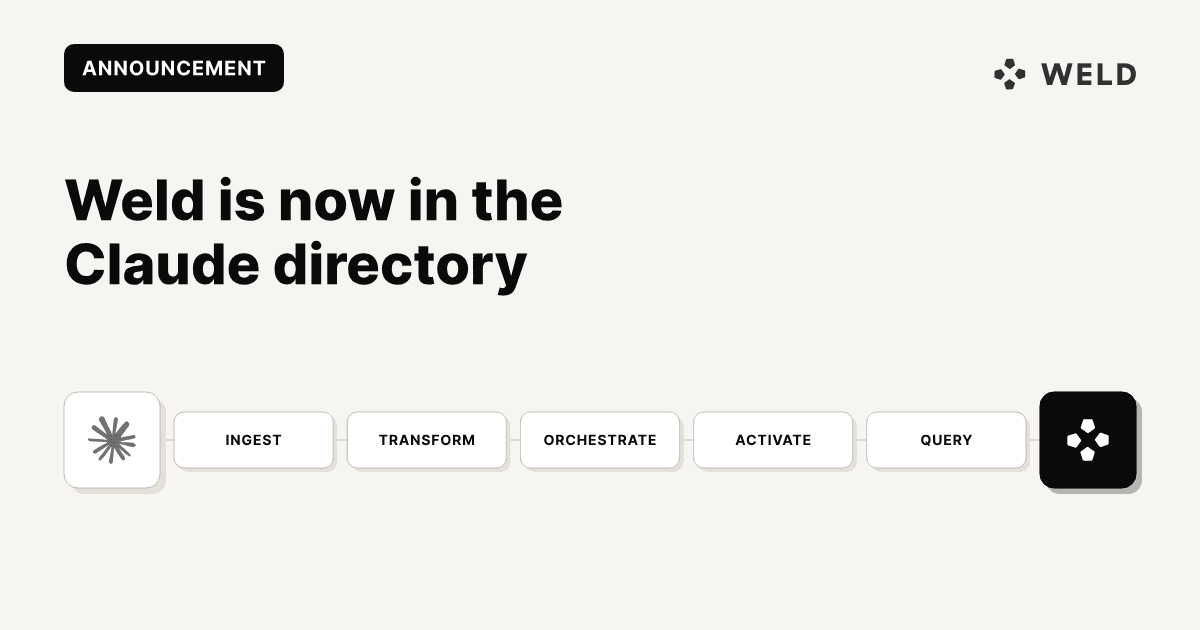
Weld is now publicly listed in Claude's connector directory.
Until now, connecting Weld to Claude meant knowing that the Weld MCP server existed, finding the endpoint, and pasting it into the Add custom connector dialog. That works, but it is a step that only people who already knew what they were looking for ever took. Now Weld sits in the directory next to the other tools your team connects, and adding it is a click and a login.
What actually changed
The Weld MCP server has not changed. The endpoint is still https://connect.weld.app/mcp, it still uses Streamable HTTP, and it still authenticates over OAuth or an API key.
What changed is discovery and setup:
| Before | Now |
|---|---|
| Settings, Connectors, Add custom connector | Settings, Connectors, Browse directory |
Paste https://connect.weld.app/mcp | Search for Weld, click Connect |
| Name it yourself | Listed with the Weld icon and description |
Everything after the login prompt is identical. If you already connected Weld as a custom connector, you do not need to do anything.
What Claude can do once it is connected
The reason this is worth an announcement is what sits behind the button. Most data connectors give an assistant a read only window onto a warehouse. The Weld connector exposes the whole pipeline as tools, so Claude can change it, not just describe it.
Ingest (ELT). Create and manage syncs that pull data from source connections into the warehouse, monitor sync health, and trigger refreshes or on demand runs.
Transform. Write, publish and version SQL transforms against warehouse tables, with view and table materialization and independent scheduling.
Orchestrate. Chain syncs and transforms into scheduled workflows so pipelines run end to end without anyone pressing a button.
Activate (Reverse ETL). Push modeled data back into downstream tools such as CRMs and ad platforms, with configurable insert, update, upsert and mirror logic and field level mapping.
Query. Run ad hoc SQL against the warehouse for exploration, validation, or answering a data question in the middle of a conversation.
Because every stage is a tool rather than a dashboard, the work happens where the need came up. A failed sync gets investigated and re run in the same thread where someone noticed the number looked wrong. A transform gets adjusted when the business logic changes. A workflow gets extended to a new destination without anyone opening the Weld UI.
You never call any of this by name. Claude picks the tool from what you ask. But it is worth knowing what is on the list, because the shape of it is the point:
| Group | Tools include |
|---|---|
| Connections | list_connections, get_connection_elt_settings, reauthorize_connection |
| ELT syncs | create_elt_sync, add_elt_sync_source_streams, get_elt_sync_status, list_failed_syncs |
| ELT streams | request_elt_stream_run, request_elt_stream_full_refresh, set_elt_stream_sync_interval |
| Transforms | create_transform, bulk_create_transforms, publish_transform, list_transform_versions |
| Orchestrations | create_orchestration, attach_transform_to_orchestration, request_orchestration_run |
| Reverse ETL | create_reverse_etl_sync, get_reverse_etl_destination_schema, retry_failed_reverse_etl_sync_records |
| Queries | run_query, get_query_result, list_available_references |
Every tool, with what it does and what it takes, is listed in the MCP server docs.
What people actually ask it
"Which of my syncs are currently failing and what are the errors?"
Calls list_failed_syncs and comes back with each failing sync, the error, and when it last succeeded.
"Show me the last 10 runs for the payments stream in my Stripe sync."
Calls get_elt_source_stream_history for that sync and stream.
"Create a published view called
active_customersthat selects customers with at least one order in the last 90 days."
Calls create_transform with the SQL and publishes it to the warehouse in one step.
How to add it
claude.ai and Claude Desktop
- Open Settings, then Connectors.
- Browse the directory and search for Weld.
- Click Connect.
- A browser window opens. Log in with your Weld account to authorize.
That is it. Weld's tools are available in your next chat.
Claude Code
The directory is a Claude app feature, so in Claude Code you still add the server from the CLI and then authenticate:
claude mcp add weld --transport streamable-http https://connect.weld.app/mcp
Full setup instructions for every client, including Cursor, GitHub Copilot and Windsurf, are in the MCP server docs.
Permissions and plans
When you connect over OAuth you authenticate as yourself, and the assistant acts with exactly the permissions your Weld user has, nothing more. If your account has access to several workspaces, connect with the standard URL and tell Claude which one to work in. It can call list_accounts to see your options.
An API key still works for clients without OAuth, but note that API keys currently grant full admin permissions regardless of who created them, so OAuth is the better default in a Claude client.
The MCP server is available on the Premium plan and above. On Basic you can trial it free for two weeks, after which it is available as an add on at €99/month. Details are on the pricing page.
Where to go next
If you have not used the Weld MCP before, these two posts cover the ground:
- How to set up the Weld MCP, a step by step walkthrough for each client, over OAuth or an API key.
- Weld MCP Server: let Claude manage your data pipeline, what it looks like in daily use, with real examples.
FAQ
Not in claude.ai or Claude Desktop. Weld is in the connector directory, so you can find it under Settings, Connectors and click Connect. The endpoint https://connect.weld.app/mcp still works if you prefer adding it as a custom connector, and it is still how you add Weld in Claude Code.
No. It is the same server and the same authentication. An existing connection keeps working exactly as it did.
Over OAuth, exactly the access your own Weld user has. You log in as yourself and the assistant inherits your permissions. API keys are different: they currently carry full admin permissions regardless of the role of the person who created them.
The MCP server is included on the Premium plan and above. On the Basic plan you can test it free for two weeks, and after that it is available as an add on at €99/month.
Any MCP client. That includes Claude Desktop, claude.ai, Claude Code, Cursor, GitHub Copilot, Windsurf, ChatGPT Desktop, Codex and VS Code. The connector directory is specific to Claude, but the server itself is not.