Ed is an agent now. It works through the same tools as the Weld MCP server, so it can look things up in your workspace while it answers: search your synced tables and models, read their columns, and check its SQL against your warehouse before it shows it to you.
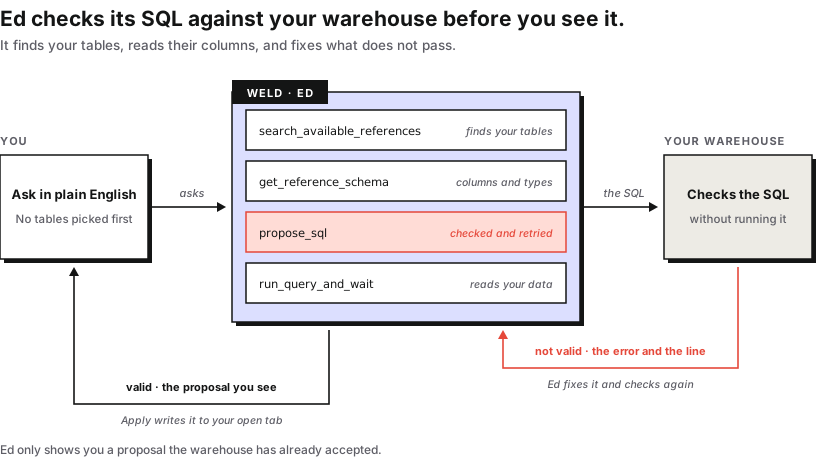
So the SQL that comes back is written against your real schema and has already passed your warehouse's own check. Ed finds the tables, reads the columns, writes the query, and fixes what does not pass, and you can see each step it took.
TL;DR: Ed is an agent now. It finds the right tables itself, validates every query it proposes against your warehouse and fixes it if the check fails, and applies the result to the open editor tab as a single undo step. You can see each step it took.
What changed
| Before | Now |
|---|---|
| You picked the tables before you asked | Ed searches your synced tables and models itself |
| Its view of your model froze when the chat started | It sees the current SQL in the editor on every message |
| SQL arrived unchecked, and you found out by running it | Every proposal is checked against your warehouse first |
| Applying a fix meant copy, click, select all, paste | Apply writes it to the open tab as one undo step |
| You could not see what it had done | Every lookup and check shows as a step in the chat |
| Fix with Ed sent the bare error, and was hidden for "Reference not found" | It sends the error, and the fix is checked like any other proposal |
| Chats were gone when you closed the panel | Chats are saved and tied to the tab they were about |
| Prompts left the EU | Prompts are processed in the EU |
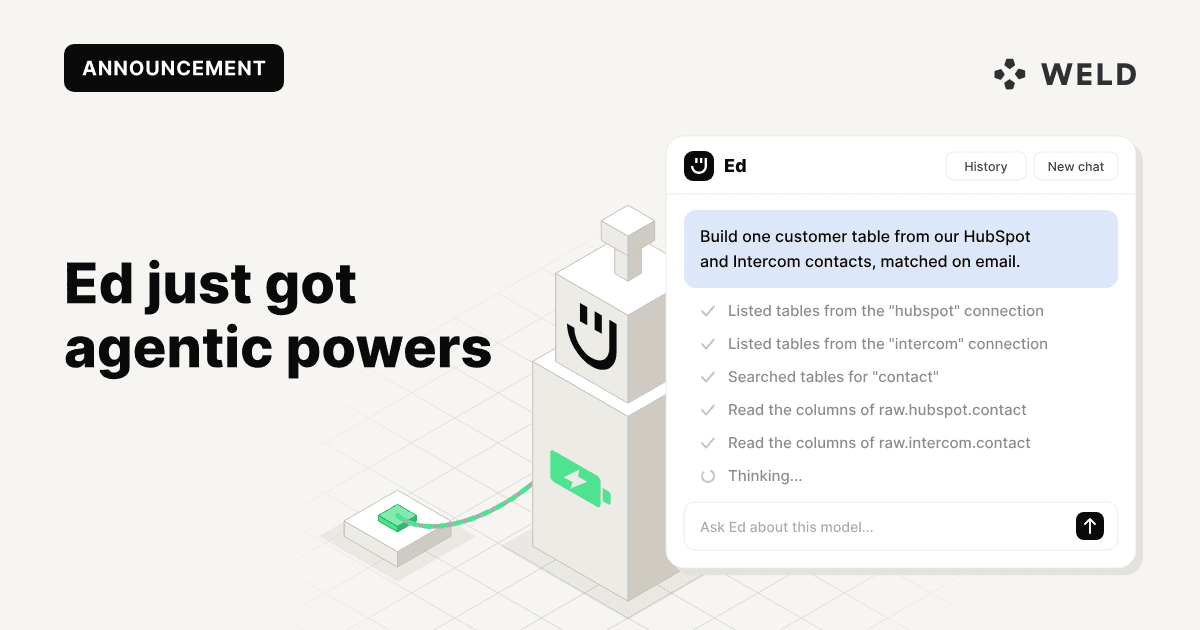
The screenshots below follow one request from start to finish: link our Intercom contacts to our HubSpot contacts so we can see each customer across both systems.
It finds the data itself
The Ed you already know worked from a snapshot: you picked the tables, it got their column names, and that was all it ever knew. Ask about something outside that picture and it had to invent.
Now Ed searches. Ask it to link two of your connected sources and it lists the tables on each connection, searches for the ones that match, and reads their columns before it writes anything. Every step shows in the chat, so you can see what it looked at.
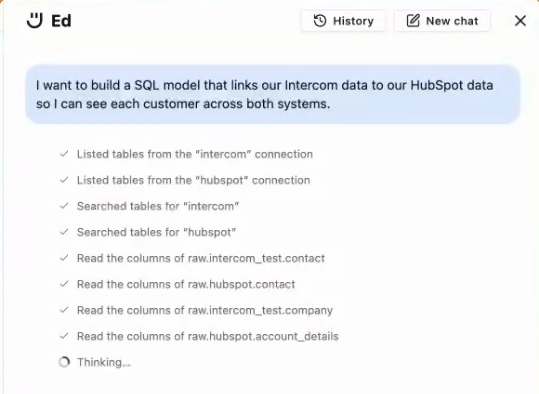
That also means the table picker is no longer something you have to fill in first. You describe what you want, and Ed goes looking.
It checks its own SQL
Before a query reaches you, Ed validates it against your warehouse. If the check fails, Ed reads the error, fixes the query and checks again. The proposal you see is one that passed, marked Valid, with the summary of what it does above it.
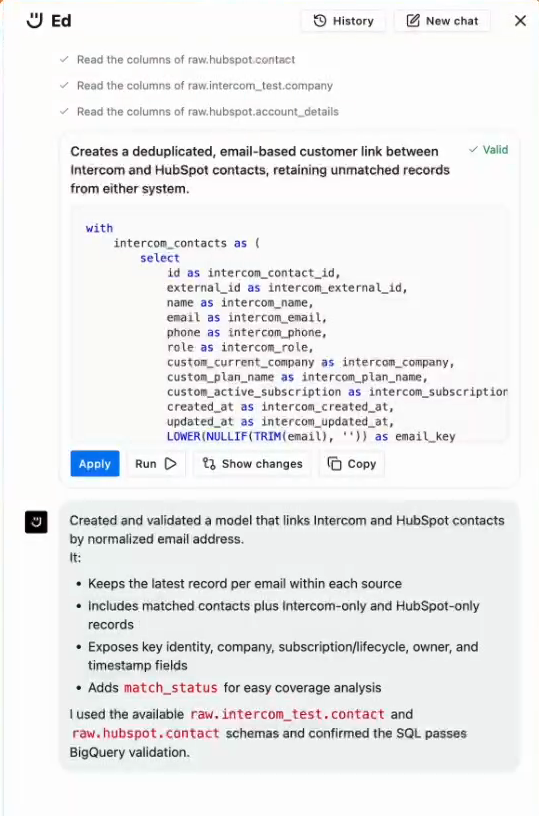
Four things you can do with a proposal:
- Apply writes it into the open tab as one undo step, so a single Cmd+Z (Ctrl+Z on Windows) puts back exactly what was there.
- Run opens it in the preview, the same as running anything else in the editor.
- Show changes gives you an inline diff against what is in the editor now.
- Copy takes the SQL as text.
Applying is the part that was missing. Every fix used to be a copy, a click into the editor, a select-all and a paste, and no easy way back if the new query was worse.
It sees what you are working on
The old Ed took a snapshot of your model when the chat began and never looked again. After the first message it stopped sending your SQL altogether, so you could rewrite half the query and still be talking to something that knew the version from ten minutes ago.
Now the editor's current SQL goes with every message, along with whatever you have selected. Ask it to explain or fix the selected lines and it knows which lines you mean.
It can look at the data
Some questions cannot be answered from a schema. Which values does status actually hold? Does this join produce duplicates?
Ed can answer those. It runs a read-only query, reads a limited sample of what comes back, and works from that. Together with the schema lookup it means Ed writes against what your tables actually hold, not what their column names suggest.
Reading values is a workspace setting, and it covers anything you connect through the Weld MCP server as well, so it is one decision rather than one per tool. The FAQ sets out who decides it and what Ed can reach either way.
Fix with Ed sends the error straight over
A query that fails in the preview has a Fix with Ed button. It hands Ed the error from the run, and Ed works from there, checking the corrected query the same way it checks everything else.
Start from an empty editor
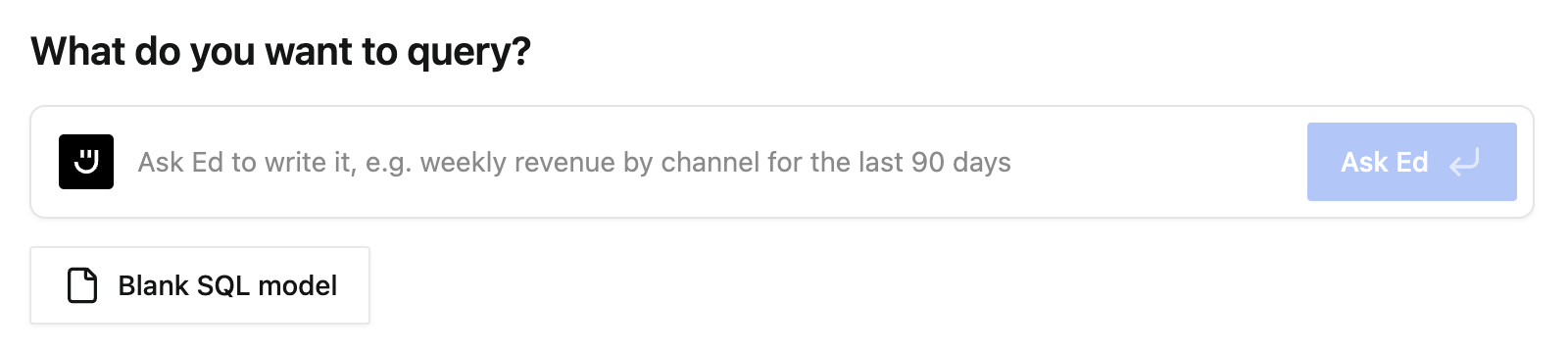
You no longer need an open model to use Ed. A new tab asks what you want to query, and the answer opens a draft with Ed already working on it.
Next to each of your synced sources there is also an Explore with Ed button, which points Ed at that source and lets it suggest where to start.
Conversations stay
Chats are saved, so you can reopen one later instead of explaining the same model again. Each chat is tied to the editor tab it was about: open a different tab and a proposal offers to take you back to the tab it belongs to rather than applying somewhere it does not fit. The bar above the input lets you continue an earlier chat about the tab you are on, or start a new one.
Where this comes from
Ed runs on the same tool definitions as the Weld MCP server, the one you point Claude, Cursor or Copilot at when you want to work with your Weld workspace from outside the app. Reference search, schema lookup and read-only queries are the same tools in both places, so Ed inside the editor and your own agent outside it are working from the same view of your workspace.
Underneath, Ed is not tied to one model. It runs on frontier models from more than one provider, Anthropic's and OpenAI's among them, and which one answers depends on the job: the model that writes and checks your SQL is not the one that names a chat. We change them as better models ship, which is the point of not committing the product to a single one. Whichever is in use, your prompts are processed in the EU.
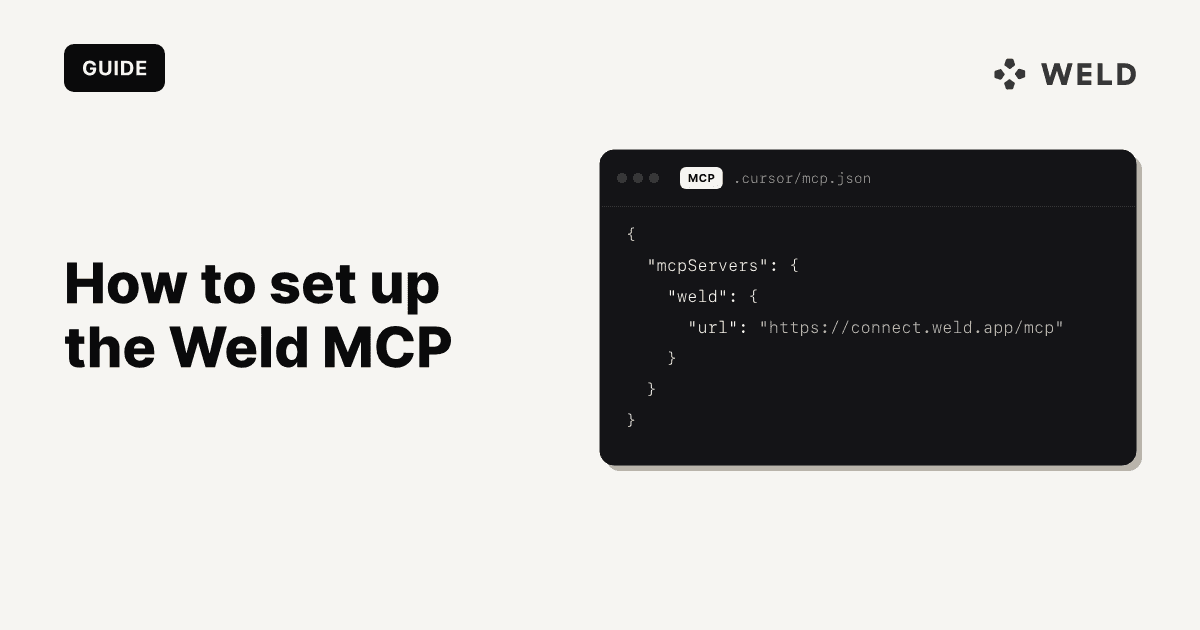
If you have not set the MCP server up, here is how.
Availability
Ed is available to members with permission to run queries. You will find it in the model editor sidebar, on Fix with Ed after a failed run, and on the empty editor tab.
If you are an admin, the one decision to make is under Settings → AI: whether Ed may read the values in your data. Nothing else needs configuring.
The Ed documentation has the full detail. You can also read the October release notes, or open Ed in your workspace.
FAQ
What can Ed read?
Your workspace's metadata always: schema, table and column names, column types, and the SQL of your models. It can also read the values in your data, which an admin turns on under Settings → AI. That setting is off when Ed arrives, and it covers anything you connect through the Weld MCP server as well, so it is one decision rather than one per tool. Data shared with AI lists exactly which tools it covers.
Who decides what Ed is allowed to do?
An admin, under Settings → AI. It is one workspace-level setting, not one per user and not one per tool.
Can Ed reach data I cannot?
No. When Ed runs a query it has the access of the person who asked, and that is checked before the query runs. Anything you cannot query yourself, Ed cannot query for you.
Does Ed change anything in my warehouse?
No. Everything Ed does is read-only. It reads schemas, checks SQL without running it, and runs read-only queries where it is allowed to. It cannot write to your warehouse, create or change a model, or publish. Writing happens when you run or publish a model yourself.
Where are my prompts processed?
In the EU.
Which model does Ed use?
More than one. Ed runs on frontier models from several providers, Anthropic's and OpenAI's among them, chosen for the job at hand, and we change them as better ones ship rather than committing the product to a single model. Prompts are processed in the EU whichever one answers.
Do I still have to pick the tables before I ask?
No. Ed searches your synced tables and models itself. You can still name a table if you want it to start somewhere specific.
What happens if Ed's query does not run?
It usually does not reach you. Ed validates each query against your warehouse before showing it, and fixes it if the check fails. A proposal that could not be made valid is still shown, marked as not valid, with the error and the line.
Does Ed work on drafts as well as saved models?
Yes. Ed works on whichever editor tab you have open, draft or saved model, and a chat stays tied to the tab it was about.
Can I undo an applied query?
Yes. Apply writes to the editor as a single undo step, so one Cmd+Z restores what was there before.
Is Ed the same thing as the Weld MCP server?
They share the same tools. The MCP server exposes them to an agent outside Weld, such as Claude or Cursor; Ed uses them inside the model editor.