
Change data capture on PostgreSQL is built into the database. Since PostgreSQL 10, logical replication can stream every insert, update and delete out of the write-ahead log (WAL), and every tool that does Postgres CDC, from Debezium to the managed pipelines, reads that same stream. The differences between them are in how much of the plumbing around it you run yourself.
This guide covers the part most posts skip: the settings you change, per cloud provider, and what goes wrong once it is running. Then it compares running Debezium and Kafka with a managed pipeline, and ends with what changes on MySQL and SQL Server.
The short answer. Turn on
wal_level = logical(on a managed database, through the provider's own flag), create a publication for the tables you want and a logical replication slot, and point a consumer at the slot. Then watch the slot: a slot nobody reads keeps WAL forever and will fill the disk. Run Debezium plus Kafka if you already operate Kafka or need several consumers of the same stream. For one stream into a warehouse, a managed pipeline is less to run.
How we checked this. Every setting below was checked on 29 October 2026 against the PostgreSQL 18 documentation and the AWS, Google Cloud and Microsoft Azure docs, linked where they are used. Weld is our product; what we say about it comes from our CDC docs.
Three ways to capture changes from PostgreSQL
There are three ways to find out what changed in a Postgres table. Only one of them sees every change.
1. Query the table. Select the rows whose updated_at is newer than the last run. It needs nothing on the database side, which is why most batch ELT starts here. It misses hard deletes, because a deleted row is no longer there to select, and it misses updates that do not touch updated_at.
2. Triggers. A trigger on each table writes every change into an audit table, which you then read. It sees deletes, but every write now does a second write in the same transaction, and you maintain a trigger per table.
3. Read the WAL. Postgres already writes every change to its write-ahead log before applying it. With wal_level = logical, the log carries enough detail to decode row changes, and a replication slot hands them to a consumer in commit order. Nothing extra runs inside your transactions, and deletes arrive like any other change.
| Method | Sees deletes | Latency | Load on the database | Setup |
|---|---|---|---|---|
Query (updated_at) | No | Each run, often hourly | A query per run, can be heavy on big tables | None on the database |
| Triggers | Yes | Seconds | An extra write per change | A trigger and audit table per table |
| WAL (logical replication) | Yes | Seconds to minutes | Reading the log; more WAL written | wal_level, a publication, a slot |
When people say Postgres CDC, they mean the third one. The rest of this guide is about it. For the broader picture, see what change data capture is.
How PostgreSQL CDC works: logical replication
Four pieces take part, and it helps to know which one does what before you change any settings.

- The WAL. Every change is written here first.
wal_level = logicaladds the information needed to decode row changes. - The publication. A named list of tables whose changes you want, created with
CREATE PUBLICATION. Since PostgreSQL 15 it can also filter rows and columns. - The output plugin. Turns WAL records into change messages.
pgoutputships with PostgreSQL 10 and later and is what most tools, Weld and Debezium included, use. - The replication slot. Remembers how far the consumer has read, and keeps every WAL segment the consumer has not yet confirmed. This is what makes CDC reliable across restarts, and it is also what fills disks.
The slot is the part to respect. It does not know or care whether anyone is still reading. If the consumer goes away and the slot stays, Postgres keeps WAL for it indefinitely, for the whole server, not just the database being replicated.
Set up logical replication, step by step
The order is the same everywhere: turn on logical decoding, create a user, prepare the tables, create a publication and a slot. Only step 1 differs per provider.
Step 1: turn on logical decoding
wal_level can only be changed at server start, so every option here needs a restart or reboot. Plan it into a maintenance window.
| Where Postgres runs | Setting | Restart | Replication user needs |
|---|---|---|---|
| Self hosted | wal_level = logical in postgresql.conf or ALTER SYSTEM | Yes | REPLICATION attribute |
| Amazon RDS for PostgreSQL | rds.logical_replication = 1 in the DB parameter group (static) | Reboot | rds_replication role |
| Amazon Aurora PostgreSQL | rds.logical_replication = 1 in a custom DB cluster parameter group | Reboot the writer | rds_replication role |
| Google Cloud SQL | Database flag cloudsql.logical_decoding = on | Yes | REPLICATION attribute |
| Azure Database for PostgreSQL flexible server | Server parameter wal_level = logical, and max_worker_processes at least 16 | Yes | REPLICATION attribute |
Self hosted.
1ALTER SYSTEM
2set
3    wal_level = logical;
4
5-- restart PostgreSQL, then check:
6SHOW wal_level;
7
8-- logical
max_replication_slots and max_wal_senders both default to 10 and also need a restart to change. You need one slot and one WAL sender per consumer, plus any used by physical replicas, so the defaults are usually enough.
Amazon RDS. Setting rds.logical_replication to 1 also sets wal_level, max_wal_senders, max_replication_slots and max_connections for you (AWS docs). It is a static parameter, so the instance needs a reboot. You can't change values in a default parameter group, so create a custom one first if the instance uses the default.
Aurora PostgreSQL. The same parameter, but in the DB cluster parameter group, not the instance one. Reboot the writer instance, then check that SHOW rds.logical_replication; returns on and SHOW wal_level; returns logical (AWS docs).
Google Cloud SQL. Set the cloudsql.logical_decoding flag to on, which restarts the instance. Google suggests keeping max_replication_slots and max_wal_senders roughly equal, since each consumer uses one of each (Google Cloud docs).
Azure Database for PostgreSQL. On the server parameters page, set wal_level to logical and raise max_worker_processes to at least 16, then save and restart (Microsoft docs). Two Azure specifics: on PostgreSQL 16 and earlier with high availability, logical slots do not survive a failover unless you use the pg_failover_slots extension, and Azure will drop an unused logical slot itself when storage runs low.
Step 2: create a replication user
Use a dedicated user, not the admin account. It needs to read the tables (for the first copy) and to use replication.
1create USER cdc_user
2with
3    PASSWORD '<password>';
4
5grant USAGE on SCHEMA public to cdc_user;
6
7grant
8select
9    on all TABLES in SCHEMA public to cdc_user;
10
11ALTER default PRIVILEGES in SCHEMA public
12grant
13select
14    on TABLES to cdc_user;
15
16-- then the provider's replication privilege, for example:
17ALTER ROLE cdc_user
18with
19    REPLICATION;
20
21-- self hosted, Cloud SQL, Azure
22grant rds_replication to cdc_user;
23
24-- RDS and Aurora
Step 3: check every table can be identified
An update or delete has to say which row it applies to. Postgres uses the table's replica identity for that, which by default is the primary key. Under that default, a table without a primary key cannot publish updates and deletes, and neither can a table set to REPLICA IDENTITY NOTHING. Once such a table is in the publication, Postgres rejects its updates and deletes with an error, so your application sees it, not just the consumer.
1-- tables that cannot publish updates and deletes
2select
3    n.nspname as schema
4  , c.relname as table_name
5  , c.relreplident
6from
7    pg_class c
8    join pg_namespace n on n.oid = c.relnamespace
9where
10    c.relkind = 'r'
11    and n.nspname not in ('pg_catalog', 'information_schema')
12    and (
13        c.relreplident = 'n' -- REPLICA IDENTITY NOTHING
14        or (
15            c.relreplident = 'd' -- DEFAULT, but no primary key
16            and not exists (
17                select
18                    1
19                from
20                    pg_constraint p
21                where
22                    p.conrelid = c.oid
23                    and p.contype = 'p'
24            )
25        )
26    );
Add a primary key where you can. Where you can't, ALTER TABLE ... REPLICA IDENTITY USING INDEX <unique_index> uses a unique index instead. REPLICA IDENTITY FULL also works, but it writes the whole old row to the WAL on every update and delete, so the WAL grows, and the PostgreSQL docs say to use it only as a fallback.
Step 4: create a publication
List the tables you want rather than using FOR ALL TABLES, so a new table doesn't start streaming without anyone deciding it should.
1create PUBLICATION cdc_publication
2for table public.orders
3  , public.order_lines
4  , public.customers;
5
6-- later
7ALTER PUBLICATION cdc_publication ADD table public.refunds;
Step 5: create the slot
Some tools create their own slot. If yours expects one, create it with pgoutput:
1select
2    *
3from
4    pg_create_logical_replication_slot ('cdc_slot', 'pgoutput');
From this moment the slot holds WAL until a consumer reads it. Create it when the consumer is ready to start, not days before.
Step 6: cap and watch the WAL
Before you go live, put a ceiling on what a slot can keep. max_slot_wal_keep_size (PostgreSQL 13 and later) defaults to -1, meaning no limit. Set it and a stuck slot loses its WAL instead of taking down the server; the consumer then has to start over with a fresh copy, which is the better of the two failures.
1ALTER SYSTEM
2set
3    max_slot_wal_keep_size = '50GB';
4
5select
6    pg_reload_conf ();
On RDS and Aurora, set it in the parameter group, in megabytes (51200 for 50 GB). Size it below your free disk, with room for normal WAL on top. PostgreSQL 18 adds idle_replication_slot_timeout, which invalidates slots that have been inactive for longer than the timeout. It is off by default.
Running it: lag, deletes, schema changes and snapshots
Setting up takes an afternoon. Keeping it healthy is the real work, and most of it comes down to four things.
Slot lag and the inactive slot
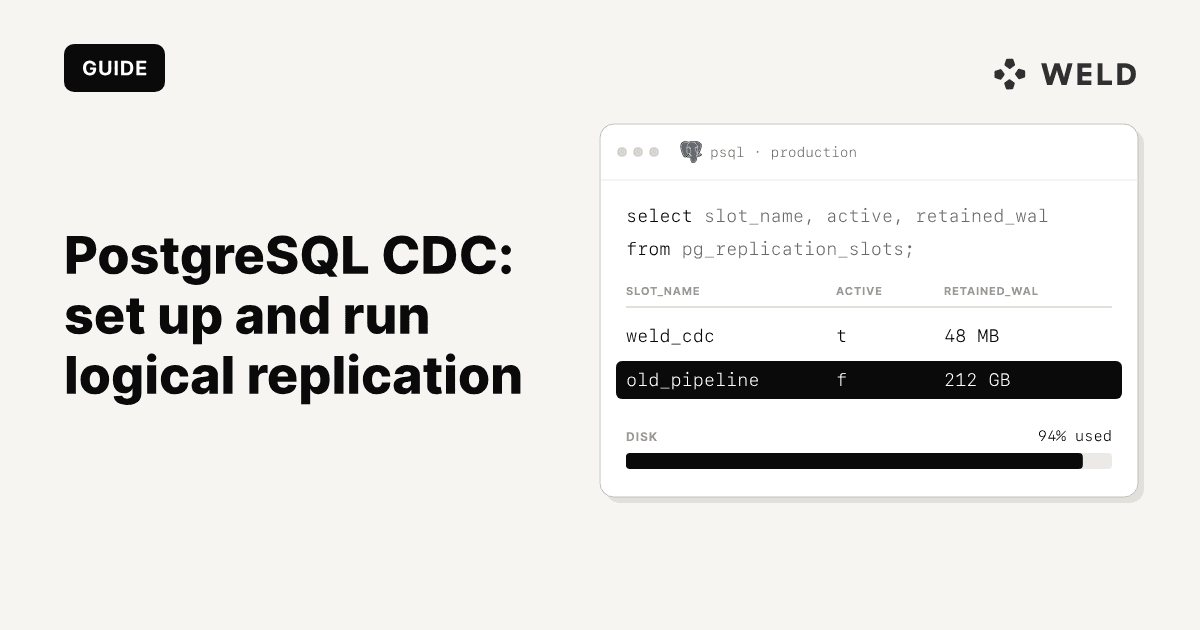
This one query tells you if anything is wrong (PostgreSQL 13 and later, where wal_status and safe_wal_size exist):
1select
2    slot_name
3  , active
4  , wal_status
5  , pg_size_pretty (
6        pg_wal_lsn_diff (pg_current_wal_lsn (), restart_lsn)
7    ) as retained_wal
8  , pg_size_pretty (
9        pg_wal_lsn_diff (pg_current_wal_lsn (), confirmed_flush_lsn)
10    ) as consumer_lag
11  , pg_size_pretty (safe_wal_size) as safe_wal_size
12from
13    pg_replication_slots
14where
15    slot_type = 'logical';
active = falsemeans no consumer is connected. A slot that stays inactive is the one that fills the disk. On PostgreSQL 17 and later,inactive_sinceshows since when.retained_walis what the slot is holding on disk. It should rise and fall, not only rise.wal_statusmoves fromreservedtoextendedtounreservedas the slot falls behind, andlostmeans the WAL it needed is gone and the consumer has to resync.safe_wal_sizeshows how much more WAL can be written before that happens. It is empty unlessmax_slot_wal_keep_sizeis set.
Alert on two things: a slot inactive for longer than your consumer's normal restart time, and retained WAL growing past a share of free disk you choose. When you stop using CDC, drop the slot in the same change:
1select
2    pg_drop_replication_slot ('cdc_slot');
One subtle case: a quiet database. If the tables you capture rarely change but other databases on the same server are busy, the slot's position does not move and WAL builds up anyway. Debezium solves this with heartbeat events. On PostgreSQL 13 and earlier, Weld's setup guide adds a small heartbeat table for the same reason.
Deletes
Logical replication sends deletes like any other change, with the old row's key (or the whole old row under REPLICA IDENTITY FULL). What happens next is up to the consumer. Debezium emits a delete event, followed by a tombstone so Kafka log compaction can remove the key. A warehouse loader either removes the row or keeps it and marks it deleted.
Weld keeps it: a deleted row stays in the warehouse table with a _weld_deleted_at timestamp, so you keep its history and filter where _weld_deleted_at is null for live rows. For sources without CDC, Capture deletes marks rows the same way after a full sync.
Schema changes
The PostgreSQL docs say it plainly: the database schema and DDL commands are not replicated. A new column shows up in the change stream only as part of the next row that uses it, so the consumer has to notice the new shape and change the destination table. Debezium refreshes its schema when it sees a change in the stream. Two other gaps to know about: sequences are not replicated, and large objects are not replicated at all.
An UPDATE that does not change a large TOASTed column (big text or jsonb values) does not carry that column's value in the change, unless the table uses REPLICA IDENTITY FULL. A consumer that writes every column from the change message would blank it. Good tools keep the old value; check that yours does.
The initial snapshot
A slot only has changes from the moment it was created. Everything that existed before has to be copied once, and the consumer has to stitch that copy and the stream together without missing or doubling a row. On a large table the first copy can take hours, and the slot holds WAL the whole time, which is one more reason to set max_slot_wal_keep_size before the first sync.
Debezium's default initial snapshot mode copies the tables when the connector first starts, and incremental snapshots copy in chunks (1,024 rows by default) through a signalling table, so you can backfill one table without stopping the stream. In Weld, the first sync copies the whole table and then switches to reading the change log.
Debezium and Kafka vs a managed pipeline
Once Postgres is ready, someone has to read the slot. The two common choices are Debezium on Kafka Connect, and a managed pipeline that reads the slot and loads your warehouse.

Debezium itself is free and open source (Apache 2.0), and it is very good at its job. The cost is the system around it. In the standard deployment you run:
- Kafka, or a hosted Kafka service, with a topic per captured table
- Kafka Connect workers to run the Debezium source connector
- A schema registry, if you use Avro or Protobuf for the messages
- A sink that reads the topics and merges the changes into the warehouse, with its own handling of deletes and schema changes
- Monitoring and alerting for all of it, including the slot on the database
Debezium Server can send changes to other destinations without Kafka, which removes the cluster but not the rest.
| Debezium + Kafka | Managed pipeline | |
|---|---|---|
| Licence | Free, Apache 2.0 | Subscription |
| Infrastructure | Kafka, Connect workers, registry, sink | None of your own |
| Database setup | wal_level, publication, slot | The same |
| Initial snapshot | Connector setting, incremental snapshots via signals | Handled by the pipeline |
| Deletes into the warehouse | Your sink decides | Handled; Weld marks them with _weld_deleted_at |
| Schema changes | Connector sees them; the sink and warehouse tables are yours | Handled by the pipeline |
| Who is paged when it stops | Your team, for every layer | The vendor for the pipeline; you for the database |
| Several consumers of the same stream | Yes, that is what Kafka is for | One pipeline per stream |
| Fits best | Teams already running Kafka, event-driven systems, many consumers | Getting database changes into a warehouse |
We don't put a dollar figure on the Debezium column because it depends almost entirely on what you already run. If you have a Kafka team, the marginal cost of one more connector is small. If you don't, you are adopting a distributed system to move data from one database to one warehouse, and the cost is mostly people: someone has to own upgrades, rebalancing, lag, and the 3 a.m. page when a connector stops and the slot starts to grow.
Note what stays the same in both columns: the database settings, the slot, and the disk it can fill are yours either way. A managed pipeline reduces what you run; it does not remove the need to watch the slot, especially when you pause or delete a sync.
Postgres CDC in Weld
Weld reads the WAL through a logical replication slot and publication you create, using pgoutput, and applies each change to your warehouse in seconds to minutes. You pick the slot and publication from the ones Weld finds in the database, then turn on CDC per table.
- The first sync copies the whole table, then Weld switches to the change log.
- Deletes stay in the table with
_weld_deleted_at, and_weld_updated_atrecords when the source last changed the row. - CDC tables are protected, so a schema change never triggers a full reload on its own.
- If the database isn't ready, Weld shows why next to the table, such as
wal_levelnot beinglogical. - Tables need a primary key or unique index, and replica identity must not be
NOTHING. - CDC is available on the Business plan as an add-on and included in Enterprise. See pricing.
The full setup, including RDS and heartbeat details, is in the PostgreSQL CDC docs. For a wider look at the market, see CDC tools compared.
MySQL and SQL Server: what changes
The idea is the same on every database: read the log, not the tables. The settings and the failure modes differ.
MySQL CDC with the binlog
MySQL's change log is the binary log. CDC needs it on, in row format, with full row images:
log_bin = ONbinlog_format = ROWbinlog_row_image = FULL- a non-zero, unique
server_id
The user needs REPLICATION SLAVE and REPLICATION CLIENT, plus SELECT for the first copy. Every captured table needs a primary key or unique index.
The big difference from Postgres is retention. MySQL has no replication slot: it deletes binlogs on a timer, whether or not anyone has read them. So the failure flips. Postgres keeps too much and fills the disk; MySQL throws changes away, and if your consumer is down for longer than the retention window, the changes it missed are gone and the table needs a full resync. Set binlog_expire_logs_seconds to cover a weekend outage. Weld won't turn on CDC below 6 hours, asks for at least 3 days, and suggests 7 days (604800).
On Amazon RDS for MySQL, binlogs are not retained by default, so set retention explicitly. The maximum on RDS for MySQL is 168 hours (AWS docs):
1call mysql.rds_set_configuration ('binlog retention hours', 168);Weld supports MySQL and MariaDB CDC; the setup is in the MySQL CDC docs.
SQL Server CDC
SQL Server has CDC as a database feature. You enable it per database and per table, and SQL Server copies changes from the transaction log into change tables that you query:
1EXEC sys.sp_cdc_enable_db;
2
3EXEC sys.sp_cdc_enable_table @source_schema = N 'dbo'
4  , @source_name = N 'orders'
5  , @role_name = null;
Each table gets a change table named after its capture instance, such as cdc.dbo_orders_CT. Two SQL Server Agent jobs do the work: a capture job that reads the log, and a cleanup job that runs daily at 2 a.m. and keeps 4,320 minutes (3 days) of changes by default (Microsoft docs). That cleanup job is the housekeeping to watch:
- SQL Server Agent must be running. If the capture job is not running, the transaction log cannot be truncated, even in simple recovery mode. It is the SQL Server version of the inactive slot.
- Retention is your recovery window. A consumer that is down for longer than the cleanup retention misses changes. Change it with
sys.sp_cdc_change_job. - Schema changes are not picked up. New columns are ignored by the existing capture instance. To capture them, create a second capture instance (a table can have two) and switch over.
Weld's SQL Server CDC is in development. Today, SQL Server tables in Weld sync on a schedule, and Capture deletes can mark the rows that disappear between full syncs. See the SQL Server CDC docs for status.
FAQ
PostgreSQL change data capture streams every insert, update and delete from a Postgres database to another system. The standard way is logical replication: Postgres decodes row changes from its write-ahead log and sends them, in commit order, to a consumer through a replication slot.
Yes. Logical decoding has been in PostgreSQL since 9.4, and logical replication with publications and the built-in pgoutput plugin since PostgreSQL 10. You still need a consumer, such as another Postgres database, Debezium or a managed pipeline, to read the changes and write them somewhere.
Logical replication is the PostgreSQL feature that decodes and streams row changes from the WAL. CDC is the broader practice of capturing changes for another system. On Postgres, log-based CDC is built on logical replication.
Almost always an inactive replication slot. A slot keeps every WAL segment its consumer has not confirmed, so if the consumer stops, WAL grows until the disk is full. Check pg_replication_slots for slots with active = false, drop the ones you no longer use, and set max_slot_wal_keep_size so one slot can't take the whole disk.
No. Debezium's standard deployment runs on Kafka Connect, but Debezium Server can send changes without Kafka, and managed pipelines read the slot directly. Kafka is worth it when several systems need the same stream of changes.
Set rds.logical_replication to 1 in a custom DB parameter group (for Aurora, the DB cluster parameter group), reboot, and grant the rds_replication role to your replication user. This also sets wal_level to logical.
Log-based CDC does: a delete is a change in the log like any other. Query-based approaches that select by updated_at do not, because a deleted row is no longer there to select.