
Track Every Change with History Tables
We're excited to announce a powerful new addition to Weld: History Tables.
Most data pipelines are forgetful. Every time a record updates in your source like a customer changes their phone number, an order moves to a new status, a subscription gets upgraded the old value is simply overwritten in your warehouse. The latest snapshot is all you ever see, and the how and history becomes lost.
History Tables fix that. With a single toggle, Weld automatically captures every previous version of your records, giving you a complete, time-stamped timeline of how your data has changed, with no extra modeling, no custom SQL, no extra tables required.
What is a History Table?
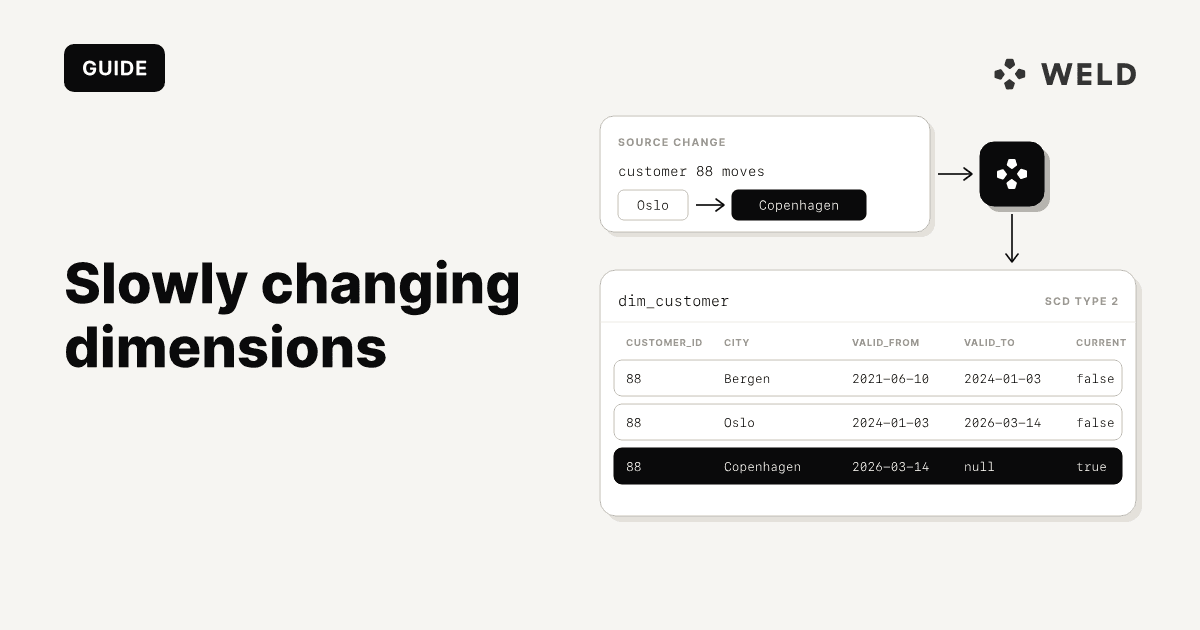
History Tables are one of the Slowly Changing Dimension (SCD) methods used in data warehousing. They let you keep track of changes to your data over time, which is invaluable for auditing, debugging, and understanding how your data has evolved.
In Weld, history tables can be enabled for selected tables within your Data Source configuration. When enabled, Weld creates a history table with the same schema as the original table, but it records changes over time. Each time a record in the original table is updated, a new entry is added to the history table preserving the previous state of that record.
You end up with two tables working together:
- The main table always reflects the current state of each record.
- The history table stores every previous version, so you can see what the data looked like at any point in time.
A quick example
Say you sync a customers table, and one of your customers Anna updates her phone number.
Current Table: customers
| id | name | phone_number | updated_at | _weld_synced |
|---|---|---|---|---|
| 1 | Anna | 123-456-8888 | 2024-02-01 10:15:00 | 2024-02-01 11:15:00 |
This table always contains the latest version of each record.
History Table: customers__history
| id | name | phone_number | updated_at | _weld_synced |
|---|---|---|---|---|
| 1 | Anna | 123-456-7890 | 2024-01-01 09:00:00 | 2024-01-01 10:00:00 |
| 1 | Anna | 123-456-8888 | 2024-02-01 10:15:00 | 2024-02-01 11:15:00 |
The history table stores previous versions of the record whenever changes occur. The current version of a record is always the one with the most recent _weld_synced value.
Key points
- The history table has the same schema as the original table.
- The main table always reflects the current state.
- The history table lets you see what the data looked like at any point in time.
- Rows in history tables count towards your Active Rows usage.
How to enable History Tables
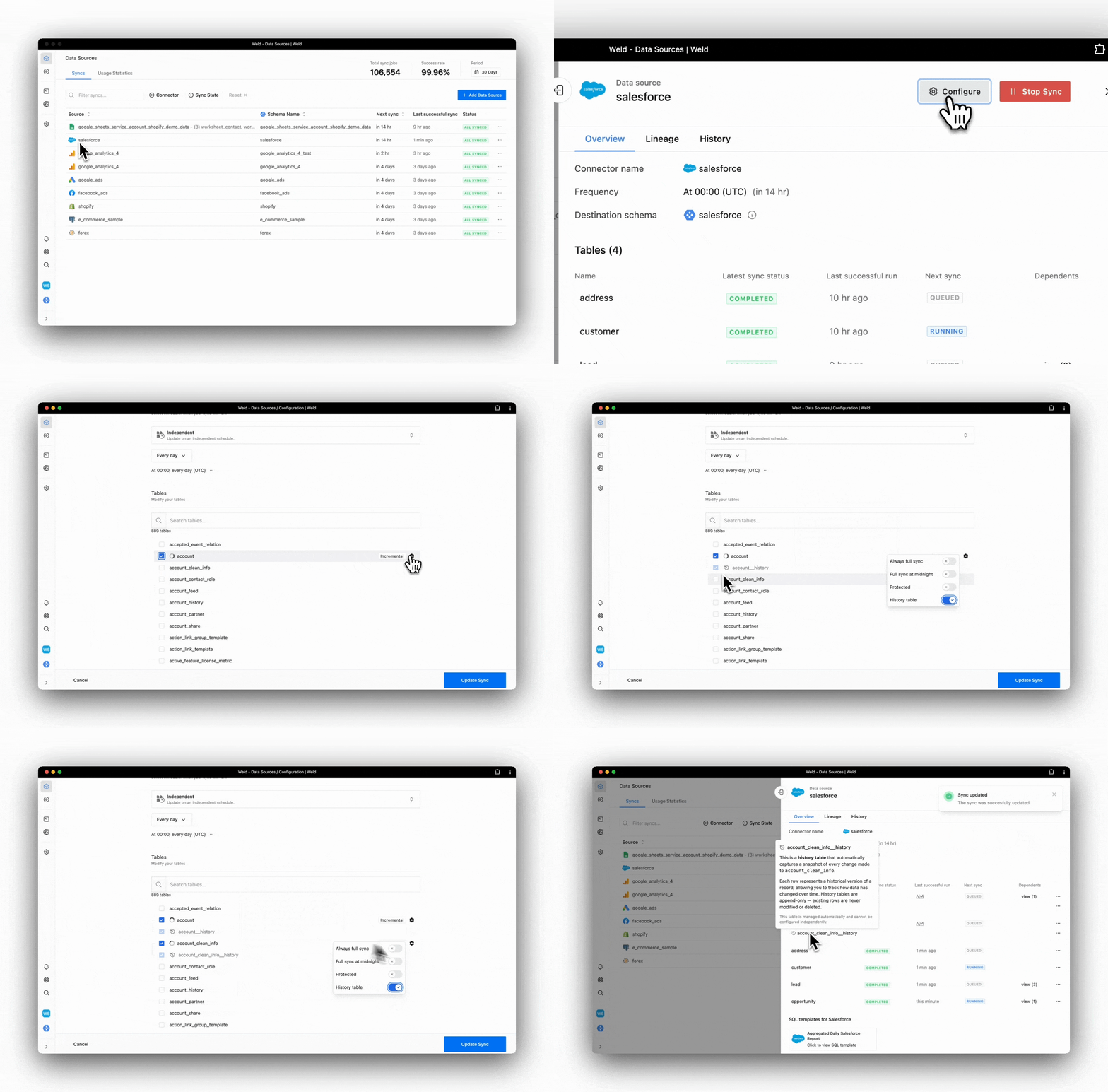
Turning on History Tables takes just a few clicks no code required.
- Go to the Data Source configuration in Weld.
- Search for the tables you want to track and click the options (cogwheel) icon.
- Toggle on the "History tables" option for the selected table.
- Save the configuration and update the sync.
That's it. From the next sync onward, Weld begins capturing changes into your new __history table automatically.
How does it work in the background?
Once enabled, Weld extracts data from your source on its regular schedule. On each sync, it compares incoming records against what's already in your warehouse. When a record has changed, Weld writes the new version to the main table and appends the previous version to the history table keeping both perfectly in sync.
Because the history table mirrors the schema of the original, you can query it with the exact same columns you already know, and join it back to the rest of your business data just like any other table.
How can I use my History Tables?
Here are a few role configurations we see teams using:
- Audit trails: reconstruct the exact state of a record on any past date for compliance or reporting.
- Status-change analytics: measure how long orders, tickets, or deals spend in each stage by tracking when their status fields changed.
- Price and plan change tracking: see when a customer upgraded, downgraded, or churned, and tie revenue changes to specific dates.
- Data quality debugging: when a dashboard number looks off, trace back through the history to find exactly when and where a value changed.
Get started
History Tables are available now in Weld. If you're already syncing data, you can enable history on any supported table in just a few clicks.
Ready to give your data a memory?