
 Claude
 ChatGPT
 Perplexity
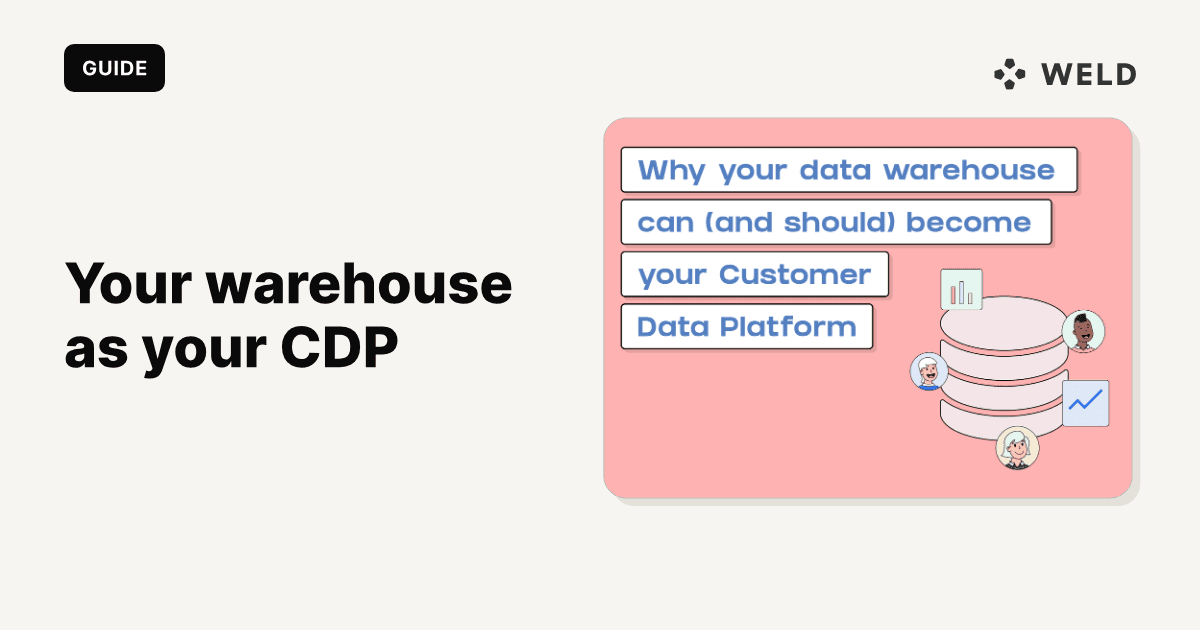
A customer data platform (CDP) collects customer data from your website, apps and tools, merges it into one profile per person, and sends audiences to marketing tools. A data warehouse stores data from every system in the business, customer data included, for SQL analysis and reporting. The short version of CDP vs data warehouse: a CDP is built to act on customer profiles, quickly, without SQL; a warehouse is built to hold and model everything, with SQL.
The line between them has moved. With ELT to load the data, SQL models to resolve identity and build audiences, and reverse ETL to send those audiences to your tools, a warehouse can do most of what a CDP does. That setup is called a composable or warehouse-native CDP.
This guide compares the two side by side, explains packaged vs composable CDPs, is honest about when a packaged CDP is still the better choice, and then builds the warehouse-native version step by step, with SQL that merges a Shopify customer, a HubSpot contact and a Stripe customer into one customer_360 row.

What is a customer data platform?
A CDP is software that builds a single, continuously updated profile for each customer and makes those profiles available to other tools. Most CDPs do five jobs:
- Collect. A JavaScript or mobile SDK tracks page views, clicks and purchases, and prebuilt sources pull data from tools like your CRM or email platform.
- Store. Events and attributes go into the CDP's own profile store, organised around people rather than tables.
- Resolve identity. The CDP links an anonymous visitor to a known email after a sign-up, and links the same person across devices and tools into one profile.
- Build audiences. Marketers define segments in a visual builder ("added to cart, no purchase in 7 days") without writing SQL.
- Activate. The CDP sends those segments and profile traits to email, ads, push and personalisation tools, often within seconds of an event.
Packaged CDPs include products such as Twilio Segment, mParticle and Tealium. They differ a lot in focus, from developer-oriented event pipelines to marketing suites with built-in journeys.
What is a data warehouse (and a customer data warehouse)?
A data warehouse is a database built for analysis: BigQuery, Snowflake, Redshift, Databricks, or Postgres at smaller scale. ELT tools load data into it from every system you run, and analysts model that data with SQL into tables that dashboards, reports and AI agents read. For the basics, see what is a data warehouse.
A customer data warehouse is not a separate product. It is the part of your warehouse that holds customer data: orders from Shopify, contacts from HubSpot, subscriptions from Stripe, tickets from Zendesk, events from your product, joined into customer-level models. When people say "use your warehouse as your CDP", that customer layer is what they mean.
CDP vs data warehouse: side by side
| Customer data platform (packaged) | Data warehouse | |
|---|---|---|
| Built for | Acting on customer profiles: segments, personalisation, journeys | Storing and analysing all business data |
| Data scope | Customer and event data | Everything: customers, finance, product, operations, inventory |
| Data model | Fixed: profiles, events, sometimes accounts | Whatever you model: any tables, any grain, any entity |
| Identity resolution | Built in, deterministic and often probabilistic | You build it, usually deterministic matching in SQL |
| Who uses it | Marketers and growth teams, through a visual UI | Data teams with SQL; business users through BI tools and synced fields |
| Latency | Seconds for event collection and profile updates | Minutes to hours, set by load and model schedules |
| Activation | Native destinations | Needs reverse ETL to reach operational tools |
| Cost model | Licence, usually priced by tracked users, profiles or events | Storage and compute you already pay for, plus ELT and reverse ETL tools |
| Ownership | Profiles are stored by the vendor, in the vendor's model | Data stays in your own cloud account, in your own schema |
| Governance and consent | Consent and deletion tooling built in | Your responsibility, alongside the rest of your data governance |
The table points to the real difference. A CDP trades flexibility for speed and self-service: it does one domain (customers) very well and lets marketers work without engineers. A warehouse trades self-service for scope and control: it holds everything, in any shape, but somebody has to write the SQL.
Packaged CDP vs composable (warehouse-native) CDP
A packaged CDP runs all five jobs in one product. You install its SDK, connect its sources, and it stores, resolves, segments and activates.
A composable CDP splits the same jobs across tools that sit on your warehouse:
| Job | Packaged CDP | Composable, warehouse-native CDP |
|---|---|---|
| Collect events | The CDP's SDK | An event tracker that writes to the warehouse, or analytics data loaded by ELT |
| Collect tool data | The CDP's sources | ELT connectors into the warehouse |
| Store | The CDP's profile store | Your warehouse |
| Resolve identity | Built-in rules | A SQL model you own |
| Build audiences | Visual builder | SQL models, or an audience builder on top of the warehouse |
| Activate | The CDP's destinations | Reverse ETL |
The case for composable is the one in the old version of this post, and it still holds. Customer data that matters, such as margin per order, refunds, subscription status and support history, lives in finance and operations systems a CDP rarely ingests, and it is already in the warehouse. The warehouse is the place your BI tool reads from, so analytics and activation use the same numbers. You are not limited to the CDP's two or three core objects. And you avoid a second copy of every customer profile with a second vendor.
The case against is just as real. Building identity resolution and audiences in SQL takes analyst time. Warehouses are batch systems, so "real time" means "as often as your loads and models run". And marketers depend on whoever writes the SQL, unless you add an audience builder on top.
Many vendors now sit in between: packaged CDPs that read from or write to your warehouse, and warehouse-native tools that add a marketer-facing audience builder. The choice is less "CDP or warehouse" than "where do profiles live, and who builds the segments".
When a packaged CDP is still the right call
Choose a packaged CDP when one or more of these is true:
- You have no data team. A warehouse-native CDP needs someone who writes and maintains SQL. If nobody will, a packaged CDP is the working option.
- You need sub-second personalisation. Changing what a visitor sees on the next page, based on what they did on this one, needs an event stream and a profile API that answer in milliseconds. A warehouse that refreshes every 15 minutes cannot.
- Most of your customers are anonymous. If the job is stitching anonymous web and app sessions across devices before anyone logs in, a CDP's probabilistic matching and SDKs do work that is hard to rebuild in SQL.
- Marketers must build segments themselves, today. A visual builder that works on day one beats a backlog of SQL requests.
- You do not have a warehouse yet. Building one for a single marketing use case is a big project. A CDP can come first, with the warehouse added later.
If none of these applies, and you already have a warehouse with your customer data in it, the warehouse-native route usually costs less and gives you more control over the definitions.
How to build a warehouse-native CDP
Five steps, matching the five jobs above.
1. Collect events
Behavioural data (page views, product views, add-to-cart, feature usage) needs a tracker. Options range from a CDP used purely as an event pipeline, to open-source trackers that write straight to the warehouse, to the analytics tool you already run. Google Analytics 4, Mixpanel and Segment data can all be loaded into the warehouse by ELT. Whatever you use, make sure each event carries a stable user ID once the person is known, and the email where you are allowed to store it. That is what identity resolution joins on later.
2. Load your tools with ELT
Load the systems that know about customers: the store (Shopify), the CRM (HubSpot or Salesforce), billing (Stripe), support (Zendesk or Intercom), and email (Klaviyo). These arrive as raw tables, one per source object. Keep them as they are and build on top, the bronze and silver layers of a medallion setup.
3. Resolve identity in SQL
Identity resolution decides which records in which systems belong to the same person. In SQL you do it deterministically: normalise a shared identifier, usually email, and group on it. The worked example below does exactly this.
4. Model audiences
An audience is a SQL model that returns one row per person who matches a rule, with the fields the destination needs. Because it reads from customer_360, it can use anything in the warehouse: order margin, subscription status, open tickets.
5. Activate with reverse ETL
A reverse ETL sync sends each audience model to a destination on a schedule: a Klaviyo list, a Google Ads Customer Match list, HubSpot contacts. Run it after the models rebuild so the list reflects the latest data.
Worked example: Shopify, HubSpot and Stripe into one customer
A coffee brand sells beans in a Shopify store, runs a monthly subscription billed in Stripe, and sends newsletters from HubSpot. ELT loads all three into the warehouse. The same customer, Maria, appears in each system with her email typed three different ways.
shopify.customer
| id | first_name | order_count | total_spent | email_marketing_consent_state | |
|---|---|---|---|---|---|
| 7301 | Maria.Jensen@Gmail.com | Maria | 6 | 412.50 | subscribed |
| 7302 | tom@nordlys.dk | Tom | 1 | 38.00 | not_subscribed |
hubspot.contact
| contact_id | properties_email | properties_lifecyclestage | archived |
|---|---|---|---|
| 51 | maria.jensen@gmail.com | customer | false |
| 52 | anna@lysverk.no | lead | false |
stripe.customer and stripe.subscription
| customer.id | customer.email | subscription.status | subscription.canceled_at |
|---|---|---|---|
| cus_Q1 | MARIA.JENSEN@GMAIL.COM | canceled | 2026-09-14 |
The column names above are the ones Weld's Shopify, HubSpot and Stripe connectors load; schema names are whatever you chose when you set up each connector. The SQL is written for BigQuery.
The identity model: customer_360
1-- customer_360: one row per person, matched across tools on a normalised email
2with shopify as (
3  select
4    lower(trim(email))                                     as email_key,
5    max(id)                                                as shopify_customer_id,
6    max(first_name)                                        as first_name,
7    sum(order_count)                                       as shopify_orders,
8    sum(total_spent)                                       as shopify_spend,
9    logical_or(email_marketing_consent_state = 'subscribed') as email_consent
10  from shopify.customer
11  where email is not null
12  group by 1
13),
14
15hubspot as (
16  select
17    lower(trim(properties_email))                          as email_key,
18    max(contact_id)                                        as hubspot_contact_id,
19    array_agg(properties_lifecyclestage ignore nulls
20              order by updated_at desc limit 1)[safe_offset(0)] as lifecycle_stage
21  from hubspot.contact
22  where properties_email is not null
23    and not archived
24  group by 1
25),
26
27stripe as (
28  select
29    lower(trim(c.email))                                   as email_key,
30    count(distinct c.id)                                   as stripe_customers,
31    logical_or(s.status in ('active', 'trialing'))         as has_active_subscription,
32    max(s.canceled_at)                                     as subscription_canceled_at
33  from stripe.customer c
34  left join stripe.subscription s on s.customer_id = c.id
35  where c.email is not null
36  group by 1
37),
38
39people as (
40  select email_key from shopify
41  union distinct select email_key from hubspot
42  union distinct select email_key from stripe
43)
44
45select
46  p.email_key                                    as customer_key,
47  sh.shopify_customer_id,
48  hs.hubspot_contact_id,
49  st.stripe_customers,
50  sh.first_name,
51  coalesce(sh.shopify_orders, 0)                 as shopify_orders,
52  coalesce(sh.shopify_spend, 0)                  as shopify_spend,
53  hs.lifecycle_stage,
54  coalesce(st.has_active_subscription, false)    as has_active_subscription,
55  st.subscription_canceled_at,
56  coalesce(sh.email_consent, false)              as email_consent
57from people p
58left join shopify sh using (email_key)
59left join hubspot hs using (email_key)
60left join stripe  st using (email_key)
Each source is first collapsed to one row per normalised email, so a person with two Stripe customer records (a common result of checking out twice) still produces one row. Then the distinct emails from all three sources form the list of people, and each source is joined back on.
The result: three people, and Maria's three records in one row.
| customer_key | shopify_customer_id | hubspot_contact_id | shopify_orders | shopify_spend | lifecycle_stage | has_active_subscription | subscription_canceled_at | email_consent |
|---|---|---|---|---|---|---|---|---|
maria.jensen@gmail.com | 7301 | 51 | 6 | 412.50 | customer | false | 2026-09-14 | true |
tom@nordlys.dk | 7302 | 1 | 38.00 | false | false | |||
anna@lysverk.no | 52 | 0 | 0.00 | lead | false | false |
Without the lower(trim()), Maria's three emails are three different strings, and she would appear as three people: a Shopify buyer with no subscription, a HubSpot customer with no orders, and a Stripe subscriber nobody can email.
The audience: lapsed subscribers worth winning back
The brand wants to email past subscribers who cancelled in the last 90 days, have spent at least 200 in the store, and agreed to marketing email.
1-- audience_winback: one row per person to add to the win-back list
2select
3  customer_key          as email,
4  first_name,
5  shopify_spend,
6  subscription_canceled_at
7from analytics.customer_360
8where email_consent
9  and not has_active_subscription
10  and subscription_canceled_at >= date_sub(current_date, interval 90 day)
11  and shopify_spend >= 200
On 9 November 2026 this returns one row: Maria, who cancelled 56 days earlier and has spent 412.50. Tom has never subscribed and has not consented; Anna has never bought anything.
A reverse ETL sync then sends audience_winback to a Klaviyo list, keyed on email, in upsert mode, every morning after the models rebuild. The win-back flow in Klaviyo triggers when someone is added to the list.
One thing to check in your setup: what happens when Maria resubscribes and drops out of the audience model. Some syncs remove people who leave the audience from the list; others only add. If yours only adds, sync a winback_eligible true or false property onto the profile instead and let the flow filter on it, so leaving the audience is an update rather than a missing row.
Where SQL identity resolution needs more care
Email matching covers most known customers, but plan for these:
- Changed emails. A customer who updates their email in Shopify but not in HubSpot splits into two people. If a source keeps a history of emails (HubSpot stores additional emails on the contact), match on those too.
- Shared and role addresses.
info@or a household email can belong to several people. Decide whether that is one customer or several, and exclude role addresses from audiences that personalise by name. - Anonymous events. Page views before sign-up carry a device or cookie ID, not an email. Stitch them by joining the anonymous ID to the user ID on the event where the person logged in or signed up.
- A stable key. Using the email itself as
customer_keyis simple but changes when the email does. Larger setups keep an identity table (source, source ID, email, customer key) and assign a surrogate key once. - Consent and deletion. Every copy of a profile has to honour opt-outs and deletion requests. Keep consent as a column in
customer_360and filter on it in every audience, so it is applied in one place.
A warehouse-native CDP with Weld
Weld covers the steps between the tracker and the destination: ELT into your warehouse, SQL models, scheduling and reverse ETL, in one workspace.
- Load sources. Connectors for Shopify, HubSpot and Stripe load the tables used above, and event data from Google Analytics 4, Mixpanel and Segment (through its Amazon S3 export) can be loaded the same way.
- Model identity and audiences as SQL models in the warehouse, versioned and scheduled like any other model.
- Activate with reverse ETL. Klaviyo lists support upsert, Customer.io customers support upsert, and Google Ads Customer Match lists can be kept in sync, with an option for Weld to hash emails and phone numbers before sending them. The Meta Conversions API and HubSpot are also destinations.
- Run it in order. An orchestration runs the ELT syncs, the models and the reverse ETL syncs in sequence on one schedule (Premium plan and up), so audiences are never built from yesterday's data.
FAQ
A CDP is built to unify customer data into profiles and send audiences to marketing tools quickly, with a visual interface for marketers. A data warehouse stores data from every system in the business for analysis with SQL, and needs reverse ETL to send data to operational tools. A CDP covers one domain in depth; a warehouse covers every domain, with the modelling left to you.
A customer data warehouse is the customer layer of a regular data warehouse: orders, contacts, subscriptions, tickets and events from every tool, joined into customer-level models. It is not a separate product. With identity resolution in SQL and reverse ETL, it can do much of what a CDP does.
For many companies with a data team and known, logged-in customers, yes: ELT, SQL models for identity and audiences, and reverse ETL cover the core CDP jobs. A packaged CDP still wins for sub-second on-site personalisation, heavy anonymous cross-device stitching, and teams with no one to write SQL.
A composable CDP is a set of tools on top of your data warehouse that together do a CDP's jobs: event collection, ELT, identity resolution and audiences as SQL models, and reverse ETL for activation. It is also called a warehouse-native CDP. Customer profiles stay in your warehouse instead of in a vendor's profile store.
Not necessarily. If your customer data is already in the warehouse and someone can write SQL, adding reverse ETL is often enough to activate it. Add a packaged CDP if you need real-time personalisation or a marketer-only workflow that the warehouse setup cannot give you.
Yes, if you run both. Loading the CDP's events and profiles into the warehouse lets analysts join them with orders, billing and support data, and keeps reporting and activation on the same numbers.