Sync Warehouse Data Into Your Notion Workspace
A couple of weeks ago, we launched our Notion ELT connector, allowing you to sync Notion pages, metadata, and activity data into your warehouse using Weld. Today, we’re completing that loop.
You can now sync data in the opposite direction too.
We’re excited to introduce Reverse ETL for Notion, a simple, reliable way to push warehouse data into your Notion databases. This means your Notion workspace can finally stay aligned with the same trusted, centralized data that powers your analytics, reporting, and decision-making, automatically and without scripts. You can find the documentation for the Notion connector here.
For teams who use Notion as their operational home, it’s an easy way to keep important information fresh inside the place where work actually happens.
Why Sync Warehouse Data to Notion?
Notion has become the daily workspace for modern teams. It’s where planning happens, where work is documented, and where processes are tracked. Many teams use Notion databases as lightweight operational dashboards, for customer notes, project tracking, team status pages, and internal workflows.
The challenge is keeping these databases up to date.
Until now, updating Notion meant manual copy-paste, CSV uploads, or custom integrations. Reverse ETL solves this by letting your warehouse act as the single source of truth, with Notion becoming the place where that truth is surfaced and used.
With Reverse ETL, teams can:
- keep Notion databases updated automatically
- maintain reliable status and planning pages
- enrich workspace content with the latest customer or product insights
- reduce context switching between data tools and documentation
- ensure internal alignment with consistent, accurate information
It brings your data closer to the people who need it, without adding operational overhead.
How Reverse ETL for Notion Works
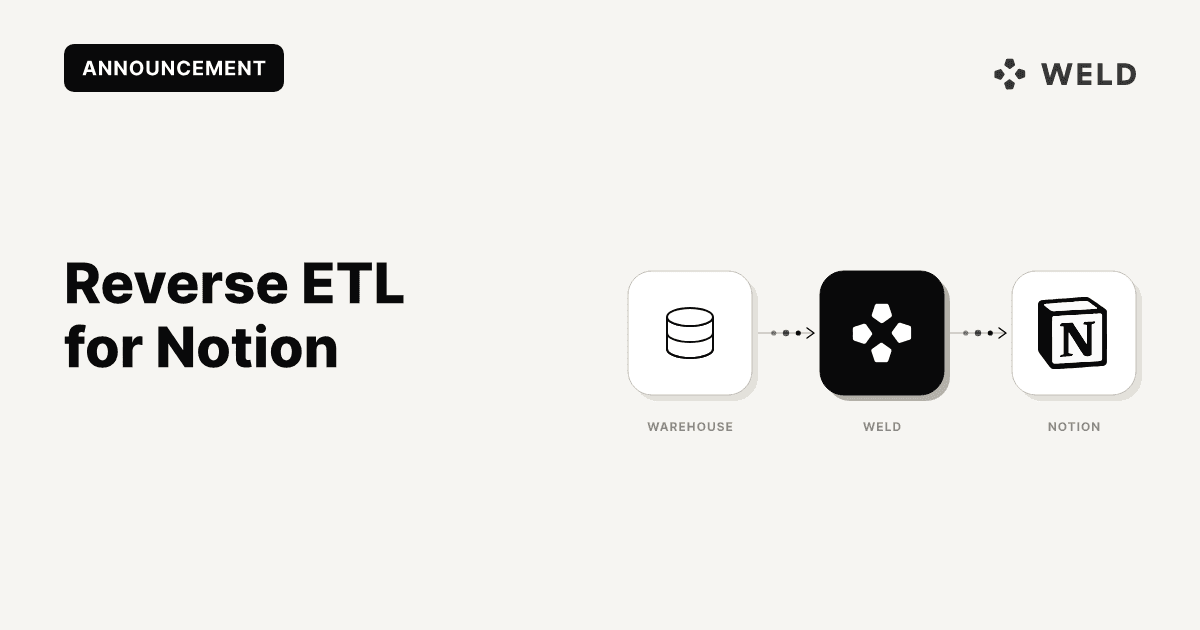
Reverse ETL moves data from your warehouse → into Notion on a recurring schedule. Weld makes the setup simple and fully managed.
Step 1: Connect your warehouse
Weld supports Snowflake, BigQuery, Redshift, Postgres, and more.
Step 2: Connect Notion
Authenticate your workspace using the new Notion destination connector.
Step 3: Choose your Notion database
Pick the database where you want your warehouse data to appear.
Step 4: Map your fields
Match warehouse columns to Notion properties.
Weld ensures correct data types, formatting, and property matching.
Step 5: Select your sync frequency
Real-time, hourly, daily. Whatever your workflow requires.
Step 6: Let Weld automate the updates
Weld handles batching, upserts, rate limits, and reliability.
Behind the Scenes: How Weld Handles the Sync
Weld’s Reverse ETL engine manages all operational complexity:
- type matching and property validation
- batching and rate-limit-compliant writes
- incremental upsert logic
- schema alignment
- error handling, retries, and logging
- record deduplication
This ensures your Notion data is accurate, up to date, and delivered reliably, even as your warehouse data changes.
A More Connected Notion Workspace
With ELT from Notion → warehouse and Reverse ETL from warehouse → Notion, Weld now supports a complete, bidirectional integration with Notion.
This gives teams:
- a full view of how Notion is used
- the ability to operationalize warehouse data directly in Notion
- reliable, automatically updated workspace content
- alignment across systems, documentation, and data sources
It’s a simple way to make Notion more powerful, more data-aware, and more connected to the rest of your stack.
Want to sync data from Notion to your destination?
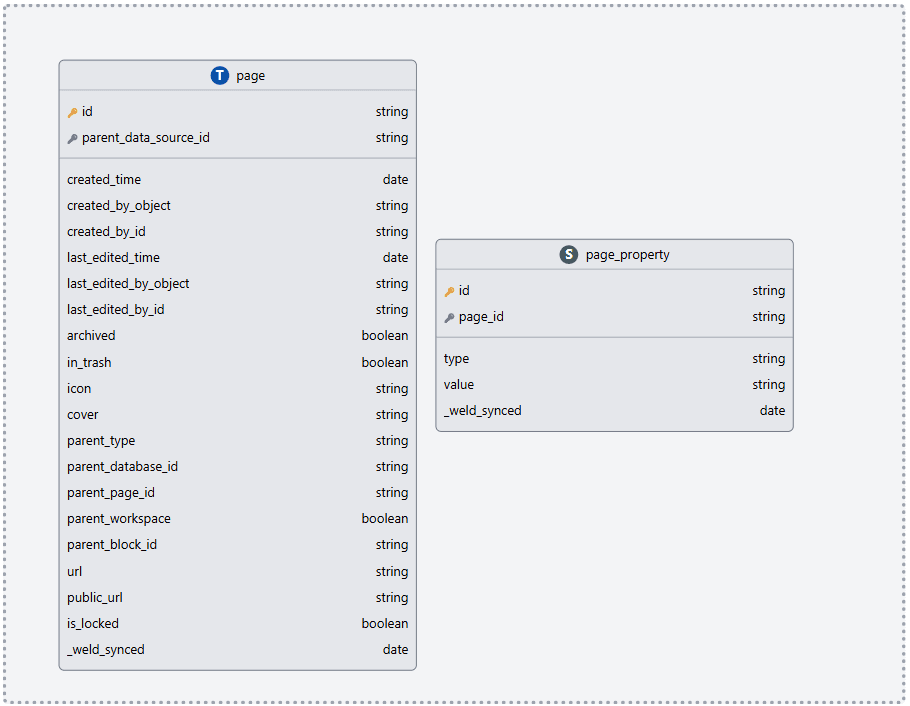
Remember you can also sync Notion data directly into your data warehouse using Weld. That means Notion pages, metadata, and activity can all be analyzed alongside your CRM, finance, and product data. Check you our documentation on ELT with Notion here! On the same page you will also find the data schema for the Notion connector (see snippet below).
Get Started with Reverse ETL for Notion
The Notion destination connector is live and available to all Weld users today. Find the setup guide for Reverse ETL for Notion here!