
 Claude
 ChatGPT
 Perplexity
A semantic layer is where a company defines its metrics in code, once, so every dashboard, spreadsheet and AI agent that asks for MRR gets the same number.
Without one, ask what MRR was in September and you can get three answers. Finance says €41,250: trials excluded, annual plans divided by twelve. The BI dashboard says €44,900, because it counts each annual invoice in full in the month it was paid. An AI agent connected to the warehouse says €43,600 on Monday and €41,900 on Tuesday, because it writes a new query each time and picks different filters.
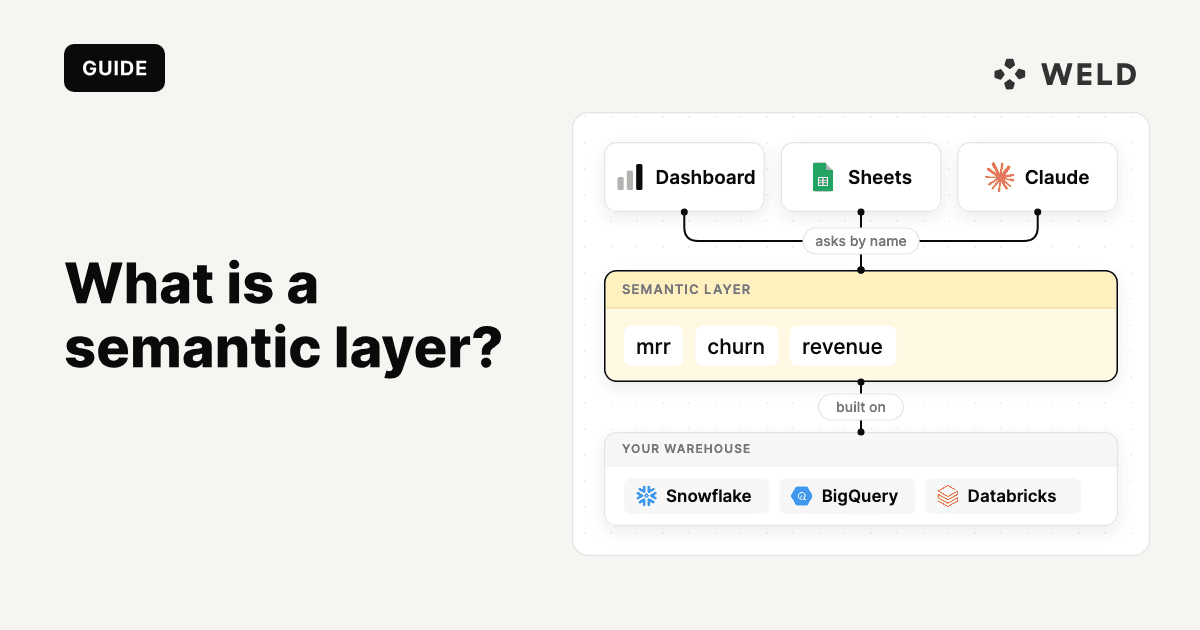
Each tool carries its own copy of the definition. A semantic layer keeps the only copy, and the dashboard, the spreadsheet and the agent ask it for mrr by name.
Summary: A semantic layer holds each metric's definition, its dimensions, its joins and who may see what, in code, and every tool asks it for metrics by name. You need one once a metric is calculated in more than one tool, or once people ask AI agents business questions.
What is a semantic layer?
A semantic layer sits between your data warehouse and the tools that read from it, and turns a request for a metric into SQL. A dashboard or an agent asks for mrr by month. The semantic layer knows that means summing mrr_eur from gold.mrr_by_customer_month, which tables to join, which rows to leave out and which rows this user may see, and it writes and runs the query.

The idea goes back to the early 1990s, when Business Objects called its version a "universe", and Looker's LookML made it popular again in the 2010s. Those layers live inside a BI tool, and for most of their history only that tool's dashboards could use them. Power BI and Looker still work this way, though both now run MCP servers, so agents can reach their models too. The newer layers are built for every tool from the start: in your transformation code (the dbt Semantic Layer), as a standalone service (Cube) or inside the warehouse (Snowflake semantic views, Databricks metric views).

What a semantic layer holds
It holds four kinds of definition.
| What | Example | Without it |
|---|---|---|
| Metrics | mrr = sum(mrr_eur), trials excluded | Every query re-derives the formula, and small differences add up |
| Dimensions | month, plan, country | One team slices by billing country, another by signup country |
| Joins | subscriptions to customers on customer_id | A join on the wrong key duplicates rows and inflates the total |
| Access rules | A sales lead sees their own region | The agent shows numbers the user can't see in the dashboard |
Most semantic layers also add caching, so a popular metric isn't recalculated from scratch on each request, and descriptions of the metrics and dimensions. Those descriptions matter more than they used to, because they are what an AI agent reads to decide which metric answers the question.
A semantic layer doesn't hold the data itself, and it doesn't replace your transformation layer. It reads from your modelled tables, so the clean-up work (deduplicating customers, converting currencies, removing test accounts) still belongs in the models underneath.
Why AI agents need one more than people do
Agents need a semantic layer more than people do because they start from zero on every question, and nobody checks their numbers before they're sent. An analyst who has been at a company for a year knows that finance's MRR excludes trials, and checks a number that looks too high. An agent sends whatever its query returns.
An agent working on raw tables tends to fail in three ways:
- Different answers to the same question. With no fixed definition, the agent writes new SQL for each question, and small choices (which statuses count as active, which date to group by) change the result.
- Numbers that don't match the dashboard. The dashboard and the agent each use their own logic, and users notice when the numbers differ.
- Numbers the user shouldn't see. If the agent queries with a shared service account, it can see more than the person asking.
A semantic layer removes all three problems, because the agent stops writing revenue SQL and asks for mrr by name. The dashboard uses that definition too, and the access rules apply to the person asking. dbt Labs measured the difference in a 2026 benchmark: 11 business questions, each asked 20 times, with the model either writing SQL against the tables or asking the semantic layer.

The semantic layer's misses on the original tables were the three questions it didn't cover yet, and on those it said it couldn't answer instead of guessing. Writing SQL against the tables gave a plausible wrong number some of the time. On the eight questions it did cover, the semantic layer was right every time, and three extra dbt models were enough to cover the rest.
Gartner points the same way. In its press release "Gartner Says Lack of Semantics Causes Inaccurate AI Agents and Wasted Spending", issued 11 May 2026, it wrote: "Gartner predicts that by 2027, organizations that prioritize semantics in AI-ready data will increase their agentic AI accuracy by up to 80% and reduce costs by up to 60%."
Worked example: MRR, defined once
Back to the September MRR question, asked of three tools before and after they share one definition.

Step 1: the model does the hard part
Start with a model in the warehouse with one row per active customer per month and the hard decisions already made: trials removed, annual and quarterly plans converted to a monthly amount, discounts applied, currencies converted. If you haven't settled what those decisions should be, how to calculate MRR covers the usual pitfalls, and defining core business metrics covers getting finance and the rest of the company to agree on them.
1-- models/gold/mrr_by_customer_month.sql
2-- one row per active customer per month
3select
4    customer_id,
5    month,
6    plan,
7    country,
8    mrr_eur  -- monthly value after discounts, in EUR
9from {{ ref('stripe_subscription_months') }}
10where is_active
11    and not is_trial
Here it's a dbt model, because most teams with a semantic layer already model in dbt, and the dbt Semantic Layer in step 2 sits directly on it. Weld syncs Stripe into the warehouse on a schedule, so the model always has current subscriptions to read. If you don't run dbt, the same SQL works as a SQL model in Weld, which runs it after each Stripe sync. Weld's open-source Stripe models build MRR along the same lines, so you don't have to start from scratch.
Step 2: the semantic layer defines the metric
On top of the model, the semantic layer says what mrr is and how it can be sliced. Here it is in the dbt Semantic Layer's latest YAML spec (dbt 1.12 and later, and the dbt platform's Latest release track), where the semantic model sits on the model itself:
1models:
2  - name: mrr_by_customer_month
3    semantic_model:
4      enabled: true
5    agg_time_dimension: month
6    primary_entity: customer_month
7    columns:
8      - name: customer_id
9        entity:
10          type: foreign
11          name: customer
12      - name: month
13        granularity: month
14        dimension:
15          type: time
16      - name: plan
17        dimension:
18          type: categorical
19    metrics:
20      - name: mrr
21        description: >
22          MRR in EUR. Trials excluded,
23          annual plans divided by 12.
24        type: simple
25        agg: sum
26        expr: mrr_eur
There's very little logic in it: the metric is a sum, and the hard decisions were made in the model, where they can be tested. It's worth keeping it that way, because a semantic layer full of complicated SQL turns into a second transformation layer that's harder to debug.
When a tool asks for mrr by month, the semantic layer writes the query itself, along these lines (simplified):
1select
2    date_trunc('month', month) as metric_time__month,
3    sum(mrr_eur) as mrr
4from gold.mrr_by_customer_month
5group by 1
Any tool that asks for mrr by month gets this query, which is why the numbers match.
Step 3: the dashboard, Claude and Ed ask for it
The dashboard asks the semantic layer for mrr by month, through the semantic layer's API or the BI tool's integration with it. Nobody has to write MRR SQL in the BI tool.
Claude connects to the semantic layer's MCP server. dbt, Cube and Snowflake all offer one. With dbt's, asked "what was MRR in September?", Claude calls list_metrics, finds mrr and its description, and calls query_metrics for September. It doesn't touch the subscription tables at all, so it can't invent a different filter.
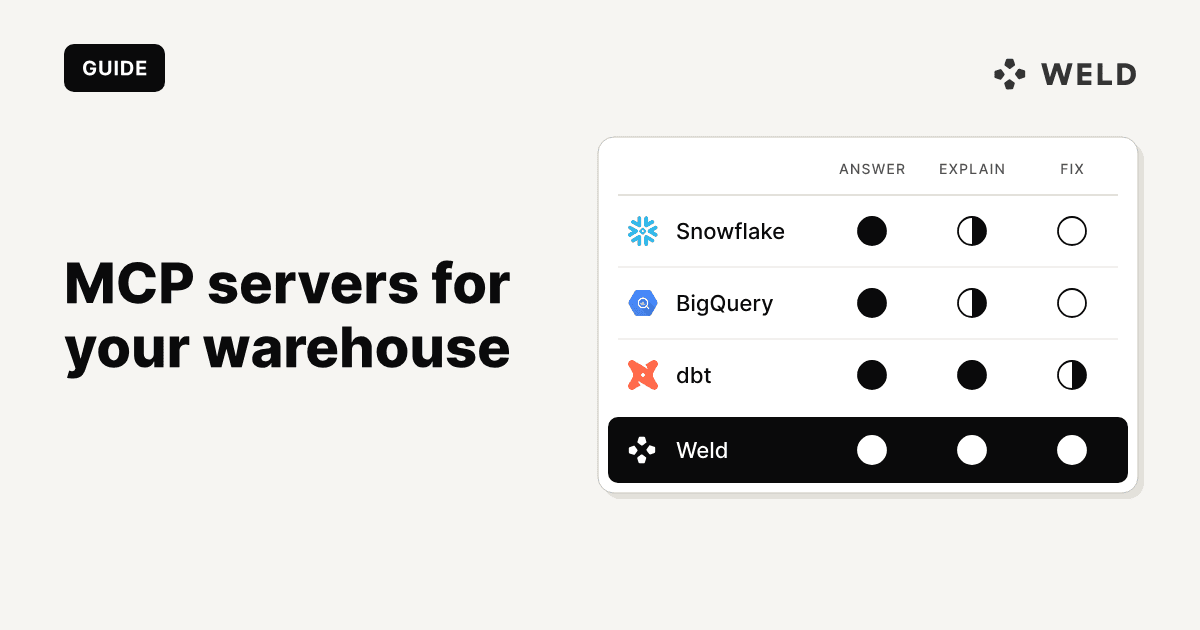
Connect Claude to the Weld MCP server as well, and it can also check the data behind the number before it trusts it (step 4).
Ed, the agent in Weld, doesn't call a semantic layer: it searches your models and runs read-only queries (once an admin lets it read data values). Pointed at mrr_by_customer_month, the model the metric is built on, it also gets €41,250 for September, because the trial, discount and currency logic lives in the model.
All three return €41,250. And when finance decides next year that paused subscriptions don't count, the change goes into one definition, and every tool picks it up.
Step 4: check that the number is fresh
A semantic layer makes every tool calculate MRR the same way, but it can't tell whether the data underneath is current. If the Stripe sync failed on Tuesday, every tool returns the same out-of-date €41,250, and they all agree with each other.
So before an agent reports a number, it should check the data behind it. With the Weld MCP server connected next to dbt's, Claude can do that in three calls:
| Call | What it checks |
|---|---|
list_failed_syncs (Weld) | Whether any sync is failing, with the error and the time of the last successful run |
get_elt_sync_status (Weld) | The current state of the Stripe sync, stream by stream |
get_node_details (dbt) | The mrr_by_customer_month model, so the agent knows what the metric is built on. For a SQL model in Weld, get_transform returns its SQL. |
Then it calls query_metrics. If the Stripe sync last succeeded two days ago, the agent can say so next to the number instead of presenting it as today's. This is the part of the stack Weld runs: the syncs that keep the warehouse current, the SQL models if you build them in Weld, and the MCP tools an agent uses to check them.
The MRR figures in this post are made up for illustration.
Where your semantic layer can live: dbt, Cube, the warehouse or a BI tool
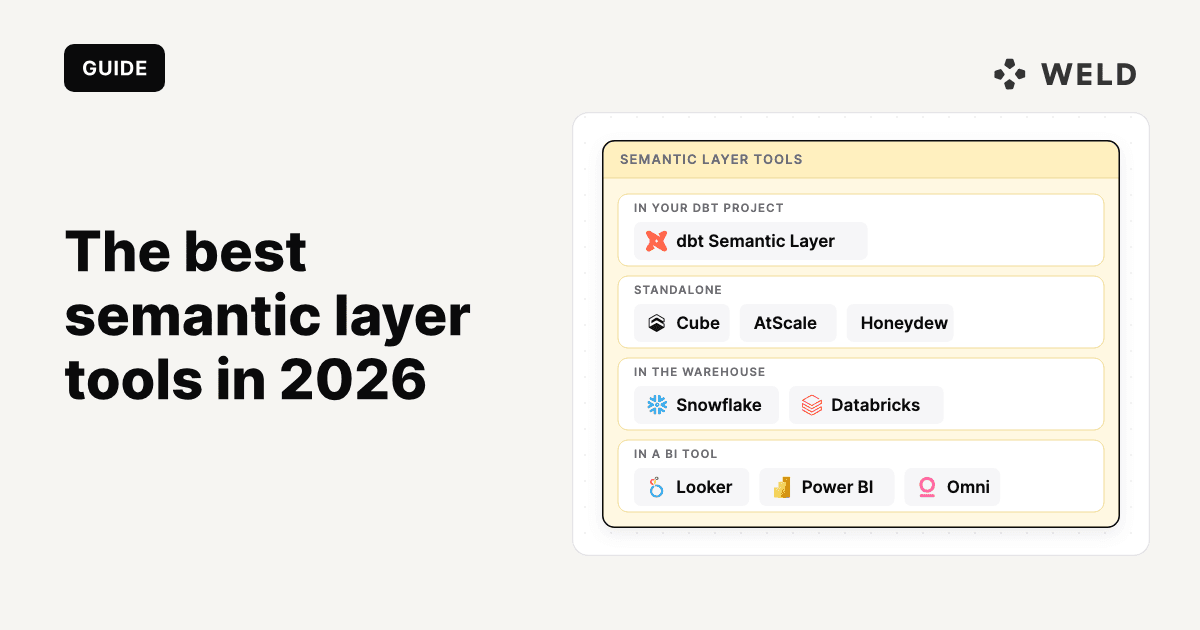
Semantic layers come in four types, and they differ most in where the definitions live: in your transformation code (dbt), in a standalone service (Cube), inside the warehouse (Snowflake, Databricks) or inside a BI tool (Power BI, Looker).

| Option | Definitions live in | Runs on | How agents reach it | Row-level access |
|---|---|---|---|---|
| dbt Semantic Layer | YAML in your dbt project | Most major cloud warehouses | dbt MCP server (list_metrics, query_metrics) | Through the warehouse credential it queries with |
| Cube | YAML or JavaScript in a Cube project | Most warehouses and databases | Cube MCP server, on all plans | Access policies with row filters per user |
| Snowflake semantic views | SQL objects in the warehouse | Snowflake only | Cortex Analyst and Snowflake-managed MCP servers | Row access and masking policies on the tables |
| Databricks metric views | YAML inside a SQL view in Unity Catalog | Databricks only | Genie, plus Power BI, Tableau and Sigma | Unity Catalog permissions on the view |
| Power BI semantic models | The model in Power BI Desktop or Fabric | Power BI and Fabric | Fabric IQ MCP server | Roles with DAX filters, object-level security for columns |
| Looker (LookML) | LookML files in a Git project | The databases Looker connects to | Looker's managed MCP server | access_filter on a user attribute |
Checked on each vendor's documentation on 29 October and 12 November 2026.
The best semantic layer tools compared goes through each option in depth, with pricing as of November 2026, which metrics each can express, caching, and how they handle agents and row-level access. In short: the dbt Semantic Layer keeps metrics next to your dbt models, Cube adds caching and per-user access rules as its own service, Snowflake and Databricks keep the definitions inside the warehouse, and Power BI and Looker keep them inside the BI tool.
How to choose
- You already run dbt, and most questions come from dashboards and agents: start with the dbt Semantic Layer. Your definitions sit next to your models.
- You need caching, fine-grained row-level access, or many different consumers: Cube, which has more of this built in than the others.
- Everything lives in Snowflake or Databricks and you want the fewest moving parts: the warehouse's own semantic or metric views, as long as you're happy for the definitions to only work there.
- Your BI tool already has a good model (LookML, Power BI semantic models): keep it for dashboards, and only add a separate layer when agents or other tools need the same definitions.
Choosing one is also less of a lock-in than it used to be: the Open Semantic Interchange, started in September 2025 by Snowflake, dbt Labs, Salesforce, Cube and others, is now an incubating Apache project, Apache Ossie, with a shared format for semantic definitions that dbt 1.12 already reads.
Security and governance: who can see which numbers
A semantic layer can only apply access rules if it knows who is asking. When a dashboard or an AI agent queries through one shared service account that carries no user identity, every user gets that account's access, and a sales rep can ask an agent for numbers they can't open in the dashboard. Connect agents with each person's own login, usually OAuth through the MCP server, so the rules follow the user. The semantic layer can still query the warehouse with its own credential, as Cube does, as long as it applies the user's rules.

Row-level security decides which rows a user sees, and column-level security hides or masks fields such as customer emails. Each option keeps these rules in a different place.
| Option | Whose identity the rules use | Rows | Columns |
|---|---|---|---|
| dbt Semantic Layer | A service credential, or the user's own credentials through a personal access token | The warehouse's policies for that credential | The warehouse's policies for that credential |
| Cube | The signed-in user's security context, while Cube queries the warehouse with its own credential; its MCP server supports OAuth | row_level filters in an access policy | member_level to hide fields, member_masking to mask them |
| Snowflake semantic views | The user's role; the managed MCP server uses their default role | Row access policies on the tables, enforced through the view | Masking policies on the columns |
| Databricks metric views | The user, with SELECT granted on the metric view | None on the view itself: row filters can't be set on a view, so the grant decides who sees it all | None on the view itself: column masks can't be set on a view either |
| Power BI semantic models | The user's Microsoft login; the Fabric IQ MCP server doesn't accept service principals | Roles with DAX filters | Object-level security on tables and columns |
| Looker (LookML) | The user, through OAuth on the managed MCP server | access_filter on a user attribute | required_access_grants on fields |
One detail catches teams out: Power BI's row-level and object-level security apply only to Viewers, not to workspace Admins, Members or Contributors, so test as a Viewer.
Governance also means a metric can't change quietly. In dbt, Cube and LookML the definitions are files in Git, so a change to mrr goes through a pull request its owner reviews, and the description is the approved definition an agent reads. Then log who asked what: Snowflake's ACCESS_HISTORY, Databricks' system.access.audit, Looker's System Activity and Cube's Query History all record the user behind each query.
Checked on each vendor's documentation on 13 November 2026.
How to set up a semantic layer
- Pick one domain. Finance is usually the best start, because people already check its numbers.
- List the ten metrics people ask about most, and agree each definition with the person who owns it.
- Put the hard logic in Gold models (trials, currencies, discounts) and test it there.
- Define the metrics in the semantic layer, with a description for each one, because that's what an agent reads.
- Connect dashboards and agents with each person's own login, so access rules follow the user.
- Test with real questions and compare the answers with what finance reports.
When you don't need a semantic layer yet
Plenty of teams are better off waiting. A semantic layer is a commitment: every metric needs an owner, and every change needs a review. The first metric usually takes the longest, because it forces the definition argument everyone has been putting off.
| Wait if… | You need one when… |
|---|---|
| You have one BI tool and no agents. That tool is your semantic layer already. | The same metric is calculated in more than two places. |
| Finance and sales still disagree on what counts as revenue. Settle that first. | People have started asking AI agents business questions. |
| The models underneath are shaky: late syncs, duplicate customers. | Someone has asked "why doesn't this match the dashboard?" |
| You have a handful of metrics and one analyst. A documented Gold model is enough. | Teams need the same numbers with different access. |
Where the semantic layer sits in the agent context stack
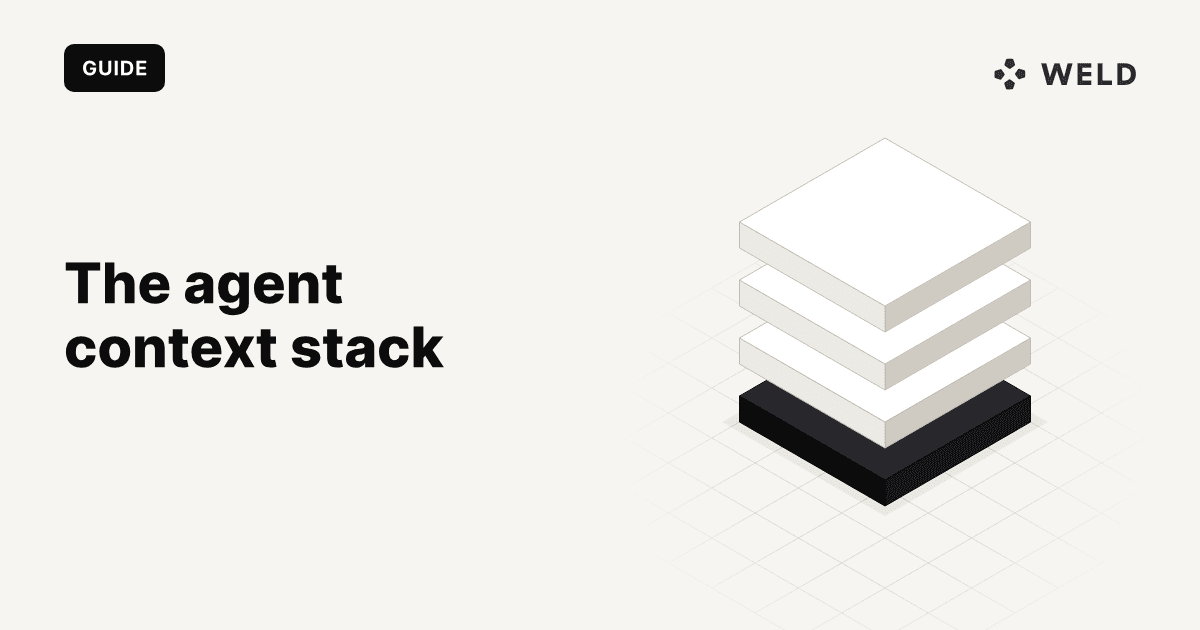
The semantic layer is one layer of the agent context stack, the layers an AI agent needs before it can answer "what is our revenue?" reliably:

The semantic layer tells the agent how to calculate MRR, but it can't explain why September looks strange because a large customer moved to annual billing. That belongs in the business context layer. And if the Stripe sync failed on Tuesday, the problem sits in the foundation underneath, where no metric definition can fix it.
Weld runs the foundation: it syncs Stripe, HubSpot, your product database and 300+ other sources into your warehouse, runs the SQL or dbt models your semantic layer is built on, and gives agents an MCP server to check that the data behind a number is fresh. The semantic layer sits on top, in whichever tool you choose, and our forward deployed engineers can set it up with you, starting with one domain, usually finance.
OMHU, a Weld customer, runs this setup: Weld syncs Shopify, payment providers and marketing tools into BigQuery, dbt models the data, and Cube defines the metrics once for daily reporting, finance reconciliation and the team's AI agents in Slack. Their customer story walks through it.
If you're deciding where to begin, start with finance's ten most requested metrics on top of your Gold models, and add the other layers as agents need them. The agent context stack covers those layers.
FAQ
A semantic layer is a single place where a company's metrics are defined, in code. Instead of every dashboard, spreadsheet and AI agent writing its own SQL for "revenue", they ask the semantic layer for revenue by name, and it gives all of them one answer.
There are four. A semantic layer can be defined in your transformation code, like the dbt Semantic Layer; run as a standalone service between the warehouse and every tool, like Cube; live inside the warehouse, like Snowflake semantic views and Databricks metric views; or sit inside a BI tool, like Power BI semantic models and Looker's LookML. The first three are built to serve any tool. A BI-tool layer mainly serves that tool's own dashboards, though Power BI and Looker now also let agents query their models through MCP servers.
The terms are often used interchangeably. Strictly, a metrics layer holds only metric definitions, while a semantic layer also holds dimensions, joins between entities and access rules. Most current tools, including the dbt Semantic Layer and Cube, are semantic layers in the broader sense.
A data catalog lists and describes the data you have: tables, columns, owners and lineage, so people can find what exists and judge whether to trust it. A semantic layer defines how metrics are calculated from that data and runs the queries. Many teams use both, with the catalog pointing to the metrics the semantic layer defines.
No. A semantic layer reads from your modelled tables. The cleaning, deduplication and business logic still belong in the models underneath, built with SQL or dbt. The semantic layer adds the last step: how each metric is aggregated, sliced and secured.
MRR is the classic one. The semantic layer defines MRR once, as the sum of monthly subscription value for active subscriptions with trials excluded, and says it can be sliced by month and plan. A dashboard, a spreadsheet and an AI agent then ask for MRR by name and all get the same number. The worked example in this post walks through it from Stripe to Claude.
The dbt Semantic Layer is dbt's way of defining metrics in YAML next to your dbt models, powered by the open-source MetricFlow engine. Tools query it through JDBC, GraphQL or a Python SDK, and AI agents through the dbt MCP server. It's included in dbt's Starter and Enterprise plans, not in the free Developer plan.
No. The warehouse stores and processes the data. The semantic layer stores definitions and generates the queries the warehouse runs. Warehouse-native options such as Snowflake semantic views keep those definitions inside the warehouse, but they are still a separate layer of definitions on top of the tables.
Because without a fixed definition, the agent writes new SQL for every question, and small choices about filters, joins and dates change the result. A semantic layer gives the agent a named metric to ask for instead, so it calculates the metric one way, the way the dashboard does.
For a few metrics, well-documented models with clear descriptions can be enough, and agents do read them. Once several tools and agents ask for the same metrics, documentation alone leaves each one to write its own SQL. A semantic layer makes the definition executable, so it can't be interpreted differently.
Most do, in different places. Cube has its own access policies with row filters and column masking. Snowflake semantic views and Databricks metric views rely on the warehouse's grants and policies, Power BI and Looker use their own row and column rules, and the dbt Semantic Layer applies whatever the warehouse enforces for the credential it queries with. In every case, the rules only work when the semantic layer knows who is asking: the dashboard or agent passes an authenticated identity for the person, usually through their own login, rather than a shared service account that carries no user identity.
Weld runs the data foundation a semantic layer is built on: syncing sources into your warehouse, running the SQL or dbt models underneath, and giving agents an MCP server to query those models and check data freshness. The semantic layer itself runs in the tool of your choice, such as the dbt Semantic Layer, Cube or your warehouse's semantic views, and Weld's forward deployed engineers can set one up with you.