🚀 New Data Warehouse: Amazon Redshift now available
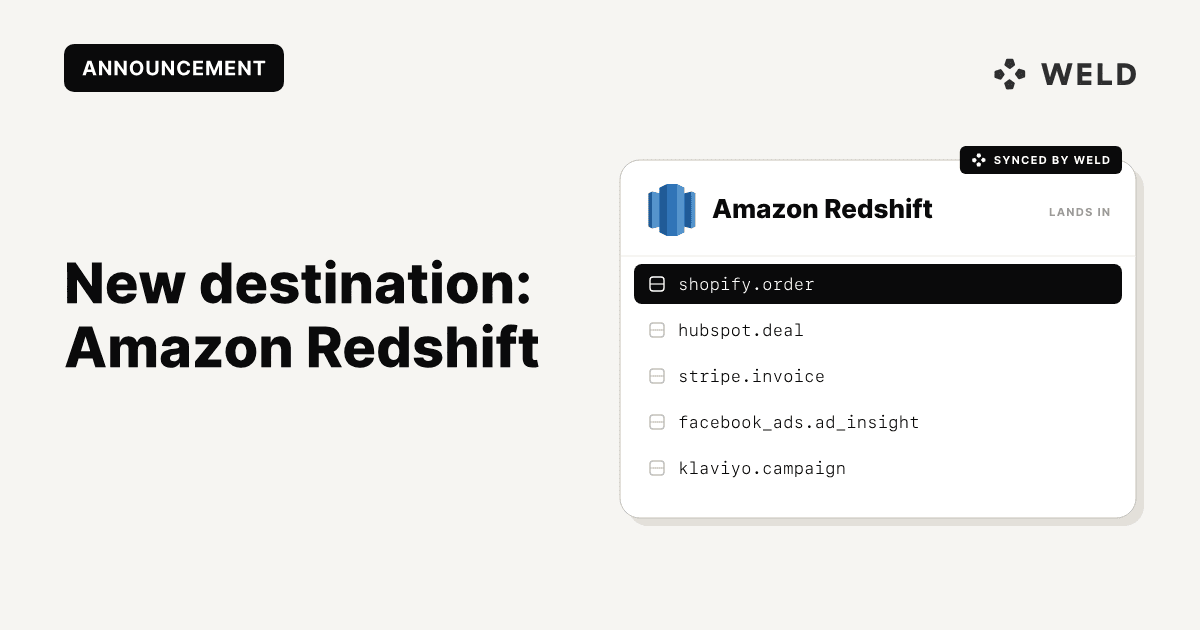
We’re very happy to announce the launch of our newest data warehouse: Amazon Redshift! Redshift is a fully managed, columnar data warehouse designed for large-scale analytics. With Weld, now you can load data into Redshift using automated pipelines, making it easier to standardize reporting and analytics in one place.
Key strengths of Amazon Redshift
- Power data analytics at scale without managing data warehouse infrastructure
- Deliver up to 3x better price-performance and 7x better throughput than other with other cloud data warehouses
- Zero ETL integrations enable near real-time analytics by easily connecting data from streaming services, operational databases, and third-party enterprise applications without the need for complex data pipelines.
Read more on Amazon's website here.
Why connect to your data warehouse?
Amazon Redshift is a fully managed, petabyte-scale data warehouse service in the cloud. It is designed to handle large datasets and perform complex queries on structured data. Redshift is based on PostgreSQL, and it is optimized for high-performance analysis and reporting.
Ideal for data teams needing:
- Fast dashboards for join/aggregate-heavy workloads
- Predictable BI performance and internal dashboards with fresh, reliable data
- An AWS-native warehouse with S3 integration
- IAM-based access control and governance, that manages digital identities and regulates user permissions to IT resources, ensuring the right people access the right data at the right time.
By connecting Amazon Redshift with Weld, you can:
- Centralize your Amazon data alongside the rest of your analytics stack
- Run complex attribution and performance queries across massive datasets
- Eliminate manual exports and maintenance with automated pipelines
⚙️ How to set it up
Part 1 - Set up S3 bucket
Create an S3 bucket where Weld will upload the data in GZIP NDJSON format before loading it into Redshift. Make sure that the bucket is not publicly accessible.
Weld will not expire the items in the bucket by default. If you would like to set up lifecycle rules to automatically delete old data, you can do so via the S3 console. This will only remove raw data from the bucket, it will not delete the data from Redshift.
You can also use this S3 bucket as a data lake as it will always have the raw data available. An example Redshift query that can be used to copy data from the S3 bucket to Redshift is:
COPY "{{SCHEMA_NAME}}"."{{TABLE_NAME}}" FROM '{{S3_PATH}}' iam_role '{{IAM_ROLE_ARN}}' GZIP JSON as 'auto ignorecase' dateformat 'auto'
Where {{IAM_ROLE_ARN}} is the ARN of the IAM role that you will set up in Part 2.
Part 2 - IAM Setup
Step 1
Create an IAM policy with the following permissions (edit in JSON mode)
These S3 permissions ensure that Weld is able to upload data to S3 and Redshift is able to read from S3. The Redshift Serverless permissions ensure that Weld can get temporary credentials for Redshift Serverless. Weld only supports temporary credentials for Redshift as this is the most secure way to access Redshift.
Step 2
Create an IAM role and add the following trust relationships to ensure that the Weld AWS account (887019001183) and Redshift can assume the role. For {{EXTERNAL_ID}} you can use any string. You will need to use the same string in the Weld UI when configuring the Redshift connection.
Part 3 - Redshift Setup
Step 1
Associate the IAM role with Redshift
Open the Redshift namespace, and navigate to the Security and Encryption tab.
Click on Manage IAM Roles
Click on Associate IAM Roles and select the role created in the previous steps
For the following steps, you will need to be able to run queries against Redshift with admin permissions. You can do this either by opening the built in Query Editor in the Redshift console, or via a 3rd party database management tool.
Step 2 - Create database
CREATE DATABASE "weld";
Step 3 - Create user for database:
CREATE USER "IAMR:{{IAM_ROLE_NAME}}" PASSWORD DISABLE;
Step 4 - Grant permissions to user:
GRANT ALL PRIVILEGES ON DATABASE "weld" TO "IAMR:{{IAM_ROLE_NAME}}";
Checklist
Ensure that you have completed the following steps before proceeding to setting up in Weld:
- Create S3 bucket
- Create IAM policy with S3 and Redshift permissions
- Create IAM role with trust relationships for Weld and Redshift
- Attach IAM policy to IAM role
- Associate IAM role with Redshift
- Create database and IAMR user
- Grant all privileges for database to IAMR user
Part 4 - Setting up Weld
Fill out the details in the Weld UI for the Redshift data warehouse connection
- For the host and port, use the
Endpointfrom your Redshift Workgroup details. Note that theEndpointwill be in the format{{HOST}}:{{PORT}}/{{DATABASE}} - For the database, use the Database that you created in Part 3 - Step 1. If you didn't change the name, it will be called
weld - For
External IDyou can use any string, but ensure that it is the same as the one in the IAM Role's trust relationship. - For the
S3 Bucket, input your the name of the S3 bucket that you created in Part 1.
If using SSH, enable it and configure the SSH credentials
Then, you are ready to click Connect.
How does Weld work with Amazon Redshift?
Weld automates the process of extracting, transforming, and loading your data directly into Redshift without requiring you to build or maintain complex infrastructure.
1. Syncing Data to Redshift:
- Extracts data from external tools (ads, CRM, payments, product data, etc.)
- Loads it automatically into Redshift
- Keeps it updated incrementally
- Redshift becomes the central analytics hub where all data lands.
2. Modelling Data (Views & Materialized Tables):
- Create SQL views (logical transformations)
- Create materialized views (precomputed, performance-optimized tables)
- Build data marts
- Standardize metrics (revenue, CAC, LTV, churn, etc.)
With Weld ensuring fresh data, these models always run on up-to-date inputs.
3. Reverse ETL Source:
When Redshift contains cleaned and modeled data, it can become a source for operational tools.
Example flow:
- Weld syncs data into Redshift
- You model it (e.g., calculate customer segments)
- Lastly, you send those segments back to: CRM, or Marketing automation tools.
Powerful Use Cases with Weld + Amazon Redshift
When you combine Weld’s automated data pipelines with the performance and scalability of Redshift, you unlock advanced analytics use cases without managing infrastructure or complex ETL processes.
- Improve Financial & Demand Forecasting: Weld centralizes your revenue, marketing spend, subscription, and operational data into Redshift, automatically and continuously.
- Optimize Your Business Intelligence: Weld ensures your BI tools always query clean, modeled, and up-to-date warehouse data.
- Accelerate Machine Learning with SQL: Redshift supports in-warehouse machine learning workflows, allowing teams to build and deploy models using SQL.
- Combine Your Data with Third-Party Data Sets: Enhance your internal analytics by combining Weld-synced data with external datasets from: AWS Data Exchange
Get started
Ready to get started?
Set up the Amazon Redshift in Weld today!
Read more from the Weld documentation here.
Weld also supports Redshift Serverless and Redshift Provisioned clusters.
For Redshift Serverless use the Redshift integration and follow this guide: