Introduction to BigQuery Partitioned Tables: Better Performance, Smarter Costs
When working with large datasets in Google BigQuery, you may notice that query speed and warehouse costs can quickly become a challenge as data grows. Fortunately, BigQuery supports a feature called partitioned tables a crucial tool for optimizing cost, performance, and manageability of your data.
Related reading: What Is Data Partitioning? Why It Matters and How to Do It Right
What is Table Partitioning?
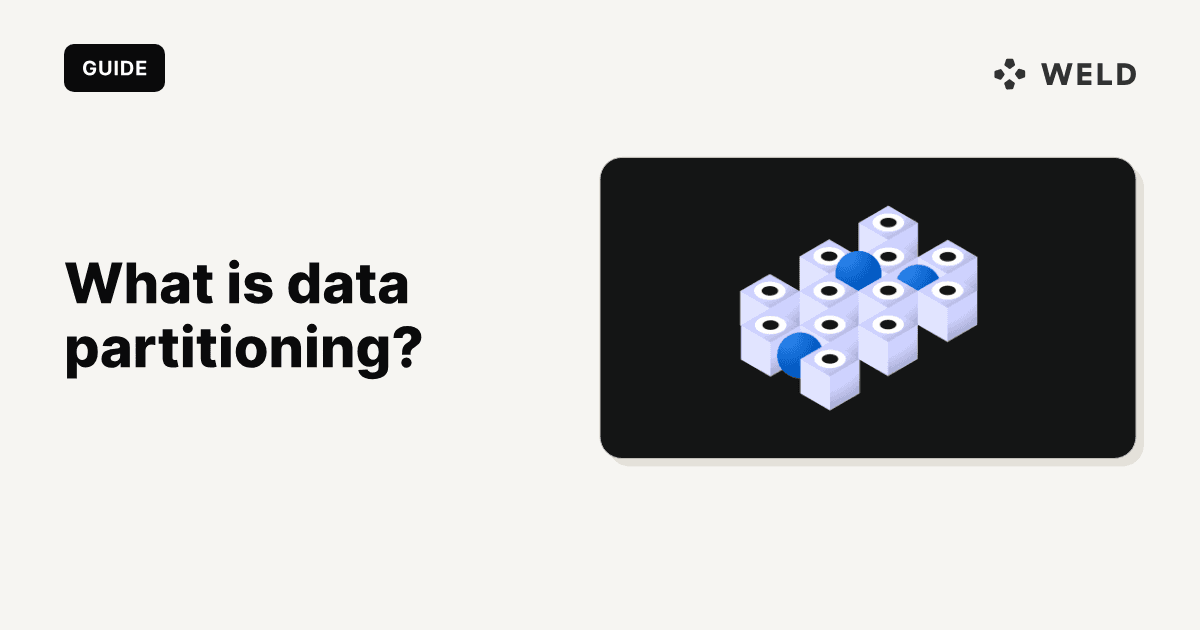
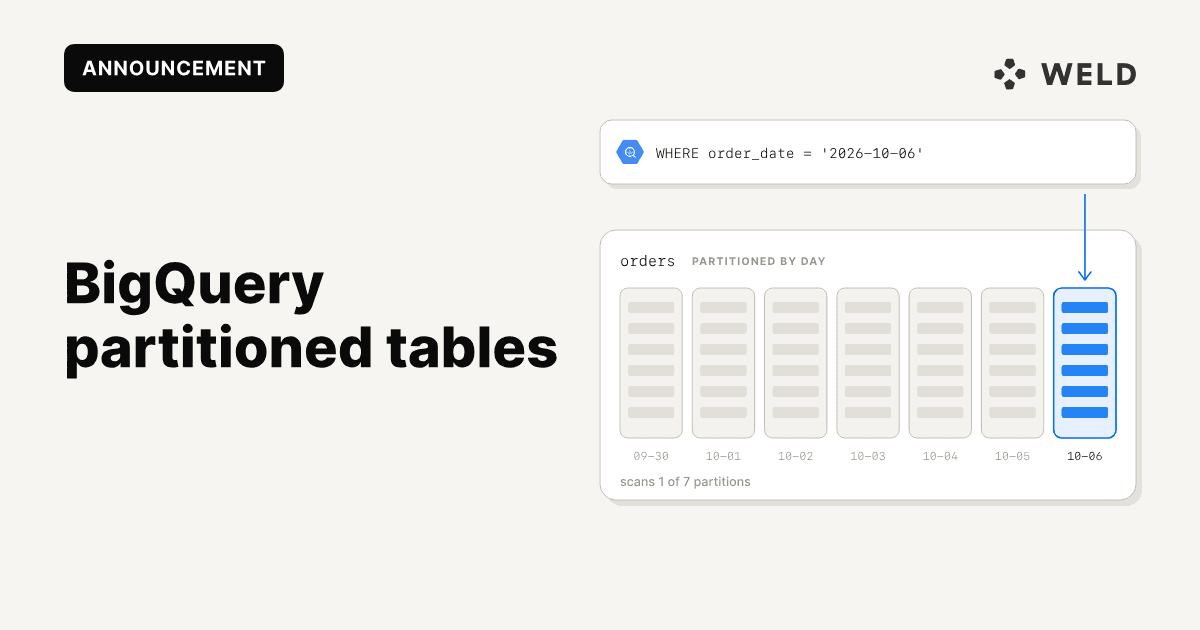
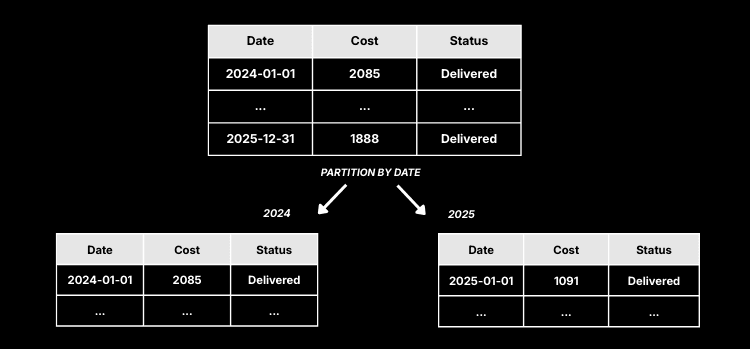
Data partitioning is the process of dividing a large dataset into smaller, more manageable chunks, called partitions, to improve performance, scalability, and maintainability. Instead of scanning an entire table for every query, BigQuery can read only the relevant partitions.
Key benefits of partitioning:
- Faster query performance
- Lower storage and query costs
- Easier data lifecycle management
- Maintenance: Archive or delete old partitions easily
- Concurrency: More users can query without clashing over resources
- Resilience: Failures or spikes in one partition don’t affect the whole table
- Security and compliance: Sensitive data can be isolated; regional data can be localised
Partitioning is typically done based on criteria like time, region, or ID ranges, depending on how the data is queried. The result: faster query times, lower costs, and more efficient storage.
A BigQuery table with 7 million rows consumed about 2 GB when queried fully. Once partitioned by date, the same query filtered by a specific day scanned only 40–50 MB—a major improvement in speed and efficiency.
Common Partitioning Strategies (General)
The partitioning approach you choose should reflect how your data is used. Here are a few common strategies (see full guide):
- Time-based: Ideal for logs, events, or historical data. Often partitioned by day, month, or year.
- Key-based: Based on a field like user ID, customer ID, or product ID. Good for transactional systems.
- Geographic: Partitions data by country or region, often for compliance or latency.
- Hybrid: Combining strategies, like date + region, to support more complex access patterns.
Choosing the right strategy can reduce scanned data significantly and improve user experience.
Partitioning Types Supported by Weld
Weld supports several partitioning options in BigQuery:
-
Time-based (timestamp, date, datetime): Partition on a column of type
TIMESTAMP,DATE, orDATETIME. -
Integer range: Partition on an
INTEGER-typed column, e.g., ID or bucket columns.
Note: Weld does not support ingestion-time partitioning (where BigQuery uses the data's arrival time). You must select an actual column in your data to act as the partition key.
Best Practices: Granularity and Primary Keys
-
Granularity:
Weld supports daily partitions (DAYgranularity) for time-based partitioning. -
Partition Key & Primary Key:
- If your partition key is part of the primary key, Weld can automatically optimize data merging.
- If not (e.g., partitioning by a column that isn't in the primary key), ensure your partition key is stable and doesn't change.
Warning: Do not partition on a frequently updated field like last_updated. Doing so can cause duplicate rows or missing historical versions.
Migrating an Existing Table to Use Partitions: A Practical Example
Let’s imagine you have an ever-growing purchases table in BigQuery, tracking sales for your online store. At first, you didn’t set up partitioning. Over time, this table has become huge, and your queries to analyze recent sales have slowed down and thusstarted costing more.
Suppose now you want to speed things up by partitioning the table by date. Here’s how you can safely migrate your table, step by step:
Step 1: Pause Data Syncs
To avoid new data arriving during the migration and ensure you won’t lose any records, start by pausing your data sync jobs:
- Open your Weld workspace.
- Find the relevant sync in the ELT section.
- Set its status to STOPPED and wait until current jobs finish.
Step 2: Create a Partitioned Table
Now, you’ll create a new partitioned version of your table and transfer the data over. Imagine your table is called purchases in the dataset (schema) commerce, and you want to partition by purchase_date (a DATE column). Inside BigQuery, you would run the following SQL code:
1-- Step 1: Back up the original table by renaming it
2alter table `commerce.purchases`
3rename to `purchases_backup`;
4
5-- Step 2: Create the new partitioned table with data from the backup
6create table
7    `commerce.purchases`
8partition by
9    date(purchase_date) as
10select
11    *
12from
13    `commerce.purchases_backup`;
14
15-- Step 3 (Optional): Once you’re sure everything’s copied, clean up the backup
16drop table `commerce.purchases_backup`;
What if your partition column is a TIMESTAMP, DATETIME, or INTEGER? Just adjust the SQL:
- For a TIMESTAMP column, use:
PARTITION BY DATE(your_timestamp_column) - For DATETIME, use:
PARTITION BY your_datetime_column - For Integer, define ranges:
PARTITION BY RANGE_BUCKET(your_integer_column, GENERATE_ARRAY(start, end, interval))
For more SQL examples see Weld documentation.
Step 3: Resume Your Data Syncs
Once your new partitioned table is ready, go back into Weld and set the sync status to STARTED. Now, new data will flow directly into your partitioned table optimized for faster, cheaper queries!
Tip: Always verify your data after migration by comparing row counts between the backup and the new partitioned table before dropping the backup.
Partitioning Tables in Weld: Where and How Can You Do It?
Raw Ingestion Tables → Partitioning Set Inside BigQuery
When data is first loaded (ingested) into BigQuery, before any transformation, partitioning must be defined directly in BigQuery.
- If you are creating the original (raw) table where data is initially stored:
- Weld does not control partitioning for these tables during ingestion.
- Set up partitioning in the BigQuery Console, using its SQL editor or interface.
- You can choose partitioning by date, ingestion time, integer range and so on as showed in the previous example section.
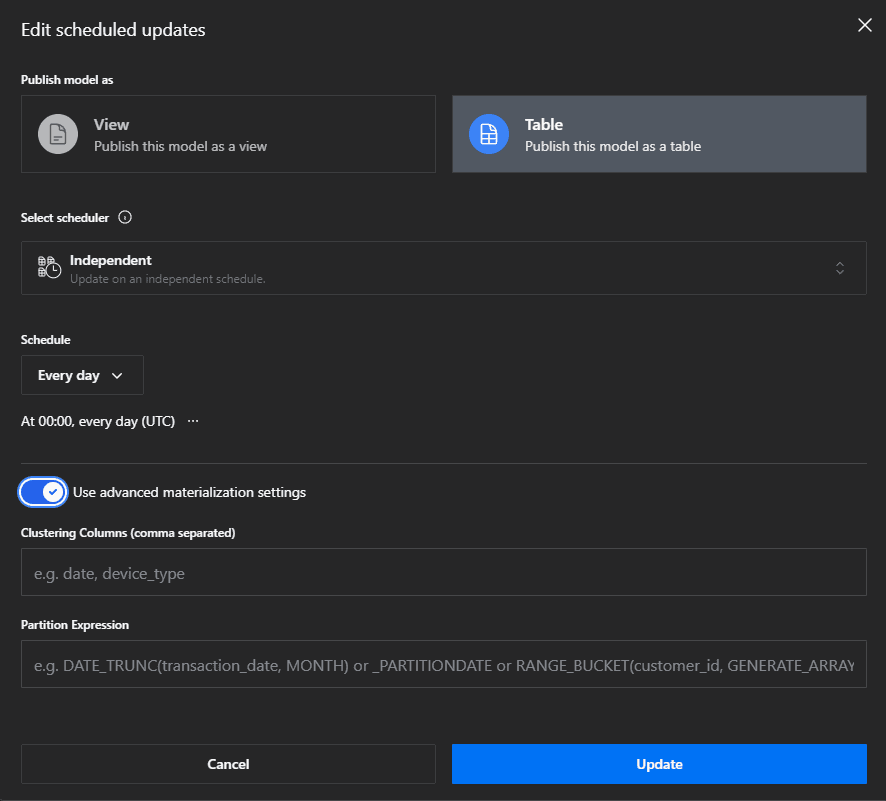
Materialised Tables → Partitioning Can Be Set in Weld
After ingestion, you may apply transformations or build “materialised” tables.
- For materialised (transformed) tables:
- Weld lets you define partitions directly inside its interface.
- When you create or update a materialised table in Weld, you can pick advanced options icon and enter partitioning expression based on partitioing choice.
- Weld will then manage how the partitioned table is created in BigQuery.
Why is there a Difference?
- Raw ingestion puts data straight into BigQuery’s storage only BigQuery controls how partitions are defined at this point.
- Materialised tables are created as a result of Weld powered transformations, so Weld controls their schema and partitioning during creation.
Data Partitioning FAQ (BigQuery)
What is partitioning in BigQuery?
Partitioning in BigQuery is the process of dividing a table into segments (partitions) to improve query performance and reduce costs.
How do I partition a table in BigQuery?
You can partition tables by date, timestamp, or integer range. See our general guide for foundational strategies and our migration example above for step-by-step instructions.
What are the benefits of partitioned tables in BigQuery?
Partitioned tables in BigQuery allow for faster queries, lower costs, and easier data lifecycle management.
Can I migrate an existing BigQuery table to use partitioning?
Yes! See the migration example above and our general guide for more details.
Final Thoughts
Partitioning BigQuery tables is a best practice for anyone working with growing datasets, since it speeds up queries, saves money, and improves how you manage your data. Both BigQuery and Weld provide flexible, powerful partitioning options. Just make sure to choose stable partition keys and follow migration best practices.
Sources & References
- What Is Data Partitioning? Why It Matters and How to Do It Right
- Google BigQuery: Partitioned Tables
- Medium: Boosting Database Performance: The Magic of data Partitioning
- Medium: Data Partitioning in System Design: Why It Matters and How It Solves Real-World Problems
- Tiger Data: Data Partitioning: What It Is and Why It Matters