The best ETL tools in 2026 are Weld (best unified ELT + reverse ETL), Fivetran (best fully managed ELT), Airbyte (best open-source ELT), Estuary (best CDC/streaming), and Matillion (best visual warehouse ELT). The right choice depends on whether you need managed or self-hosted, batch or real-time, and whether transformations should happen before or after loading into your warehouse.
This guide covers 15 ETL and ELT tools organized by category, each reviewed in depth with hands-on assessments.
Best ETL Tools in 2026: Shortlist by Use Case
Not every team needs the same ETL tool. Here is our recommended shortlist based on the use case that matters most to you:
Managed ELT
| Use case | Our pick | Why |
|---|---|---|
| Best ELT + reverse ETL in one platform | Weld | Unified ingestion, transforms, and data activation. Predictable pricing. |
| Best fully managed ELT | Fivetran | Highest connector quality and reliability. Minimal maintenance. |
| Best no-code / analyst-friendly | Hevo Data | Fastest setup for common SaaS sources. No engineering required. |
Open-Source ELT
| Use case | Our pick | Why |
|---|---|---|
| Best open-source ELT | Airbyte | 600+ connectors, self-host or cloud. Best flexibility for technical teams. |
| Best dev-first open-source | Meltano | CLI-first, version-controlled, CI/CD-driven ELT for engineers. |
| Best Python-first pipelines | dltHub (dlt) | Lightweight Python library for code-native data loading. |
Enterprise ETL
| Use case | Our pick | Why |
|---|---|---|
| Best enterprise governance | Informatica | 1,200+ connectors, data quality, lineage, and governance at scale. |
| Best hybrid enterprise CDC + ELT | Qlik Talend | Strong for on-prem to cloud migration with CDC and governance. |
Cloud-Native ETL
| Use case | Our pick | Why |
|---|---|---|
| Best AWS-native ETL | AWS Glue | Serverless Spark ETL with deep S3, Athena, and Redshift integration. |
| Best Azure-native ETL | Azure Data Factory | Drag-and-drop pipelines with native Azure service integration. |
| Best Databricks-native | Databricks Lakeflow | Lakehouse-native ingestion and orchestration inside Databricks. |
CDC, Streaming & Visual ELT
| Use case | Our pick | Why |
|---|---|---|
| Best CDC / streaming-first | Estuary | Real-time CDC pipelines without managing Kafka infrastructure. |
| Best warehouse-native visual ELT | Matillion | Visual pipeline designer with push-down transforms in your warehouse. |
| Best end-to-end pipeline platform | Keboola | Governed workspace with connectors, transforms, orchestration, and reverse ETL. |
| Best UI-driven ELT + activation | Rivery | Visual ELT with built-in reverse ETL and workflow automation. |
Where Weld is not the best choice: If you need self-hosted deployment, Airbyte or Meltano are stronger options. For enterprise governance at Fortune 500 scale, Informatica and Qlik Talend have deeper lineage and compliance capabilities. For streaming/CDC-first architectures, Estuary or Debezium are purpose-built. If your team is already committed to AWS or Azure, the native tools (Glue, ADF) integrate more tightly with your cloud fabric.
Jump to: Comparison table · Decision tree · Full reviews · FAQs
Which ETL Tool Should You Choose?
Use this decision tree to narrow your shortlist quickly. Find the row that matches your situation:
| Your situation | Tools to consider |
|---|---|
| Need self-hosted / open-source | Airbyte, Meltano, dlt |
| Need fully managed ELT with minimal maintenance | Fivetran, Hevo, Weld |
| Need reverse ETL and ELT in one platform | Weld, Rivery |
| Need CDC / real-time streaming | Estuary |
| Already on AWS | AWS Glue |
| Already on Azure | Azure Data Factory |
| Already on Databricks | Databricks Lakeflow |
| Need enterprise governance + data quality | Informatica, Qlik Talend |
| Need visual, analyst-friendly pipeline design | Matillion, Hevo, Keboola |
| Need Python-first code pipelines | dlt (dltHub) |
ETL Tool Comparison Table (2026)
| Tool | Type | Deploy | Pricing model | Build | Transform | Best for |
|---|---|---|---|---|---|---|
| Weld | ETL/ELT + Reverse ETL + CDC | SaaS | Subscription | UI | Yes | unified ELT + reverse ETL + transforms in one platform |
| Fivetran | ELT + Reverse ETL + CDC | SaaS | Usage-based | UI | Limited | low-maintenance enterprise ELT at scale |
| Airbyte | ELT | SaaS + Self | Usage (cloud) / Free (self) | UI + Code | Limited | flexible OSS connectors, self-host & customizable |
| Estuary | ELT + CDC (streaming) | SaaS | Usage-based | UI | Limited | low-latency streaming/CDC pipelines |
| Matillion | ETL/ELT | SaaS | Usage-based | UI | Yes | visual ELT for cloud warehouses |
| Hevo Data | ETL/ELT | SaaS | Subscription | UI | Yes | quick no-code setup for analysts |
| Informatica | ETL/ELT + Reverse ETL + CDC | SaaS + Hybrid | Quote | UI | Yes | enterprise governance and data quality at scale |
| Qlik Talend | ETL/ELT + CDC | SaaS + Hybrid | Quote | UI | Yes | enterprise hybrid CDC + ELT with governance |
| Meltano | ELT | Self | Free + paid support | Code | No | dev-first CI/CD pipelines |
| Keboola | ETL/ELT + Reverse ETL | SaaS + Hybrid | Usage/Quote | UI + Code | Yes | governed end-to-end pipeline workspace |
| Rivery | ELT + Reverse ETL | SaaS | Usage-based | UI | Yes | UI-driven ELT with data activation |
| Azure Data Factory | ETL/ELT | SaaS | Usage-based | UI | Yes | Azure-native integration |
| AWS Glue | ETL | SaaS | Usage-based | Code | Yes | serverless Spark ETL on AWS |
| dltHub (dlt) | ELT | Self | Free | Code | No | Python-first code pipelines |
| Databricks Lakeflow | ETL/ELT | SaaS | Usage-based | UI + Code | Yes | Databricks-native lakehouse pipelines |
Best ETL Tools: In-Depth Reviews
The following 15 tools received full hands-on evaluations. For each tool, we include our honest assessment, strengths, weaknesses, pricing, and independent review sources.
Managed & Open-Source ELT
Weld: Best Unified ELT + Reverse ETL

Weld is a modern ETL + reverse ETL platform designed to help teams move, transform, and activate data quickly. It combines connectors, orchestration, dbt support, and transformation tooling in one interface, making it easier to run a full data stack without managing infrastructure. Weld is best for teams that want fast implementation, predictable pricing, and production-grade pipelines.
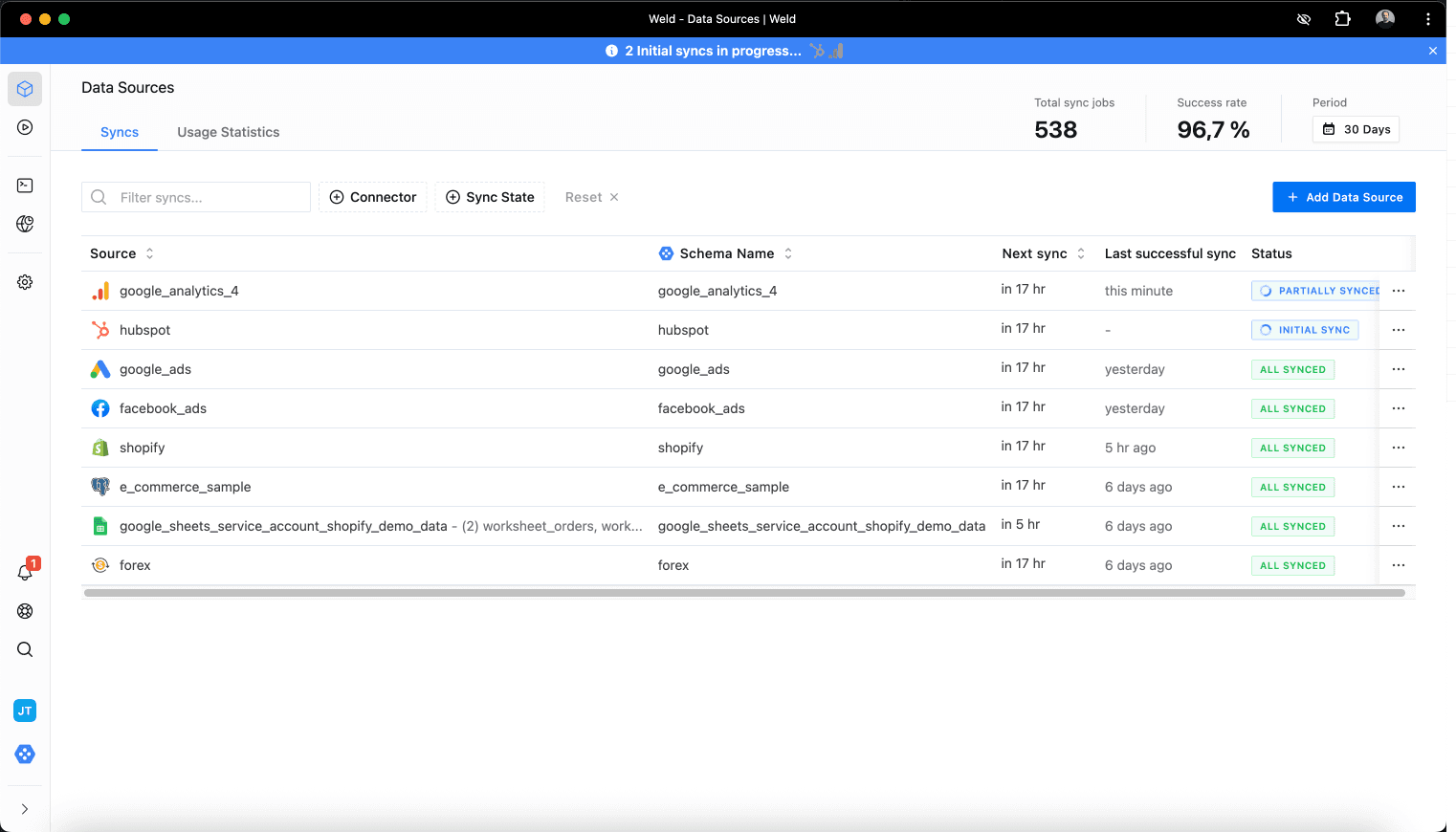
Our take (we build this): Weld is our product, so take this with appropriate skepticism. Our strongest advantage is combining ELT, reverse ETL, and SQL/dbt transformations in one platform with predictable pricing. Where we fall short: we're cloud-only (no self-hosted option), our connector count (300+) is smaller than Fivetran or Airbyte, and we're less suited for Fortune 500 governance requirements where Informatica or Qlik Talend have deeper capabilities.
Pros:
- Unified ETL + reverse ETL in one platform
- 300+ connectors for SaaS tools, databases, and ad platforms + custom connector features
- Real-time syncs (up to every minute) with support for change data capture (CDC)
- Predictable subscription pricing
- AI-powered transformation layer with full SQL support
- dbt integration, orchestration, and version control built in
- Enterprise-grade security: SSO, 2FA, audit logs, access tokens
- Multiple destinations and strong reverse ETL capabilities
- No infrastructure management required, fully cloud-hosted
Cons:
- Cloud-only (not self-hosted)
- Deeply custom ETL logic may still require engineering effort
- Focused on cloud data warehouses (less ideal for heavy hybrid/on-prem)
Pricing model: Subscription (starts at $99 / 5M active rows)
Weld’s graphical interface is intuitive and easy to work with, even for teams with limited SQL experience. Its flexibility across sources—from databases to Google Sheets and APIs—made onboarding smooth, and performance across larger workloads was consistently strong. Support was responsive and helpful throughout our setup and ongoing use.
Reviews: G2 reviews
Fivetran: Best Fully Managed ELT
Fivetran is a managed cloud ELT platform that automates ingestion from many sources into warehouses like BigQuery, Snowflake, and Redshift. It’s known for reliability, minimal setup, and “set-it-and-forget-it” operations. Fivetran is best for teams prioritizing low maintenance and connector stability.
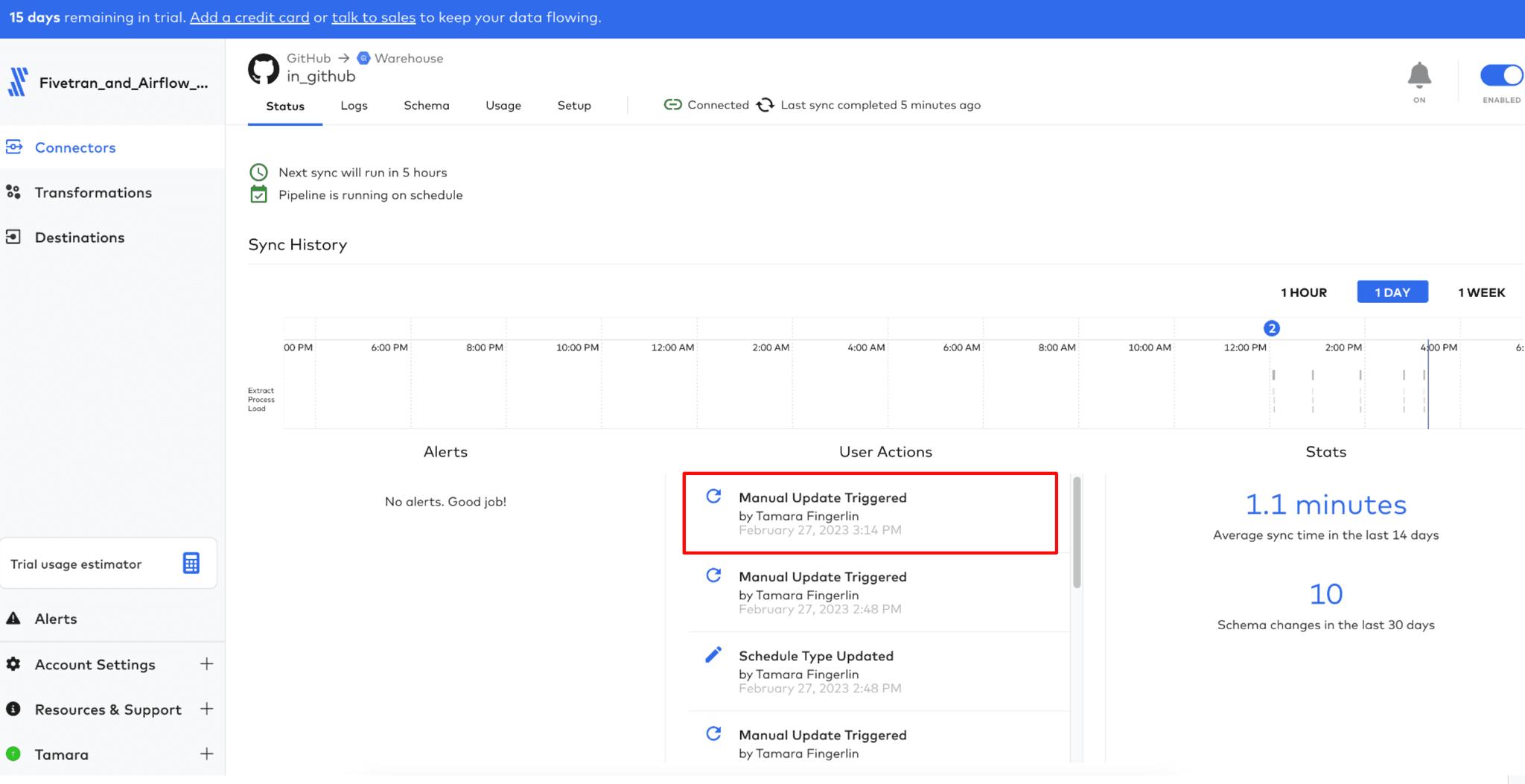
Our take after testing: Fivetran is the benchmark for managed ELT. Setup is genuinely fast (most connectors take under five minutes), and the sync reliability is the best we've seen. The trade-off is pricing: usage-based billing on Monthly Active Rows can surprise growing teams, and you'll need dbt or another tool for transformations since Fivetran is ingestion-only. Best for mature data teams that want low-maintenance connectors and already handle transforms elsewhere.
Pros:
- Fully automated
- Schema drift handling
- Wide variety of connectors
- Robust security protocols
- Detailed and helpful documentation
- Near real-time replication capabilities
Cons:
- Complex and expensive pricing model
- Depends on external tools for transformations (e.g., dbt)
- Doesn't support transformations pre-load
- No agent API support for AI workflows
- Steep learning curve for dbt beginners
Pricing model: Usage-based (MAR)
Pricing: Usage-based, starting $500 for 1 million MARs (no fixed base)
Reviews: G2 reviews
Full comparison: Fivetran vs Weld
Airbyte: Best Open-Source ELT
Airbyte is an open-source ELT data integration platform known for its large connector library and flexibility. It’s popular with modern data teams who want the option to self-host or use a managed cloud version. Airbyte is best for technical teams that want customization and are comfortable owning pipeline operations.
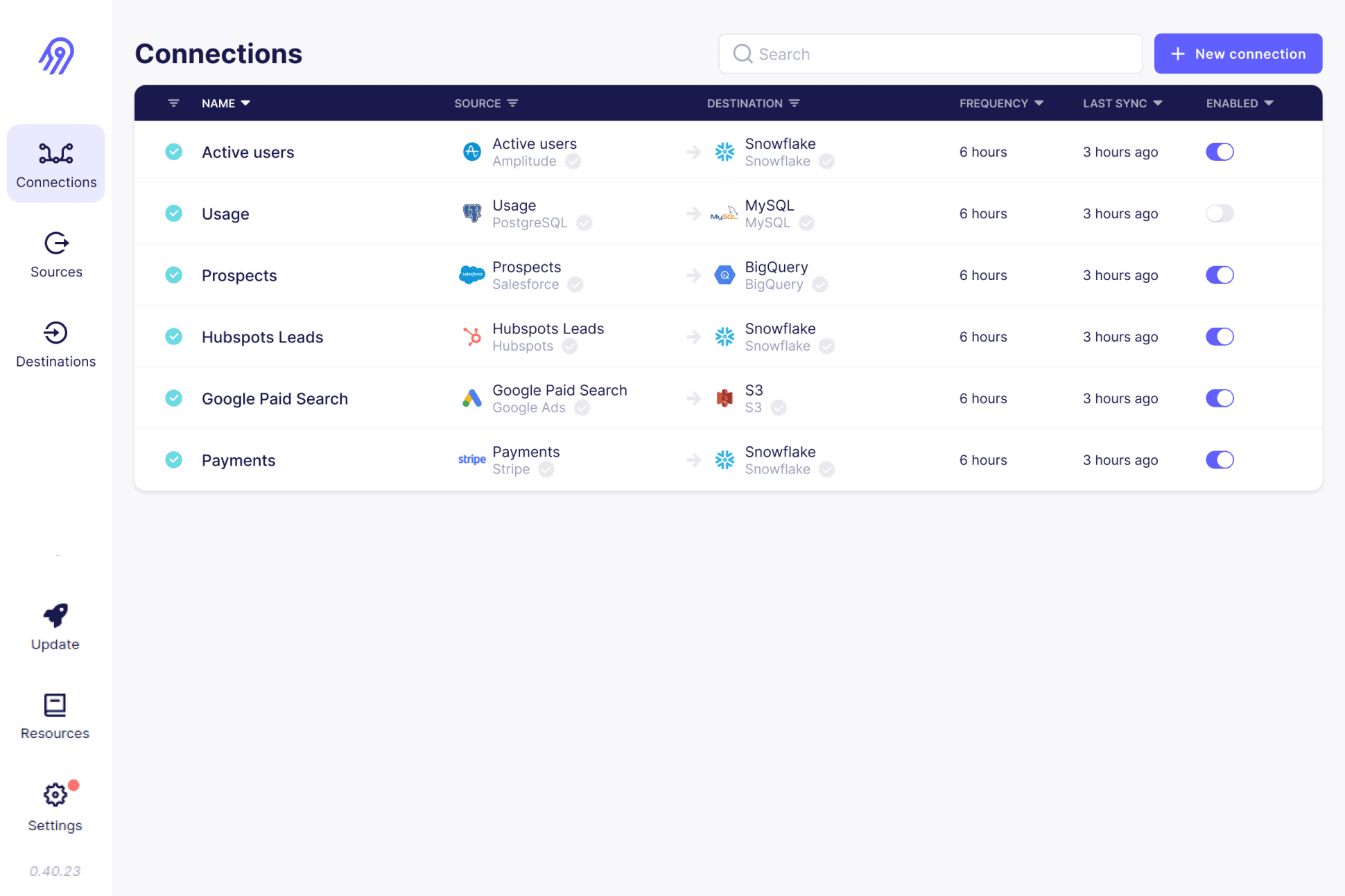
Our take after testing: Airbyte's connector breadth is unmatched in the open-source world. The self-hosted option is genuinely free and powerful, but expect to invest engineering time in deployment, monitoring, and connector maintenance. Cloud Airbyte reduces that burden but pricing and packaging are evolving quickly as Airbyte expands agent-focused products. Connector quality varies because many are community-contributed. Best for technical teams that want flexibility and are comfortable owning operations.
Pros:
- 600+ connectors
- Open-source + managed cloud version
- Capacity-based pricing
- Python SDK & low-code connector builder
Cons:
- Self-hosted version requires more maintenance
- More suited for advanced teams
- Connector quality can vary (open-source)
- High dependence on community
Pricing model: Plan-based cloud pricing + free open-source (self-hosted)
Pricing: Free self-hosted Core; Cloud Standard from $20/mo and Plus from $189/mo in credits by data volume; Pro and Enterprise Flex on custom, capacity-based pricing (checked Oct 2026)
If you don't have workloads that currently use DBT or fit well into that model, this probably isn’t the tool for you.
Reviews: G2 Reviews
Full comparison: Airbyte vs Weld
CDC, Streaming & Visual ELT
Estuary: Best CDC / Streaming-First

Estuary Flow is a real-time ETL/ELT and data integration platform for batch and streaming pipelines. It supports low-latency pipelines using change data capture (CDC), automated schema evolution, and connector-driven pipeline building. Estuary is best for teams that need real-time movement without running a full streaming stack themselves.
Our take after testing: Estuary is the strongest option if you need real-time CDC without operating Kafka yourself. The streaming-first approach is genuinely different from batch-oriented tools. The connector catalog is still growing, and the pricing model can be hard to predict at volume. Best for teams that need sub-minute latency and are willing to adopt a streaming mindset.
Pros:
- Real-time data sync
- Change Data Capture (CDC) support
- Easy UI for event workflows
- Automatic schema evolution with exactly-once delivery guarantees
- 100+ no-code connectors for databases, SaaS apps, and message queues
Cons:
- Smaller community
- Requires event-oriented thinking
- Connector catalog still growing; niche/new APIs may need custom work
- Premium pricing model can be expensive for small teams
Pricing model: Consumption-based + per-connector
Pricing: $0.50/GB consumed + per-connector fee
Estuary’s real-time, no-code model allows pipelines to be set up quickly with minimal maintenance, and the platform’s support team is highly responsive.
Reviews: G2 Reviews
Full comparison: Estuary vs Weld
Matillion: Best Visual Warehouse ELT
Matillion is a cloud-first ETL/ELT tool designed for building pipelines and transformations in platforms like Snowflake, BigQuery, and Redshift. It offers a low-code interface with scheduling, monitoring, and orchestration features. Matillion is best for teams that want visual pipeline development with cloud data warehouses.
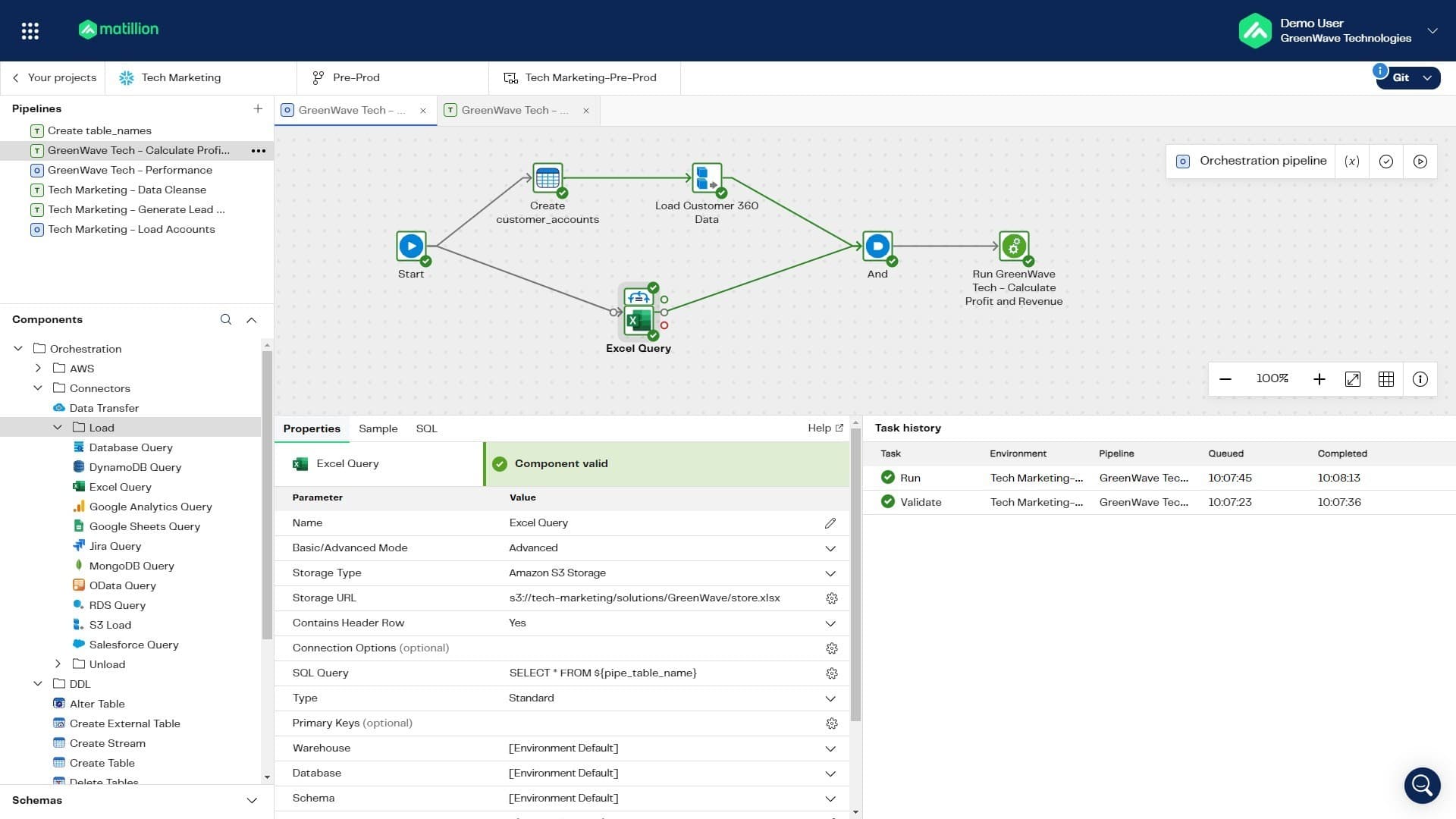
Our take after testing: Matillion works well when your analysts need to build transformations visually inside a cloud warehouse. The push-down ELT approach is efficient for Snowflake and BigQuery workloads. Credit-based pricing can spike with heavy usage, and the UI has a learning curve. Best for warehouse-heavy teams that want visual ELT without writing raw SQL.
Pros:
- dbt integration
- Large number of connectors
- On premise options
- Has both ELT and ETL capabilities
Cons:
- Usage-based pricing can spike
- Higher learning curve for small teams
- Requires upfront investment and implementation
Pricing model: Credit-based usage
Pricing: $2.00 per credit
Built-in connectors to heaps of systems; ability to create custom connectors; active community and quick responses to forum questions
Reviews: G2 Reviews
Full comparison: Matillion vs Weld
Hevo Data: Best No-Code ELT

Hevo is a no-code ETL/ELT platform designed to automate ingestion into data warehouses with minimal engineering effort. It’s built for teams that want fast setup, monitoring, and simple pipeline management. Hevo is best for organizations that value ease of use and quick time-to-value.
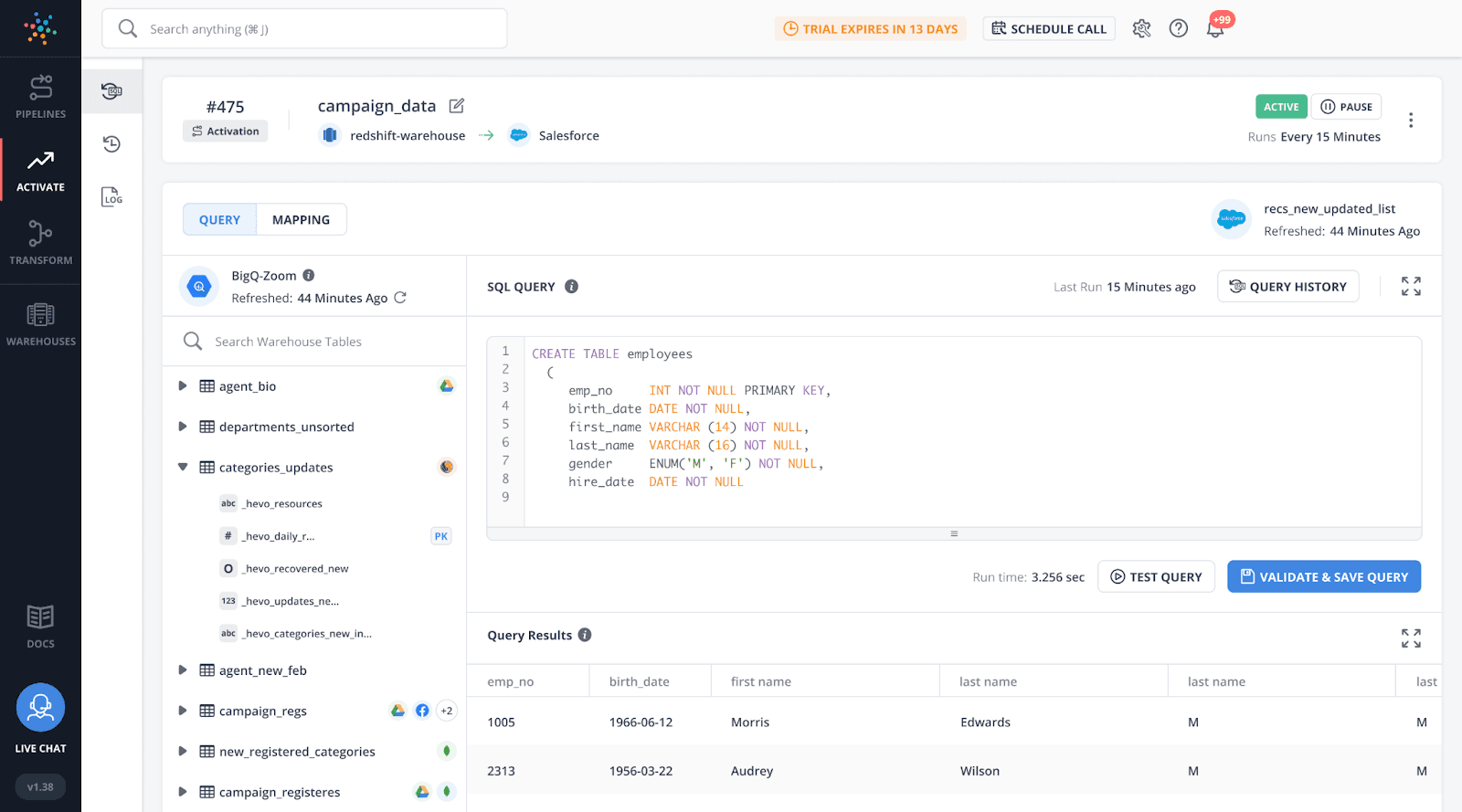
Our take after testing: Hevo is the fastest to set up for common SaaS sources. The no-code UI is genuinely analyst-friendly, and pricing is straightforward. The limitations show up with advanced use cases: scheduling flexibility, error handling, and connector depth for less common sources. Best for small-to-mid teams that want quick time-to-value without engineering overhead.
Pros:
- Supports ETL and ELT
- Plenty of fully maintained connectors
- Great for non-technical users
- Simple UI that's easy to work with
- Affordable pricing
Cons:
- Limited features for advanced use cases
- Limited custom scheduling features
- Only 50 connectors available on the Free plan
- Less flexible for deeply customized pipelines
- Error messages and status codes could be better
Pricing model: Subscription
Pricing: Starts at $299 / 5M rows
Hevo is really good for standard pipelines, but it has some limitations for more complex use cases.
Reviews: G2 Reviews
Full comparison: Hevo vs Weld
Enterprise ETL
Informatica: Best Enterprise Governance
Informatica is an enterprise data integration platform known for ETL, data quality, and governance at scale. It spans on-prem PowerCenter and cloud-native IDMC for hybrid environments. Informatica is best for large organizations that need end-to-end enterprise data management.
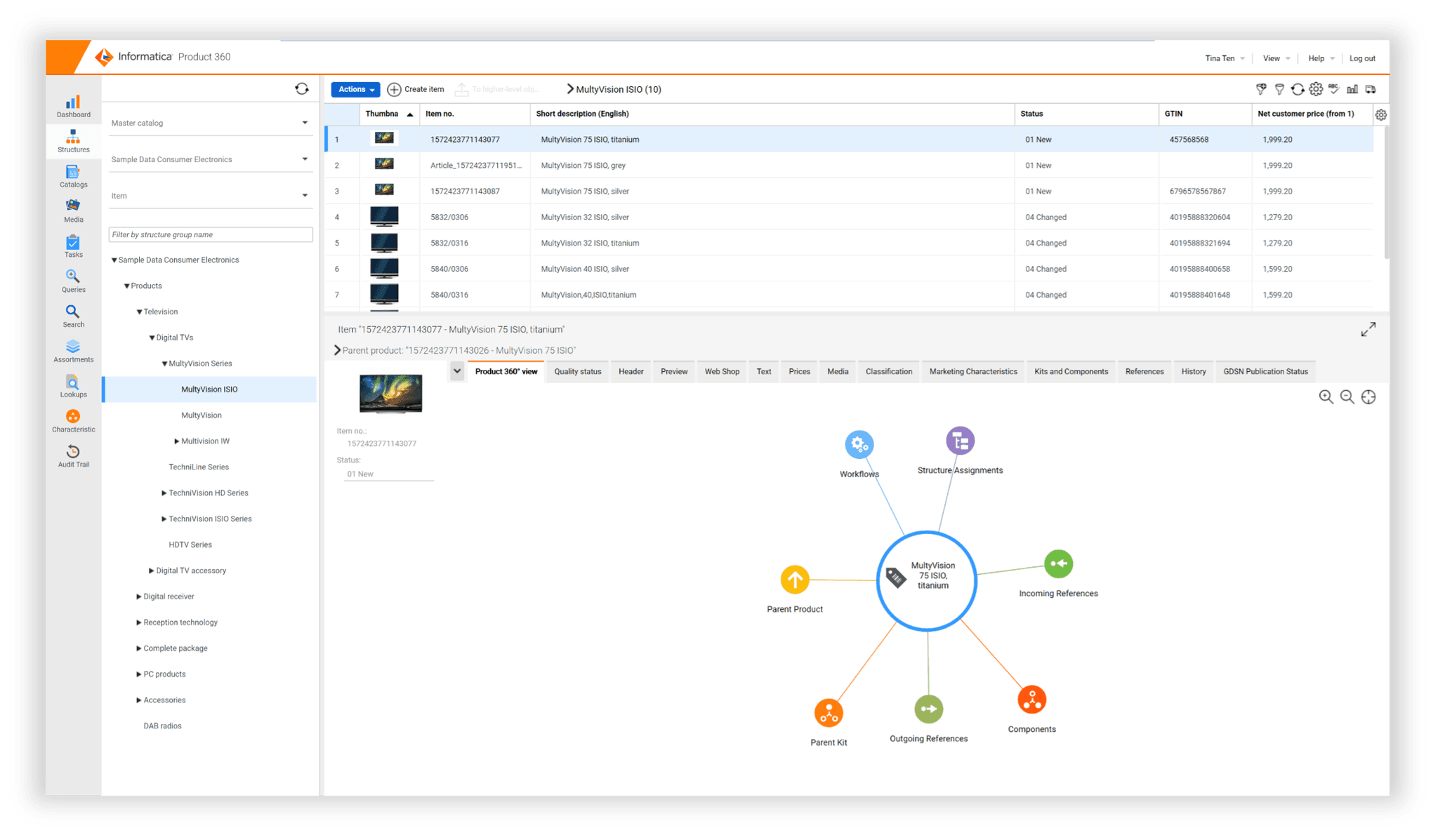
Our take after testing: Informatica is the enterprise heavyweight for a reason. The connector coverage (1,200+), data quality engine, and governance features are unmatched. But it requires specialized skills, long implementation cycles, and enterprise budgets. Smaller teams will find it overkill. Best for large organizations with complex data estates and strict compliance needs.
Pros:
- Enterprise-grade capabilities
- Strong data quality features
- Cloud integration; scalable
- 1,200+ connectors
Cons:
- Expensive for SMB/mid-market
- Specialized skills required
- Infrastructure/setup can be heavy
Pricing model: Enterprise licensing + subscription (custom quotes)
Pricing: PowerCenter enterprise licensing; Cloud subscription (custom quotes)
Informatica PowerCenter has been a classic, with decades in the industry. It offers every possible connector and provides robust mapping tools.
Reviews: Gartner reviews
Full comparison: Informatica Cloud vs Weld
Qlik Talend: Best Hybrid Enterprise CDC + ELT

Qlik Talend Cloud is Qlik’s enterprise ETL and ELT data integration platform (following Qlik’s acquisition of Talend in 2023). It combines data replication, change data capture (CDC), data pipelines, and (by tier) data quality and governance in a single suite for cloud, on-prem, and hybrid environments.
If you’re looking for an ETL tool that can support real-time data pipelines and modern lake or lakehouse architectures while maintaining strong governance, Qlik Talend is a strong option, especially for mature data teams that need both breadth (many sources and targets) and depth (CDC, transformation, and data trust capabilities).
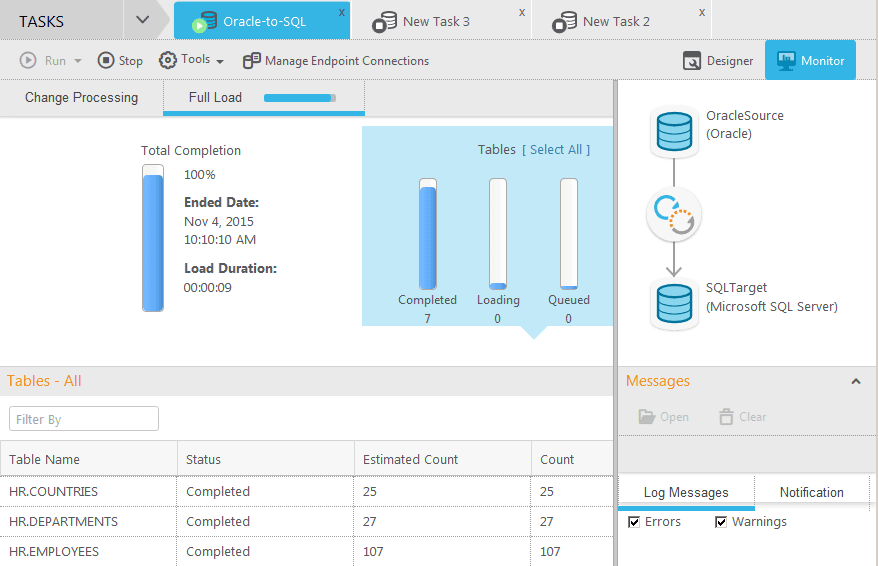
Our take after testing: Qlik Talend combines CDC, ELT, and data quality in a single enterprise suite. The platform depth is impressive for hybrid/multi-cloud scenarios. The complexity is real though: smaller teams will find the implementation heavy, and pricing is capacity-plus-tier based. Best for mature data teams migrating from on-prem to cloud with governance requirements.
Pros:
- Enterprise-grade ETL + ELT (advanced transformation in higher tiers)
- Strong replication + CDC support for near real-time pipelines
- Built for hybrid and multi-cloud data movement (warehouse, lake, lakehouse)
- Large and continuously expanding connector ecosystem
- Enterprise tier support for complex sources like SAP and mainframe
- Premium/Enterprise tiers add broader capabilities beyond ETL, including API integration, data quality, and governance features
Cons:
- Best suited to experienced data teams (platform breadth increases implementation complexity)
- Can be expensive for smaller companies and simple use cases
- Pricing is capacity + tier based, so forecasting costs requires understanding expected volumes and job runtimes
- Some advanced capabilities require higher tiers
Pricing model: Tiered subscription + capacity-based
Pricing: Starter / Standard / Premium / Enterprise (typically quote-based)
Reviews:
Gartner Reviews
Full comparison: Talend vs Weld
Open-Source & Full-Stack ELT
Meltano: Best Dev-First Open-Source

Meltano is an open-source ELT framework built around Singer connectors and developer workflows. It’s popular for version-controlled pipelines and CI/CD-driven data engineering. Meltano is best for teams that want full ownership over their ingestion stack.
Our take after testing: Meltano is the best choice for teams that want version-controlled, CI/CD-driven pipelines. The CLI-first workflow fits well into GitOps practices. The trade-off is that everything requires engineering effort: there's no UI for business users, transformations rely on external tools (dbt), and you own all deployment and monitoring. Best for engineering-led teams that treat data pipelines as code.
Pros:
- CLI-first + version-controlled
- Open-source & modular
- Dev-friendly for custom pipelines
- SDK to build Singer taps and targets
Cons:
- Steep learning curve for non-devs
- Requires manual deployment
- Transformations typically done via dbt
- Higher maintenance than managed tools
Pricing model: Free open source + optional paid support/managed
Pricing: Free (self-hosted), custom (managed), paid support packages
All the managerial tasks are handled under the hood, leaving you to focus on getting or consuming the data you need.
Reviews: G2 Reviews
Full comparison: Meltano vs Weld
Keboola: Best End-to-End Pipeline Platform

Keboola is a cloud platform for building and managing complete data pipelines with both code and no-code workflows. It combines connectors, orchestration, transformations, versioning, auditing, and cost monitoring. Keboola is best for teams that want a flexible end-to-end pipeline workspace.
Our take after testing: Keboola tries to be an end-to-end data platform: connectors, orchestration, transformations, governance. That ambition is both its strength and weakness. The platform is capable but the UI can feel complex, and credit-based pricing requires careful forecasting. Best for mid-market teams that want one platform for the full pipeline lifecycle.
Pros:
- Wide range of features
- Option to build custom components with API first approach
- Transformations that support both ELT and ETL
- Good academy to learn
Cons:
- Complex UI
- Orchestration features are lacking
- Credit consumption pricing can become expensive
- Smaller user base
Pricing model: Custom / usage-based
Pricing: Custom pricing
What I like most is that Keboola is a very simple tool, allowing even a single person to manage the data pipelines of a large company."
Reviews: G2 Reviews
Full comparison: Keboola vs Weld
Rivery: UI-Driven ELT + Activation

Rivery is a managed ELT platform that helps teams load data into a warehouse and transform it post-load. It supports building pipelines via UI and includes scheduling and monitoring features. Rivery is best for teams that want a UI-driven ELT tool with flexible integrations.
Our take after testing: Rivery provides a solid UI-driven ELT experience with reverse ETL capabilities. The visual pipeline builder works well for straightforward flows. Documentation can lag, and the pricing model (credit-based) isn't always transparent. Best for teams that want a manageable UI tool with basic activation features.
Pros:
- Supports custom integrations through native GUI
- Has reverse ETL option
- Supports Python
- Has data transformation capabilities
- Great customer support
Cons:
- Lack of advanced error handling features
- Cannot transform data on the fly (ETL)
- Complex pricing model
- UI is lacking for very complex pipelines
- Documentation can be lacking
Pricing model: Credit-based usage
Pricing: $0.75 per credit (100MB of data replication)
As a data analyst, I find the tool really easy to use; it's intuitive how you connect to the different data sources and create your data pipelines.
Reviews: G2 Reviews
Full comparison: Rivery vs Weld
Cloud-Native ETL
Azure Data Factory: Best Azure-Native ETL

Azure Data Factory (ADF) is Microsoft’s cloud service for building ETL/ELT pipelines in Azure. It includes a drag-and-drop pipeline designer, broad connectivity, and the ability to run transformations via Databricks or stored procedures. ADF is best for teams already committed to the Azure ecosystem.
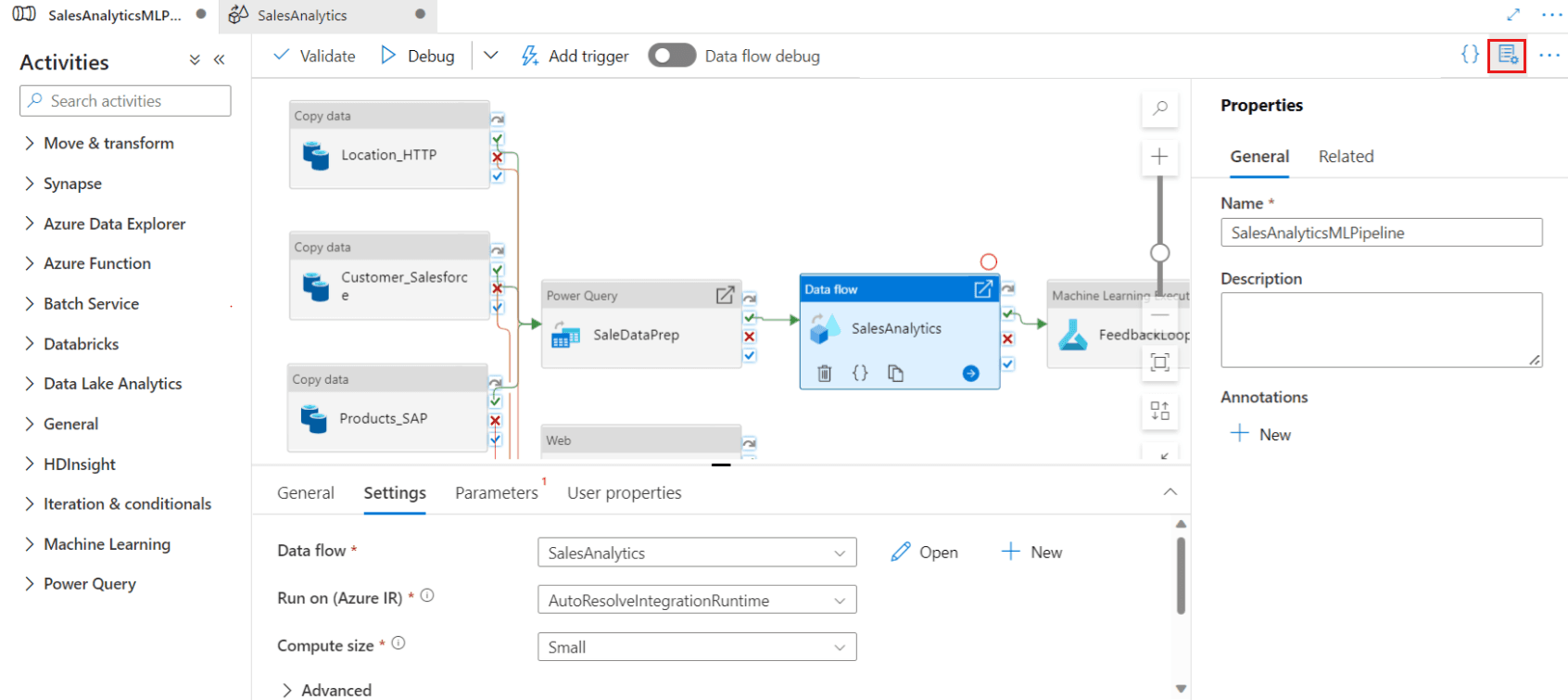
Our take after testing: ADF is the right choice if you're already committed to Azure. The native integrations with Azure services are deep, and the drag-and-drop designer works for common patterns. But the pricing model (per activity run + compute) is complex, error messages can be vague, and the UI gets slow on large pipelines. Best for Azure-native stacks with dedicated engineering support.
Pros:
- Scales well in Azure environments
- Rich native connectors
- SSIS support
- Good for hybrid cloud/on-premises
- Strong security and compliance
Cons:
- Complex interface
- Charges per pipeline activity, per DIU for data flows, and for data movement across regions
- Error messages can be vague
- Azure-specific quirks may require specialized knowledge
- UI can be slow on large pipelines
Pricing model: Consumption-based (per activity + compute)
Pricing: Pay per activity run + data movement; starts ~$0.25 per DIU-hour for data flows
Its flexibility in connecting diverse data sources and integration with the Azure ecosystem are standout advantages.
Reviews: Gartner Reviews
Full comparison: Azure Data Factory vs Weld
AWS Glue: Best AWS-Native ETL

AWS Glue is a fully managed, serverless ETL service on AWS. It can generate PySpark ETL jobs, run them on schedules/triggers, and integrate tightly with S3 and other AWS services. AWS Glue is best for AWS-native stacks that want Spark ETL without managing clusters.
Our take after testing: AWS Glue is powerful for teams that already run on AWS and want serverless Spark ETL. The Data Catalog integration with Athena is genuinely useful. But debugging PySpark jobs is painful, costs are hard to predict (DPU-hour billing), and there's a steep learning curve for non-Spark developers. Best for AWS-heavy stacks with data engineering capacity.
Pros:
- Serverless, no infrastructure to manage (Spark under the hood)
- Built-in Data Catalog for schema discovery and integration with Athena
- Supports Python (PySpark) and Scala ETL scripts
- Deep integration with AWS ecosystem (CloudWatch, IAM, S3 triggers)
Cons:
- Costs can be unpredictable for long-running jobs (billed per DPU-hour)
- Debugging PySpark jobs can be cumbersome
- Multi-cloud/on-prem sources require additional setup
Pricing model: Consumption-based (DPU-hour + job costs)
Pricing: $0.44 per DPU-hour (development endpoints) + per-job costs
My team built a framework in AWS Glue to fetch data from multiple platforms and store it in S3 in the format we specified. It streamlined our integration and data collection.
Reviews: G2 Reviews
Full comparison: AWS Glue vs Weld
dltHub (dlt): Best Python-First Pipelines
dlt is an open-source Python library for building code-first ELT pipelines. It handles schema inference, incremental loading, and retries automatically, and runs in any orchestration environment. dlt is best for engineering teams that want lightweight ingestion with strong developer ergonomics.
Our take after testing: dlt is a breath of fresh air for Python developers who want lightweight ingestion without a full platform. Schema inference, incremental loading, and state management work well out of the box. But there's no UI, you need to build your own monitoring, and the connector catalog is still growing. Best for engineering teams that prefer code-first pipelines and already use Python orchestrators.
Pros:
- Open-source and free
- High flexibility via Python code
- 60+ connectors with schema evolution
- Built-in incremental loading and state management
- Works with Airflow, Prefect, cron, etc.
Cons:
- No graphical UI
- Requires engineering to deploy and schedule
- Limited built-in transformations vs ETL suites
- Monitoring/observability must be built externally
- Smaller community vs bigger platforms
Pricing model: Free open source
Pricing: Free (open-source)
dlt is lightweight, customizable, and removes a lot of the boilerplate around API ingestion. With just a few lines of Python, we were able to create robust pipelines that handle schema changes and incremental loads seamlessly.
Reviews: Medium Review
Full comparison: dlt vs Weld
Databricks Lakeflow: Best Lakehouse-Native
Databricks Lakeflow provides a managed environment for building data pipelines and lakehouse workflows on Databricks. It combines storage, compute, and orchestration to simplify ETL/ELT inside the Databricks ecosystem.
Our take after testing: Lakeflow makes sense if your team is already standardized on Databricks. The Delta Lake integration and unified compute model simplify lakehouse pipelines. Outside the Databricks ecosystem, it offers less value, and pricing depends entirely on your Databricks usage. Best for Databricks-native teams building lakehouse architectures.
Pros:
- Tight integration with Databricks compute and Delta Lake
- Good for data engineering teams already standardizing on Databricks
- Scales with Databricks clusters and SQL workloads
Cons:
- Best value only inside Databricks-heavy stacks
- Pricing depends on Databricks usage (can be expensive)
Pricing model: Usage-based (Databricks compute + storage)
Reviews: Databricks product and announcement pages
ETL vs ELT vs Reverse ETL vs CDC
Understanding the differences between these approaches helps you choose the right tool category:
What is ETL?
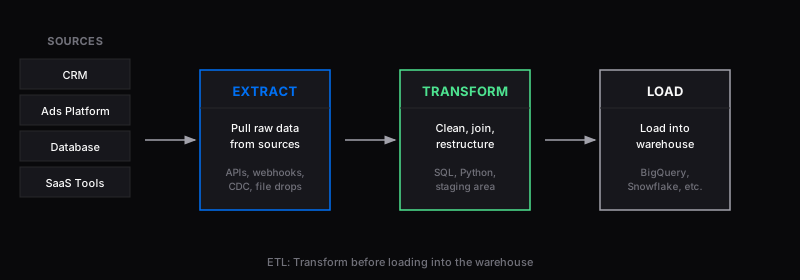
ETL stands for Extract, Transform, Load. Data is pulled from sources, cleaned and restructured in a staging area, then loaded into the destination. This approach is common with legacy and on-prem tools where transformations need to happen before data reaches the warehouse.
- Extract: Pull data from source systems (CRM, ad platforms, databases, SaaS tools)
- Transform: Clean, join, restructure, and enrich the data in a staging area
- Load: Load the transformed data into the data warehouse
What is ELT?
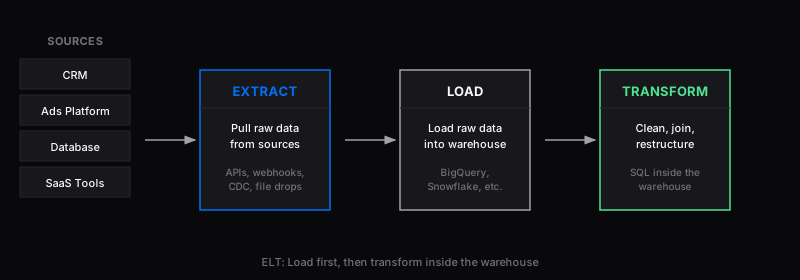
ELT flips the last two steps: raw data is loaded into the warehouse first, then transformed inside the warehouse using SQL or tools like dbt. This is the dominant approach with modern cloud data stacks because warehouses like Snowflake and BigQuery have enough compute power to handle transformations at scale.
What is Reverse ETL?
Reverse ETL sends data from the warehouse back into operational tools. Sales teams see enriched data in their CRM, marketing builds better segments, and finance automates reporting. All using the same trusted warehouse data.
What is CDC?
Change Data Capture reads database transaction logs to detect and stream row-level changes in near real-time. It is used for replication, real-time analytics, and keeping systems in sync without full table scans. Tools like Debezium, Estuary, and Qlik Replicate specialize in CDC.
Common Mistakes When Choosing ETL Software
-
Choosing based on connector count alone. Having 500 connectors doesn't help if the three you need aren't well-maintained. Check the specific connectors you'll use, not just the total number.
-
Ignoring total cost of ownership for open-source. Self-hosted tools like Airbyte or Meltano are free to use, but engineering time for deployment, monitoring, upgrades, and connector maintenance adds up fast.
-
Underestimating pricing at scale. Usage-based pricing (per row, per credit, per MAR) looks cheap at small volumes but can grow unpredictably. Model your costs at 5x your current volume before committing.
-
Picking an ETL tool when you need ELT (or vice versa). If your warehouse can handle transformations (Snowflake, BigQuery, Redshift), ELT is usually simpler and more flexible. ETL makes more sense when data needs to be cleaned before it enters the warehouse.
-
Overlooking transformation needs. Many tools only do extract-and-load. If you also need to transform data, you'll need a separate tool (dbt, custom SQL) or a platform that includes transformations.
-
Not testing with real data. Take advantage of free trials. Test with your actual sources, volumes, and edge cases. Many tools look great in demos but struggle with real-world complexity.
-
Locking into a cloud-specific tool too early. AWS Glue, Azure Data Factory, and Google Cloud Data Fusion are great within their ecosystems but create lock-in. If there's a chance you'll go multi-cloud, consider a vendor-neutral tool.
-
Ignoring the team's skill set. Code-first tools (dlt, Meltano) are powerful but need engineers. No-code tools (Hevo, Matillion) are faster for analysts but may lack flexibility for complex pipelines.
ETL FAQs
What is the best ETL tool in 2026?
The best ETL tool depends on your requirements. For fully managed ELT with minimal maintenance, Fivetran is the industry standard. For open-source flexibility, Airbyte leads with 600+ connectors. For a unified ELT + reverse ETL platform with predictable pricing, Weld combines ingestion, transformations, and data activation in one tool. For real-time CDC pipelines, Estuary is the strongest managed option.
What is the best free ETL tool?
Airbyte (self-hosted) is the best free ETL tool for teams with engineering capacity. It offers 600+ connectors and is fully open-source. Meltano is the best free option for CLI-first, version-controlled pipelines. dlt (dltHub) is the best free option for Python developers who want lightweight, code-first data ingestion.
What is the best ETL tool for small teams?
For small teams without dedicated data engineers, Hevo Data and Weld offer the fastest setup with no-code or low-code interfaces. Both start under $300/month. For teams with a developer, Airbyte (self-hosted) is free.
What is the best ETL tool for AI agents or automated workflows?
The best ETL tool for AI agents depends on how much control the agent needs. If your agent only needs reliable ingestion, tools like Fivetran work well because the connector layer is stable and low maintenance. If your agent needs to trigger syncs, inspect pipeline state, work with dbt models, and activate data back into business systems, Weld is better aligned because it combines managed ELT, reverse ETL, dbt support, and agent-facing pipeline access. For engineering teams building code-native agent workflows, Airbyte, Meltano, and dlt are strong fits because they expose more of the workflow to developers and infrastructure automation.
What makes an ETL tool agent-ready?
An agent-ready ETL tool should provide programmatic control, observable run state, clear permissions, and predictable warehouse outputs. In practice, look for APIs, logs, lineage, dbt compatibility, retry behavior, and approval boundaries. Without those features, an AI agent can generate suggestions, but it cannot safely operate real data pipelines in production.
What's the difference between managed and self-hosted ETL tools?
| Feature | Managed | Open-source (self-hosted) |
|---|---|---|
| Runs on | The vendor's servers | Your own servers |
| Managed by | The vendor | Your team |
| Data control | Data goes through the vendor's systems (usually encrypted) | Data stays entirely within your infrastructure |
| Setup | Fast, web-based | You install and configure it manually |
| Cost | Subscription | May be free (open source), but you pay for infrastructure and engineering time |
| Compliance | Handled by vendor (SOC 2, GDPR, etc.) | You must ensure compliance yourself |
What are the main use cases for an ETL pipeline?
- Data warehousing: Consolidating data from multiple sources into a central repository for analysis and reporting.
- Data migration: Moving data between systems during upgrades or platform changes.
- Data integration: Combining data from different sources to provide a unified view.
- Data transformation: Cleaning, enriching, and restructuring data for specific business needs.
- Workflow automation: Reducing manual effort and human error in repetitive data tasks.
What is the difference between ETL and ELT?
ETL (Extract, Transform, Load) transforms data before loading it into the warehouse. ELT (Extract, Load, Transform) loads raw data first, then transforms it inside the warehouse. ELT is the standard approach with modern cloud warehouses like Snowflake, BigQuery, and Redshift because they have the compute power to handle transformations at scale. Most tools in this guide follow the ELT approach.
Is open-source better than managed ETL?
Open-source is better if your team has engineering capacity and you want full control over deployment, data, and costs. Tools like Airbyte, Meltano, and dlt are free to use but require engineering time for deployment, monitoring, and maintenance. Managed tools like Fivetran, Hevo, and Weld cost more in licensing but save significant engineering time and are faster to set up. For most teams under 50 people, managed tools are more cost-effective when you factor in total cost of ownership.
Which tool is best for streaming data or CDC?
Estuary is the strongest managed CDC/streaming option. For open-source CDC, Debezium (paired with Kafka) is the most widely used.
How much do ETL tools cost?
ETL tool pricing varies widely. Free/open-source options (Airbyte self-hosted, Meltano, dlt) cost $0 in licensing but require infrastructure and engineering time. Mid-market tools (Weld, Hevo) start at $99-299/month with predictable pricing. Enterprise tools (Fivetran, Informatica, Qlik Talend) typically start at $500/month and scale into six figures annually. Usage-based tools (Fivetran, AWS Glue, Matillion) can be unpredictable; model your costs at 3-5x your current volume before committing.
Related Guides
Looking for more specific comparisons? These guides go deeper on specific ETL use cases:
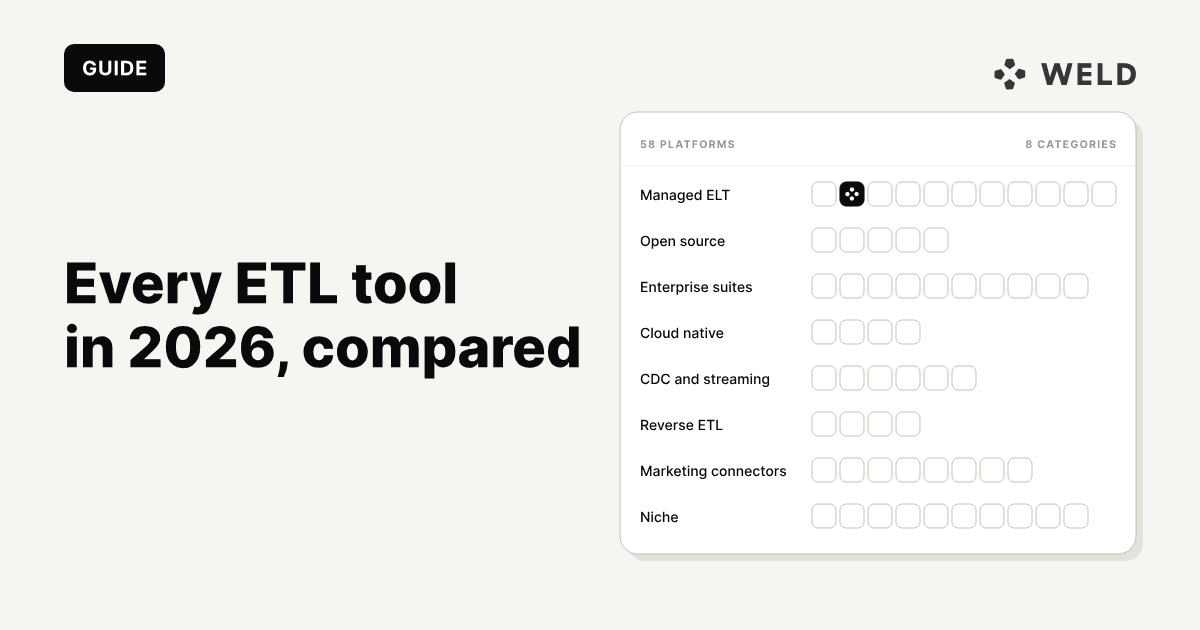
- Every ETL Tool in 2026: 50+ Platforms Compared: Complete comparison of every ETL, ELT, CDC, and reverse ETL tool on the market
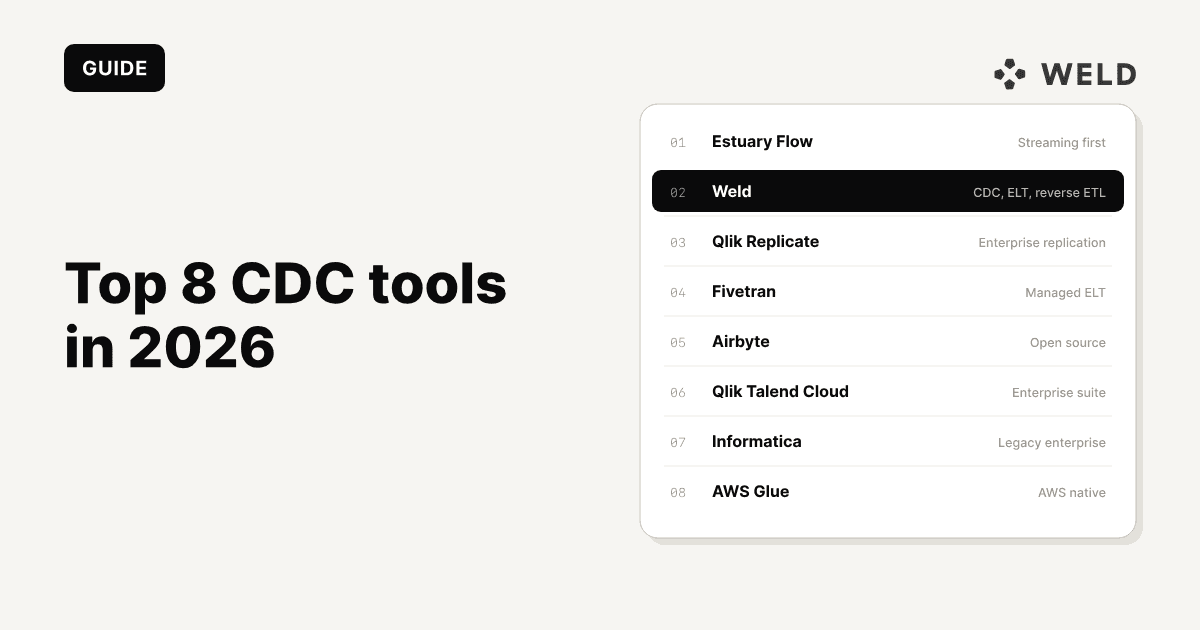
- Top 8 CDC Tools in 2026: Focused guide for real-time change data capture and streaming pipelines
- Best ELT Tools: A focused comparison of ELT-specific platforms
- BigQuery vs Snowflake: Choosing the right warehouse destination for your ETL pipelines
- Creating Data Governance: Building a governance framework for your data pipelines
- 5 Common Mistakes When Building Your First Data Stack: Avoid common pitfalls when setting up ETL and analytics infrastructure
- Data Modeling Framework: How to structure your data after ETL loads it into your warehouse
Sources
- AWS: What is ETL?
- Google Cloud: What is data integration?
- IBM: What is ETL?
- IBM: Modern ETL and data integration
- IBM: What is ELT?
- DataCamp: Reverse ETL
- Qlik: What is ETL?
- Gartner: Data integration tools market
- G2: ETL tools category
- Capterra: ETL software category
- Databricks: Lakeflow announcement
Primary Vendor Sources (Top 15 Tools Mentioned)
- Fivetran: Pricing, Connectors, Docs
- Airbyte: Pricing, Connectors, Docs
- Weld: Pricing, Connectors, Docs
- Estuary: Pricing, Connectors, Docs
- Matillion: Pricing, Docs
- Hevo: Pricing, Docs
- Informatica: Pricing, Docs
- Qlik Talend: Product, Pricing
- AWS Glue: Pricing, Docs
- Azure Data Factory: Product, Docs
- Databricks Lakeflow: Product, Lakeflow GA
- Meltano: Pricing, Docs
- dlt: Verified sources, Destinations
- Keboola: Pricing, Docs
- Rivery: Pricing, Docs