
Companies rely on an ever-growing ecosystem of tools across CRM, finance, marketing, support, and analytics. Each generates valuable data, but unifying that information in a reliable and scalable way is often more complex than it needs to be. Custom scripts, inconsistent APIs, and manual credential handling create operational overhead and slow teams down.
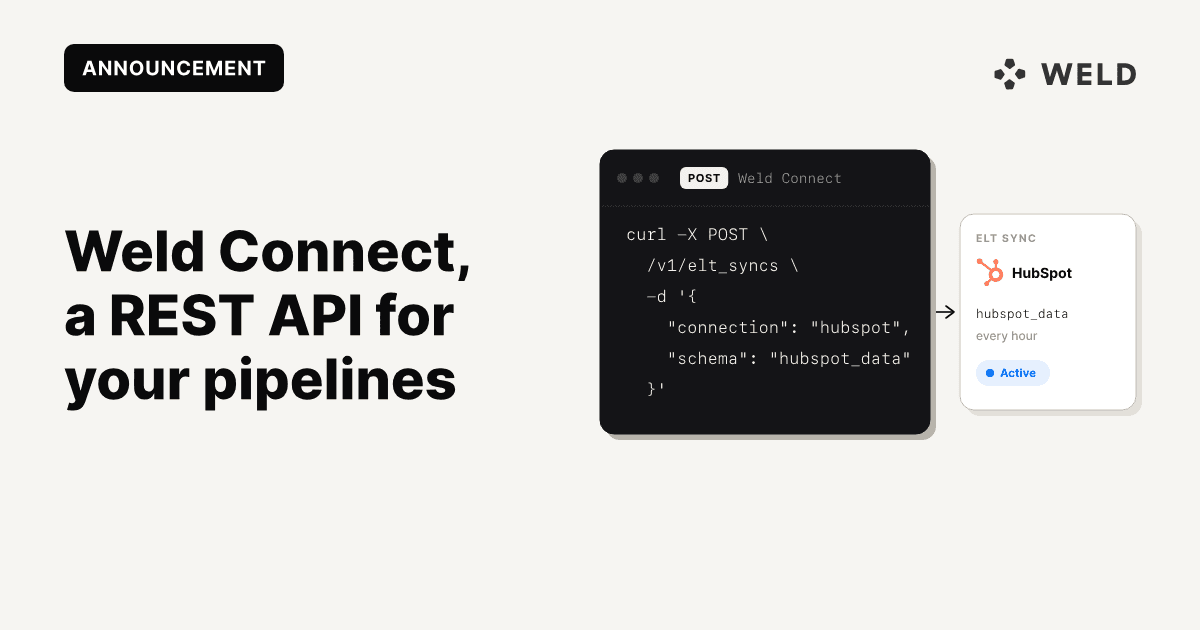
Weld Connect solves this with a production-ready, developer-friendly REST API that gives you full programmatic control of Weld.
Built for SaaS products, data engineers, and platform teams, Weld Connect lets you automate connections, configure and schedule ELT syncs, monitor sync behavior, and embed the entire flow directly inside your own product, without managing infrastructure or building pipelines from scratch.
👉 Why choose Weld Connect?
Our API is a powerful and developer-friendly platform that accelerates how you connect, automate, and leverage data across your business tools. Below you can read what Weld Connect offers you and why it can be a good solution for you.
Programmatic control of your integrations
With Weld Connect you can create and manage connections, configure ELT syncs, add or remove streams, and manage schedules through clean, predictable REST endpoints. With clear API documentation, your team can start building in minutes instead of hours or days.
Scalable automation
With Weld Connect you can automate connections and syncs programmatically across CRMs, ad platforms, finance tools, databases, and internal systems, using consistent endpoints and schedules. This lets you centralize and scale your data flows without maintaining custom scripts or ad-hoc integrations.
Reliable support
Get answers when you need them, with a knowledgeable team ready to provide hands-on support on technical challenges and ensure your project’s success.
🛠 Use cases
Below you can read about how Weld Connect and REST API empowers teams by streamlining data workflows.
Integration orchestration
Instead of direct database access, API-based integration allows you to connect two or more applications through well-defined endpoints, which improves security and flexibility. You can easily automate connections between diverse business systems, syncing data efficiently across platforms, and eliminate manual data entry and fragmentation.
Workflow automation
Trigger and control data processes through Weld Connect. Schedule syncs, enable or disable them programmatically, and build multi-step orchestrations without manual intervention.
Secure, standard authentication
Use API keys with Bearer token authentication to keep integrations safe and consistent. You can manage API keys and governance centrally in Weld, using the API to integrate these controls into your own workflows, safeguarding data access and ensuring compliance.
Data monitoring and visibility
Track sync status, list activity, and handle large data sets with cursor-based pagination and detailed status endpoints. The Weld Connect API allows you to capture real-time metrics on data syncs, system health and performance, so you can proactively identify and address issues.
Built for embedding
Power a seamless, branded integration flow inside your own product using Weld’s infrastructure. Weld Connect lets your product own the integration experience: your application initiates authentication, configures ELT syncs, and monitors status through the API, while Weld securely manages credentials and executes data pipelines.
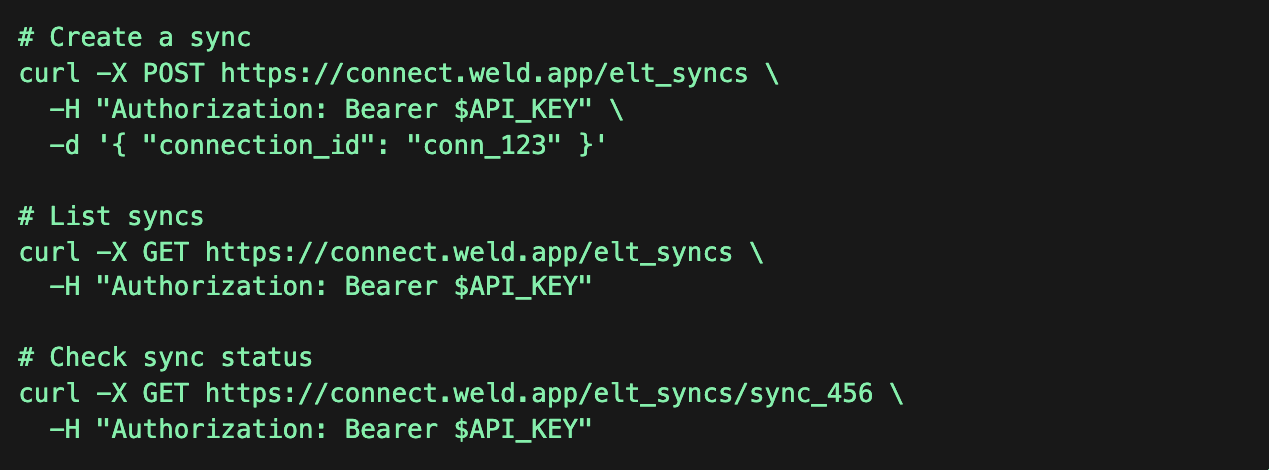
⚙️ How Weld Connect Works (End-to-End)
Below is the complete workflow for using the Weld Connect API, from authentication to enabling your first sync.
1. Authenticate with an API key
Generate a key in the Weld app under Settings → API Keys, then include it in the Authorization header:
1Authorization: Bearer <your_api_key>
2
2. Create a Connection Bridge
A Connection Bridge initiates the authentication or credential flow for the integration your user wants to connect.
POST /openapi/connection_bridges
1{
2  "redirect_uri": "https://your-app.com/callback",
3  "integration_id": "hubspot"
4}
You’ll receive an authorize_url. Redirect the user there to complete OAuth or provide credentials.
3. User completes authentication
After authentication, Weld redirects the user back to your redirect_uri with a connection_id in the query parameters.
This ID is required for configuring an ELT sync.
4. (Optional) Fetch ELT settings
Some integrations require extra configuration. Retrieve the JSON Schema that defines required fields, valid options, and constraints:
GET /connections/:id/settings
1GET https://connect.weld.app/connections/<connection_id>/settings
2
3
This schema helps you validate input or dynamically render UI components.
5. Create the ELT sync
Configure the sync using the connection ID, destination schema name, any required settings, and the sync interval.
POST /elt_syncs
1{
2  "connection_id": "abc123",
3  "destination_schema_name": "hubspot_data",
4  "elt_settings": {
5    "ad_accounts": [
6      "123456"
7    ]
8  },
9  "sync_interval": "0 * * * *"
10}
This creates the sync, but does not enable it yet.
6. Add source streams
Choose which tables or streams should be synced.
POST /elt_syncs/:id/source_streams
1{
2  "source_streams": [
3    {
4      "name": "contacts"
5    }
6  ]
7}
7. Enable the sync
Start the sync according to the defined schedule.
POST /elt_syncs/:id/enable
1POST https://connect.weld.app/elt_syncs/<sync_id>/enable
2
Your ELT sync is now live.
See It in Action: The Weld Connect Example App
To help teams explore Weld Connect without writing code, we built a simple Example App that showcases the entire API flow, connection creation, authentication, ELT setup, stream selection, and sync activation.
It’s ideal for testing, onboarding new developers, or validating how Weld Connect can fit into your own product’s integration flow.
Get Started with Weld Connect
Weld Connect gives you a secure, scalable, and programmatic foundation for automating your data workflows and powering embedded integrations.
Below, you can discover our detailed documentation on Weld Connect, review or download the full API reference (available for json and yaml) which gives you details on all available endpoints, request/response formats, authentication methods, and example use cases to get you started.
Explore the Weld Connect documentation →