
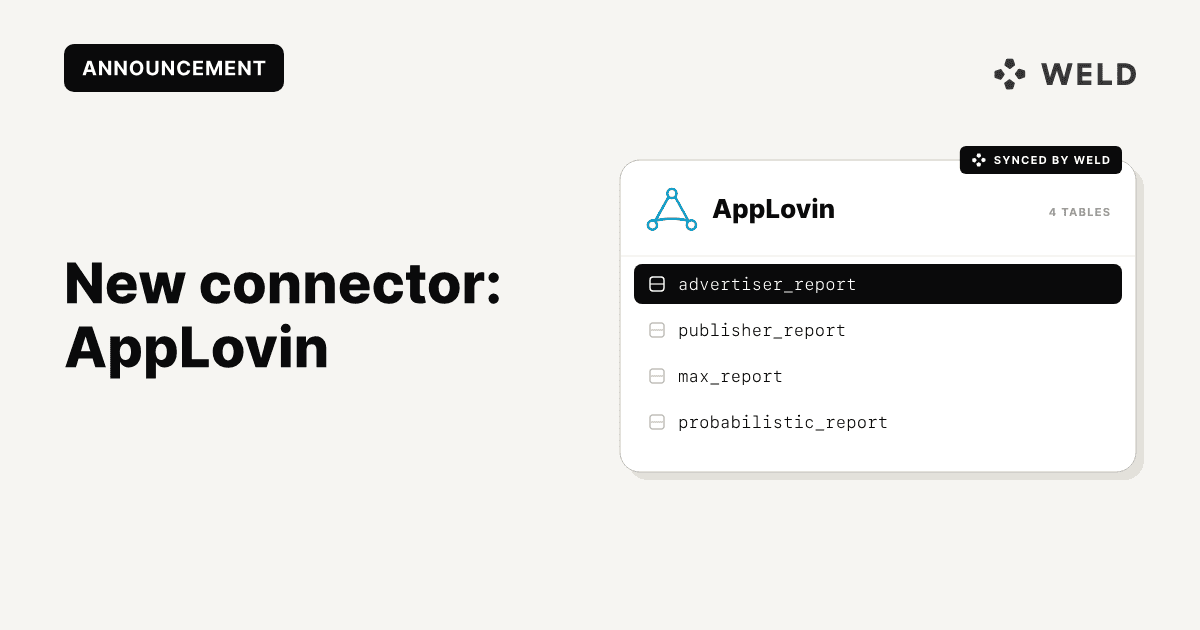
AppLovin is a leading mobile marketing platform that provides app developers with tools to grow their user base, increase engagement, and maximize revenue through targeted advertising and user acquisition strategies.
Why connect AppLovin to your data warehouse?
- Enhanced marketing analytics: Deep, customized analysis of campaign performance
- Build deeper performance analysis: Analyze LTV, ROAS, CPI, and retention over time using your own BI tools instead of relying solely on predefined dashboards.
- Enable automated reporting: Power internal dashboards, investor reporting, and alerts without manual exports or API maintenance.
- Create a single source of truth: Keep historical AppLovin data versioned, modeled, and accessible alongside the rest of your business data.
Connector features
| Feature | Supported |
|---|---|
| Column Hashing | ✅ Field-level |
| Blocking | ✅ Field-level |
| Incremental Sync | ❌ |
| Custom Data | ❌ |
| History | ❌ |
| ReSync (full reload) | ✅ |
| Templates | ❌ |
| Reverse ETL | ❌ |
Available tables
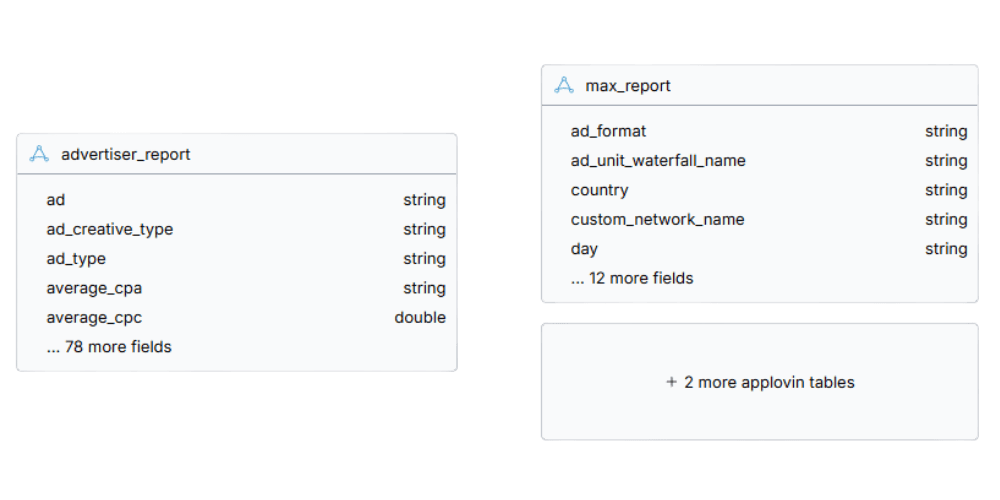
advertiser_reportprobabilistic_reportpublisher_reportmax_report
Schema
How to Set It Up
To connect AppLovin to Weld, you need an AppLovin API key.
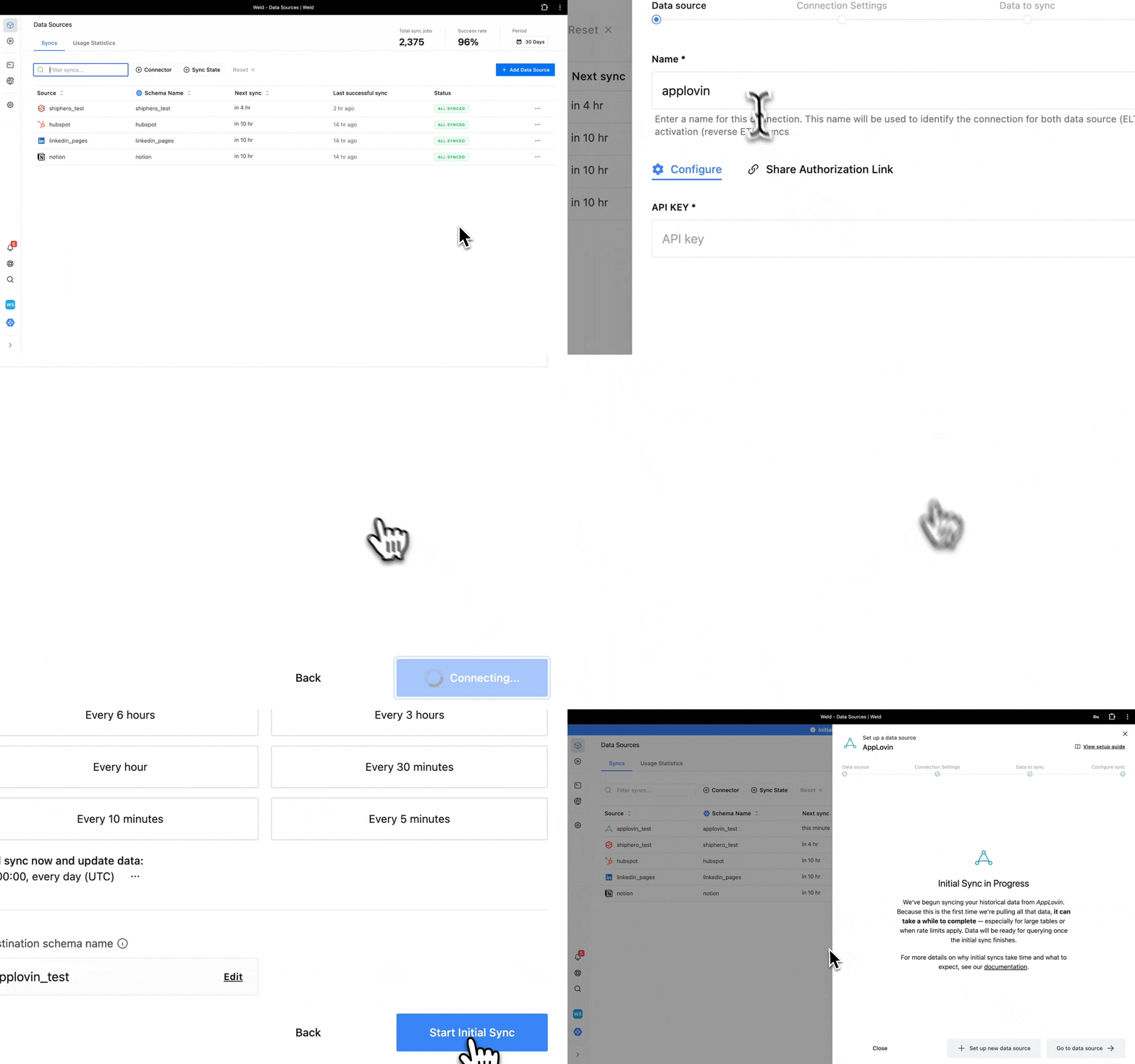
Step 1 - Get API Key
- Log in to your AppLovin dashboard.
- Navigate to the Account > General > Keys section.
- Find and copy your Report Key (also known as the API Key).
Step 2 - Begin Configuration
- In the connector setup form, enter the destination schema name of your choice.
- Enter the API Key that you copied from step 1.
- Press Next to continue.
Step 3 - Connection Settings
- You can limit the data to sync by selecting a specific date to start from. If left blank, the connector will sync all available data.
Step 4 - Data to Sync
- Select which data tables you want to sync from AppLovin.
- You can view the schema, remove columns or hash sensitive information.
Step 5 - Configure Sync
- Select how often you would like the data to sync.
Weld will take over from here and commence syncing data from your AppLovin account.
Use Cases
-
Marketing Performance & ROAS Analysis: Track spend, installs, impressions, and revenue over time. Join AppLovin data with attribution or revenue tables to calculate true ROAS across campaigns, geos, and platforms.
-
User Acquisition Optimization: Compare AppLovin performance against other ad networks to understand which channels drive the highest-quality users — not just the cheapest installs.
-
Monetization & Ad Revenue Insights: Analyze MAX and publisher reports to understand ad fill rate, eCPM trends, and monetization performance across apps and placements.
-
Forecasting & Budget Planning: Use historical AppLovin data to inform spend forecasts, campaign planning, and growth models.
-
Company-Wide Analytics: Make AppLovin data accessible to product, finance, and data teams by exposing it in your warehouse and BI layer.
Get Started
The AppLovin connector is live and available to all Weld users.